
This guide shows the easiest way to create many gift card codes using Advanced Gift Cards for WooCommerce with WooCommerce and Advanced Coupons. Bulk gift cards help you quickly generate multiple store credit codes for promotions, customer rewards, or manual distribution.
Where to Create Gift Cards
- Go to WP Admin > Coupons
- Open Advanced Gift Cards > Manage Gift Cards
- You will see existing gift cards and options to Add or Import
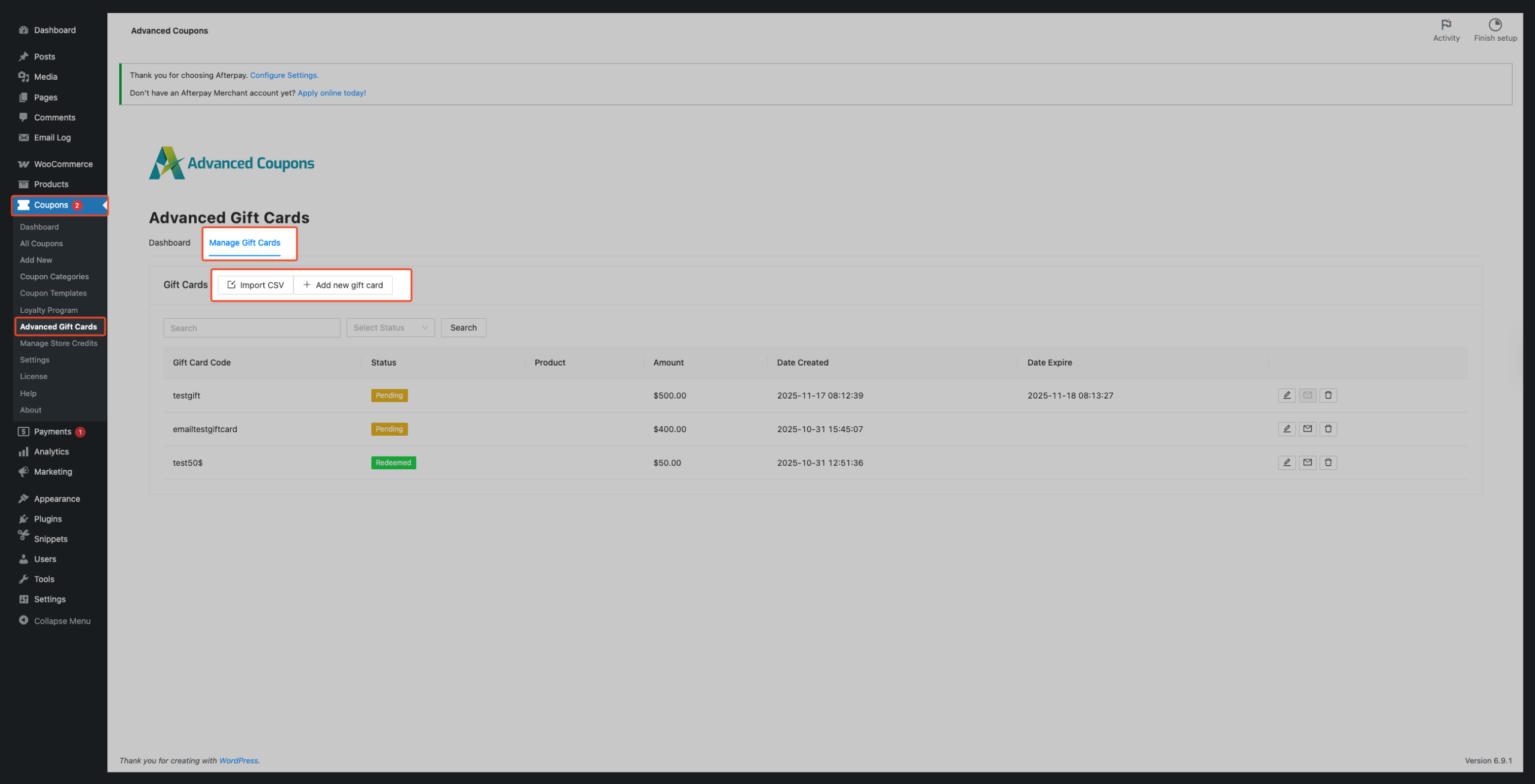
Best Method: Create Many Gift Cards Using CSV
This is the fastest and most common way.
Step 1: Create a CSV File
Create a simple CSV file with 3 columns:
| code | value | status |
|---|
Use pending for new gift cards.
Example
code,value,status
gc-1001,50,pending
gc-1002,25,pending
gc-1003,100,pending
You can download a sample CSV file by clicking Download Sample CSV in the Import CSV pop-up window.
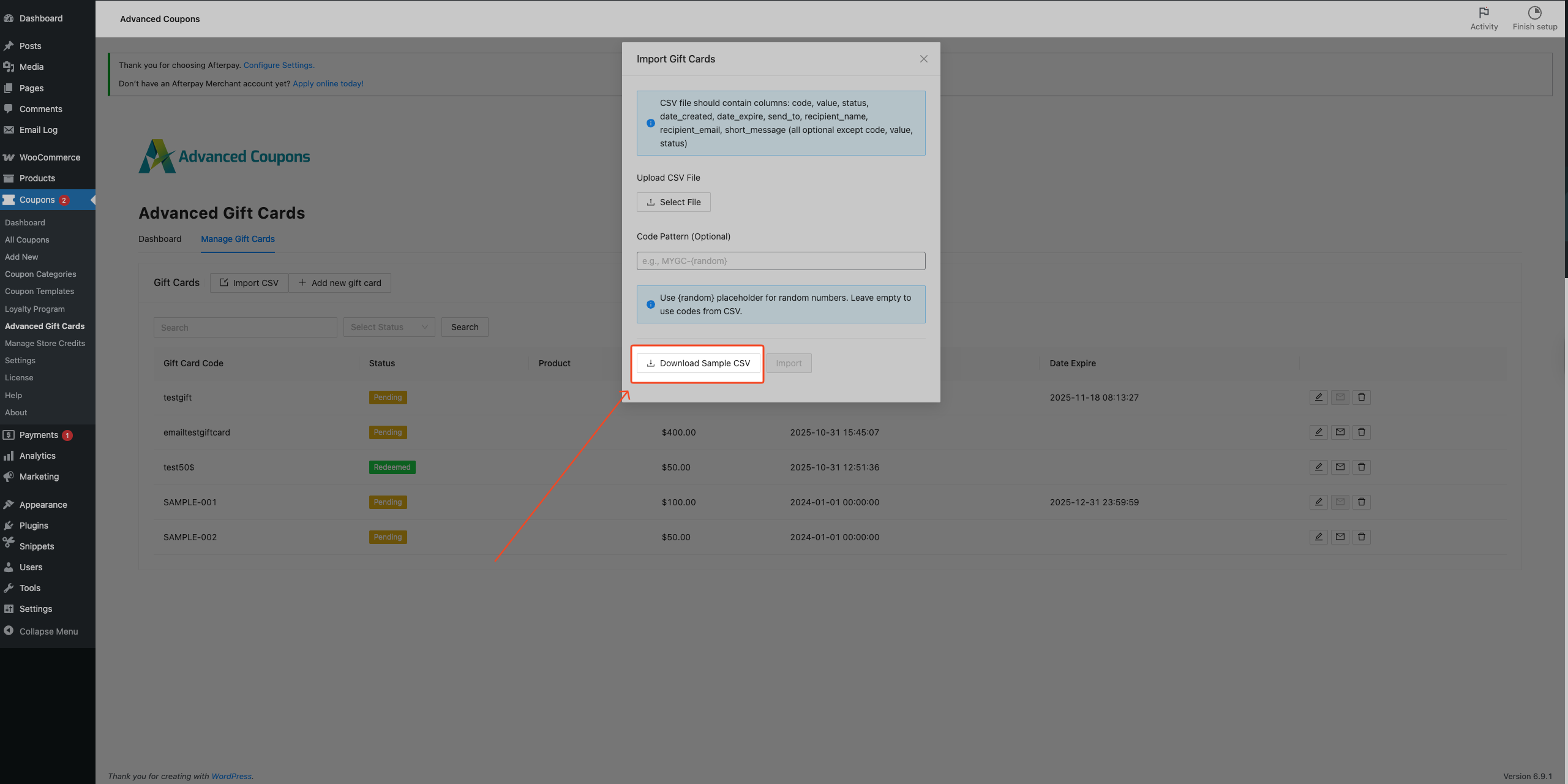
Step 2: Import the CSV
- Go to WP Admin > Coupons > Advanced Gift Cards
- Click Import CSV
- Upload your CSV file
- Start Import
After import, the system will create all gift cards automatically, and a success message
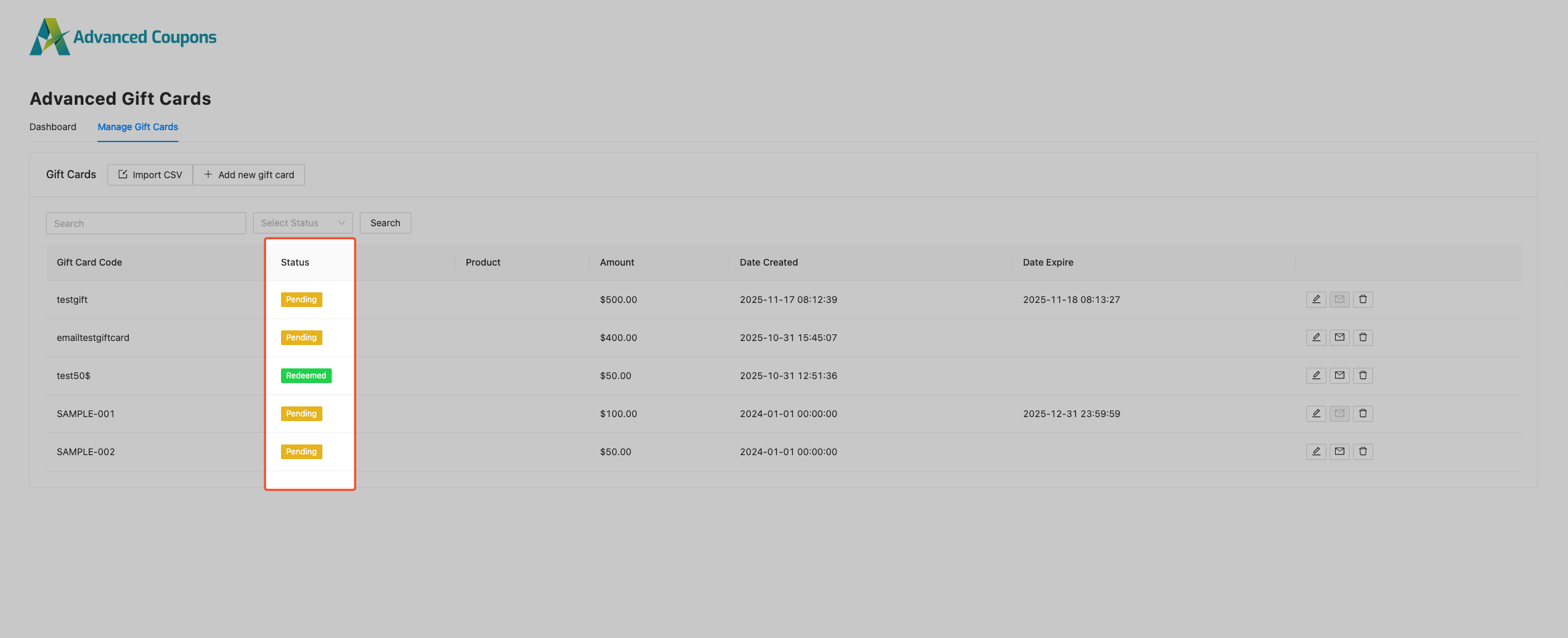
Step 3: Check Gift Cards
- Open the gift cards list
- Confirm codes are created
- Status should be Pending
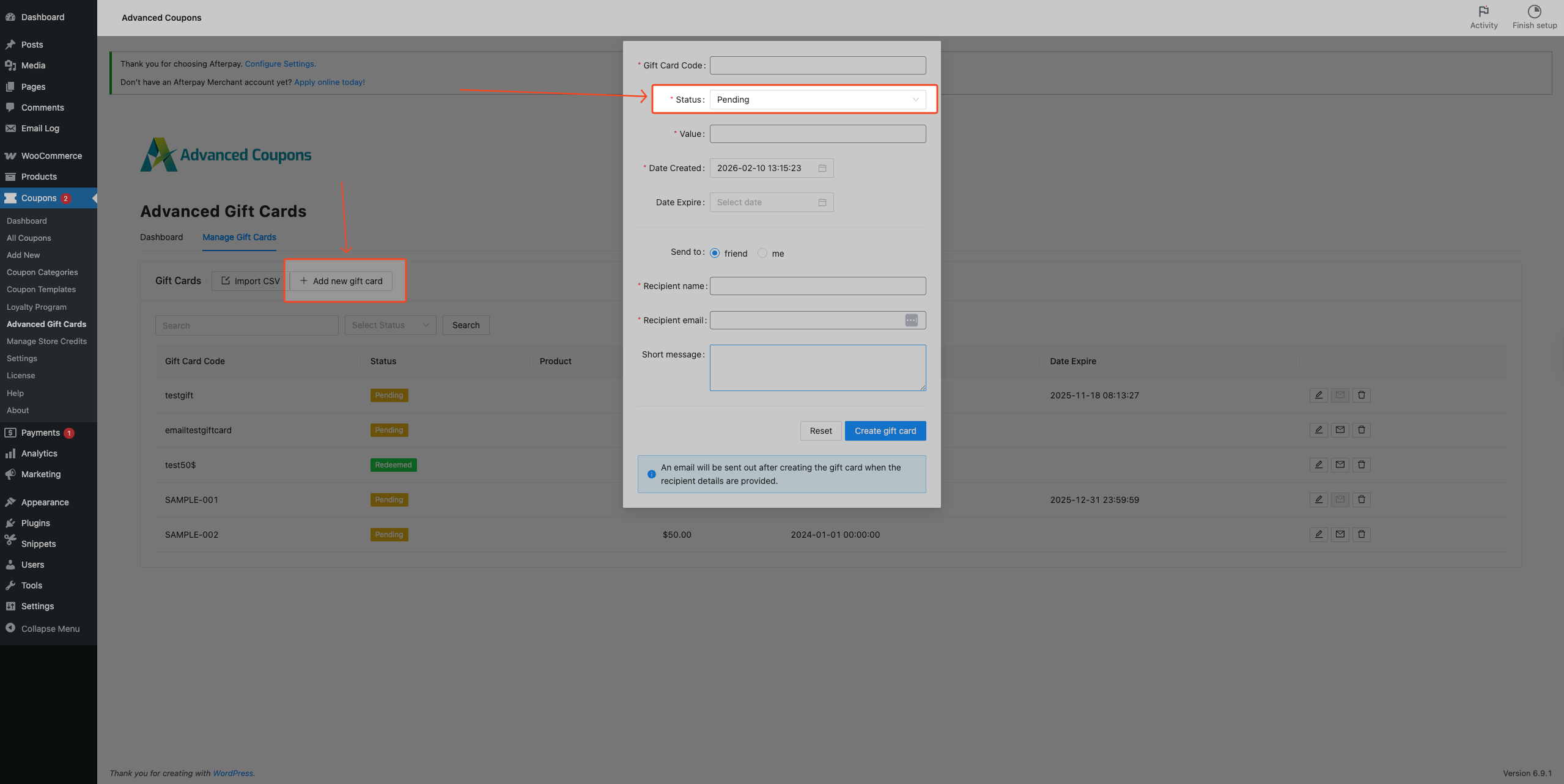
Create Gift Cards Manually (For Small Quantity)
If you only need a few codes:
- Go to WP Admin > Coupons > Advanced Gift Cards
- Click Add New Gift Card
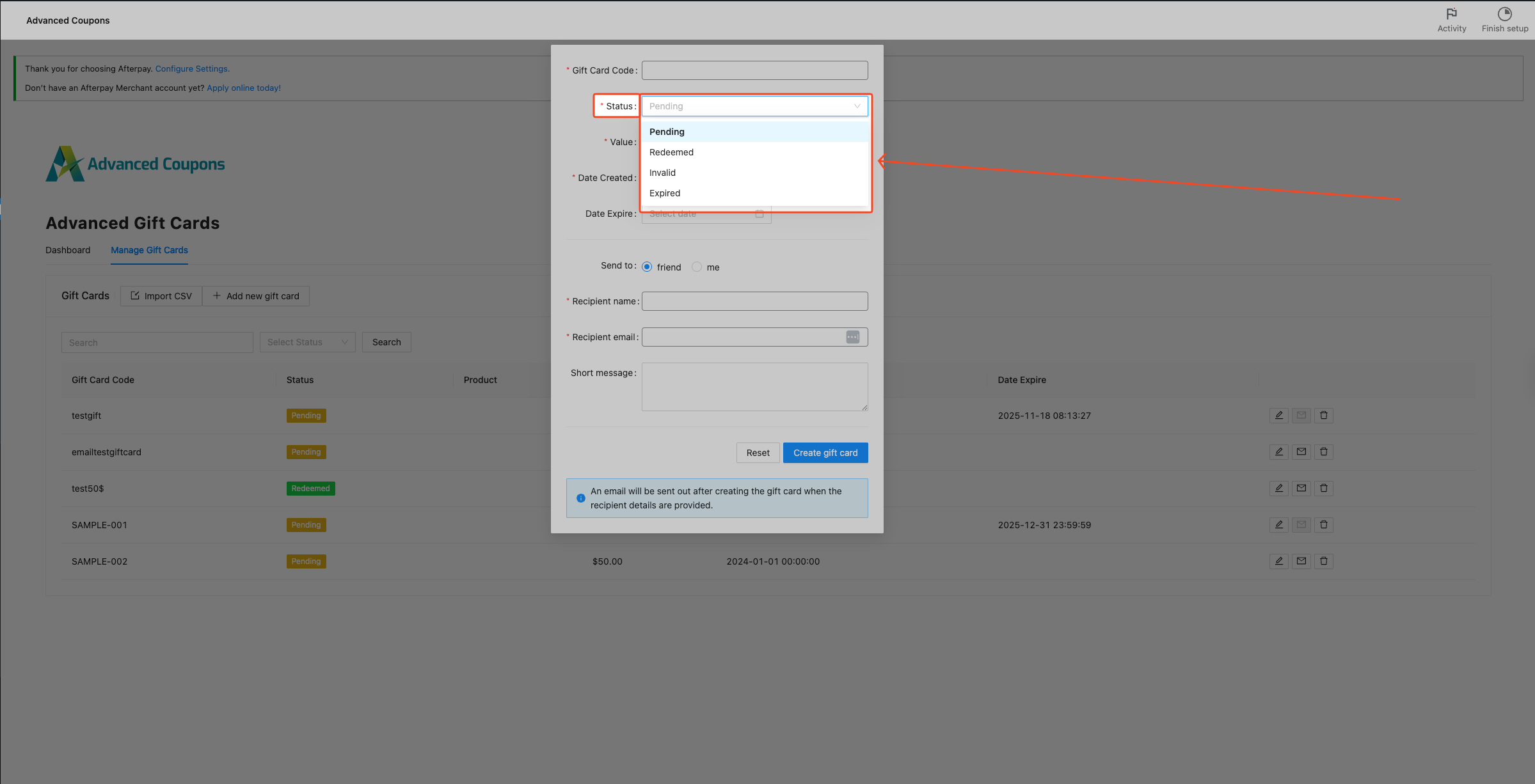
- Enter a value and set the status to Pending
- Leave the code empty to auto-generate
- Save
Automatic Gift Card Codes (When Customers Buy)
You do not always need to create code manually.
When customers purchase a Gift Card product, the system automatically generates a unique gift card code and sends it to the buyer or recipient.
Setup
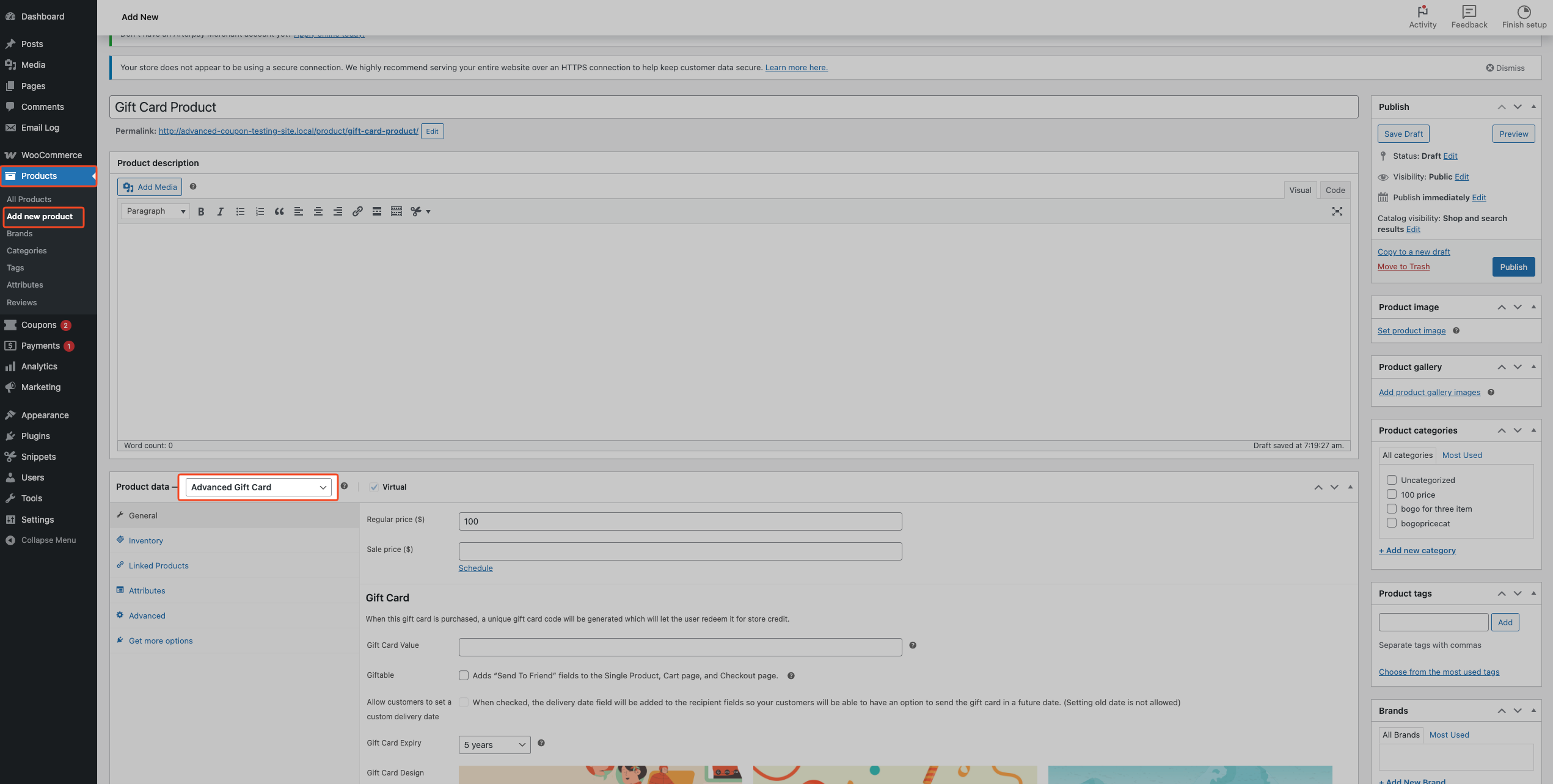
- Create a WooCommerce product
- Set Product Type to Advanced Gift Card
- Set value and publish
Gift Card Status
| Status | Meaning |
|---|---|
| pending | Ready to use |
| used | Already redeemed |
| invalid | Disabled |
| expired | Expired |
Always use pending when creating new bulk gift cards.
Summary
- Need many gift cards → Use CSV Import
- Need a few → Create manually
- Want automatic → Use Gift Card product
CSV import is the easiest and fastest way to create bulk gift card codes.
Help & Support
We have a dedicated support team for Advanced Coupons who know our products, WooCommerce, and the industry very well. You’re welcome to make use of their expertise at any time, worldwide.
If you are an existing customer, please go to the support ticket request form and send us a message.
If you are a free plugin user, please send us a support request on the forum. We actively monitor the WordPress.org support forums for the free plugin and help our users there as best as we can.

