Selling in multiple currencies through WooPayments shouldn’t break your coupon math. Advanced Coupons converts store credit, cashback rewards and dashboard reporting to match whatever currency WooPayments has your shopper viewing.
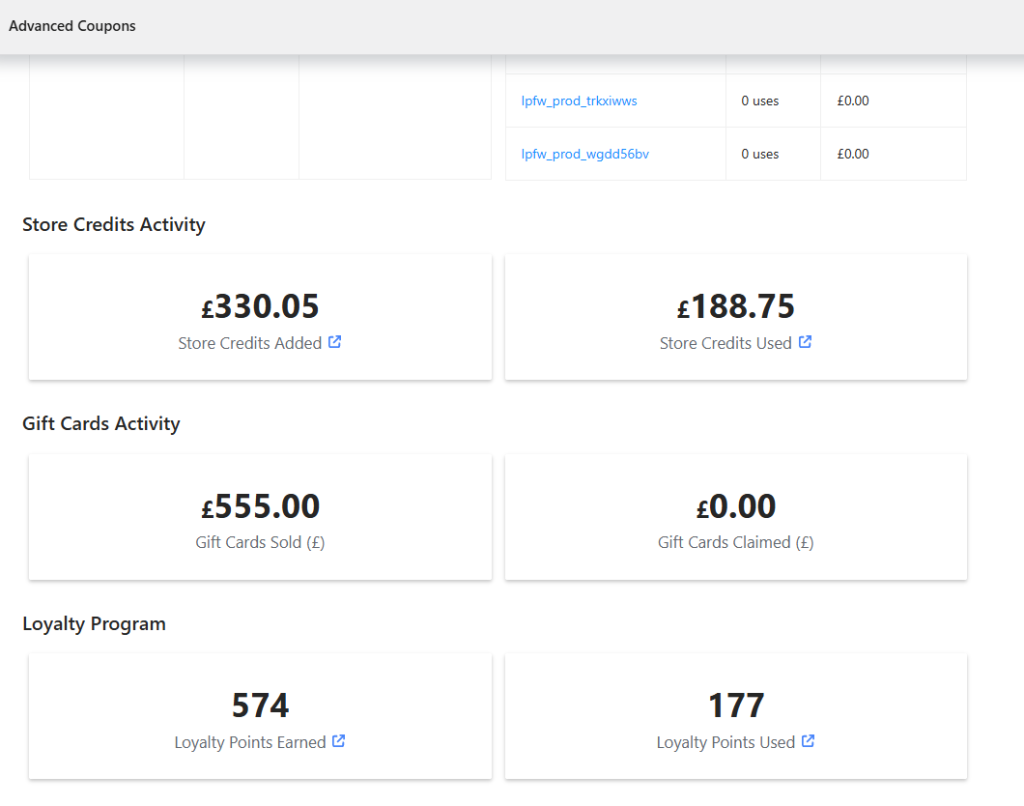
Store credits and reports stay accurate
Store credit balances and any in-progress discount convert automatically to match your customer’s WooPayments-selected currency, while coupon dashboard reports normalize order and discount totals back to your store’s base currency.
- Store credit balances: A customer’s store credit balance and any applied discount convert automatically when they switch currency with WooPayments.
- Cashback and discount caps: Cashback rewards and percentage discount caps convert the same way, so they stay accurate in every WooPayments currency.
- Dashboard reports: Discount and order totals from orders placed in other currencies are normalized back to your store’s base currency for accurate reporting.
Frequently Asked Questions
Do I need to configure anything to make Advanced Coupons work with WooPayments?
No extra setup is needed. Once WooPayments’ multi-currency feature is active alongside Advanced Coupons, currency conversion for store credits, cashback and reports is applied automatically.
Will a customer’s store credit balance show correctly in every WooPayments currency?
Yes. Store credit balances and any in-progress discount convert automatically using WooPayments’ own exchange rates whenever a customer switches currency.
Does this work with cashback coupons and percentage discount caps too?
Yes. Cashback amounts and discount caps convert the same way, so they stay accurate regardless of which WooPayments currency a shopper has selected.
Will orders placed in different currencies affect my coupon dashboard reports?
No. The dashboard normalizes discount and order totals back to your store’s base currency, matching the same exchange-rate approach WooPayments uses for its own reporting.
Does this cover the Add Products coupon feature too?
Not yet. Add Products discount amounts currently convert for Aelia Currency Switcher, WPML and WOOCS, but not for WooPayments multi-currency. If you use Add Products alongside WooPayments, keep that in mind when setting discount values.