





Easily Create WooCommerce Product Labels & Badges
Advanced Promo Kit
Fast
Setup
Custom
Labels
Smart
Targeting
Create
Urgency
Multiple
Labels
Highlight
Products
Schedule
Campaigns
Boost
Conversions
Did you know? The All Access Bundle unlocks our full marketing suite for WooCommerce.
FEATURED ON
Highlight Your Best Products With
WooCommerce Product Labels & Badges!
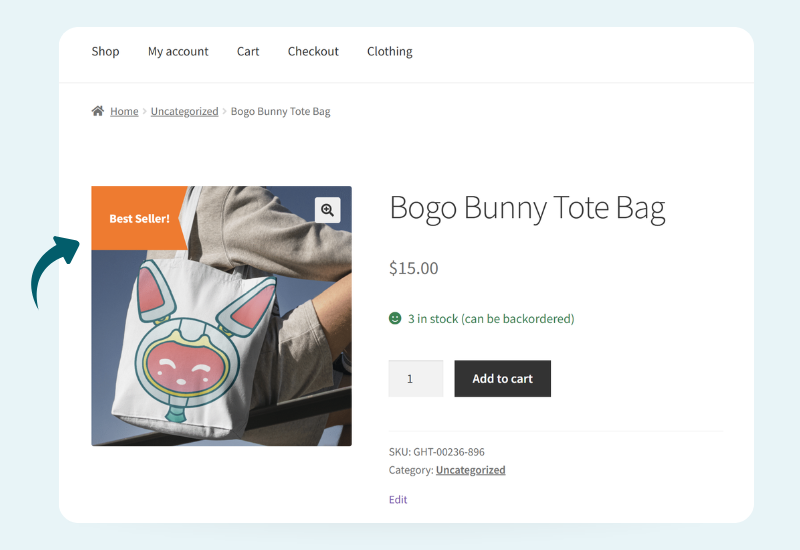
With Advanced Promo Kit, you can create eye-catching WooCommerce product sale badges and labels that instantly show shoppers what matters most: discounts, best sellers, low stock, new arrivals, member deals, and more.
Launch In Minutes
Install Advanced Promo Kit and start adding WooCommerce product badges in just a few clicks.
Target The Right Products
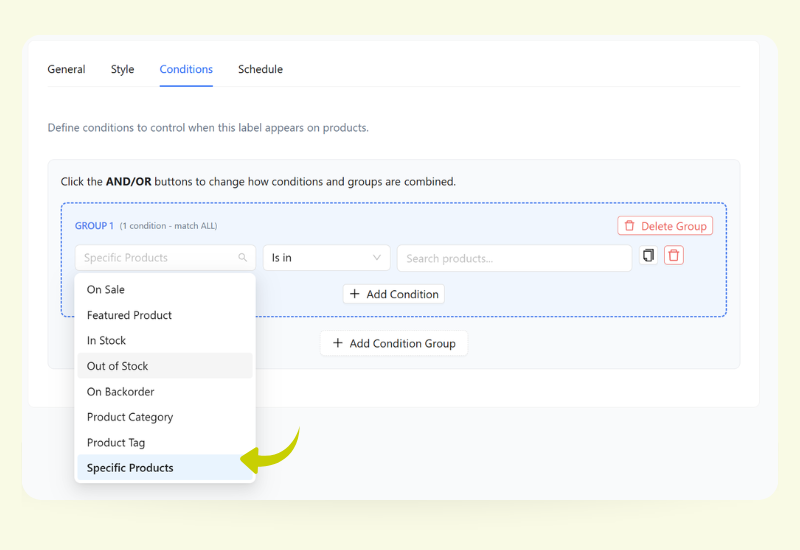
Show WooCommerce product badges only where they matter using flexible rules for products, categories, tags, and more.
Create Scarcity Callouts
Add low-stock, back-in-stock, and last-chance notices to create gentle urgency without being pushy.
Highlight Featured Items
Call out new arrivals, best sellers, and staff picks without editing each product one by one.
Run Limited-Time Campaigns
Schedule product labels and sale badges for WooCommerce around launches, flash sales, or seasonal offers.
Keep Labels On-Brand
Match fonts, colors, shapes, and placement to your theme so promos look native to your store.
Here's Why Store Owners
Advanced Promo Kit
Turn Every Product Into A Promotion Engine
Advanced Promo Kit adds WooCommerce product labels and badges anywhere you need them—on category grids, search results, and product pages.
Instead of relying on a default “Sale” badge, you can visually call out discounts, best sellers, and special offers so shoppers know exactly where to click.
Target the Right Shoppers With Smart Rules
Build targeted rules so your WooCommerce product labels only appear where they make sense — specific products, categories, tags, price ranges, and more!
You stay in full control of which promotions are visible, reducing clutter and keeping every badge tied to a clear sales goal.
Keep Every Badge Perfectly On-Brand
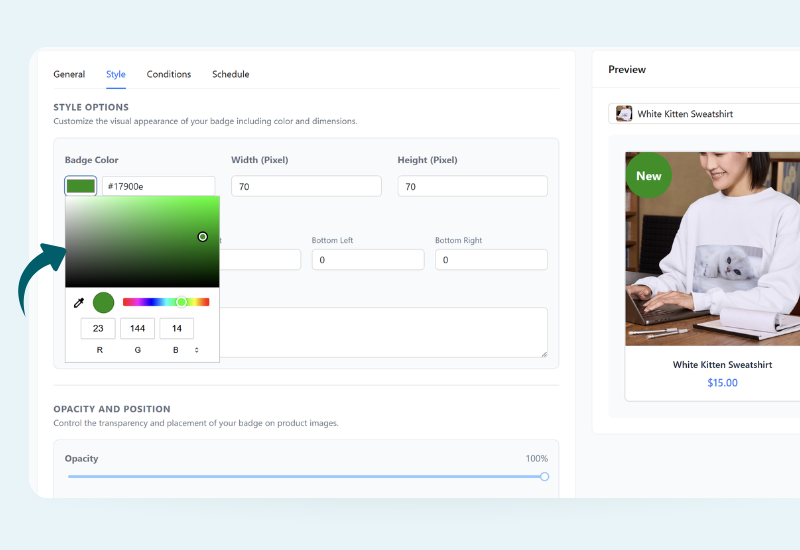
Choose colors, shapes, font sizes, and positions so your WooCommerce product badges look like they were designed with your theme from day one.
Whether you prefer subtle tags or bold ribbons, your labels stand out for the right reasons without breaking your store’s visual harmony.
Run Limited-Time Campaigns
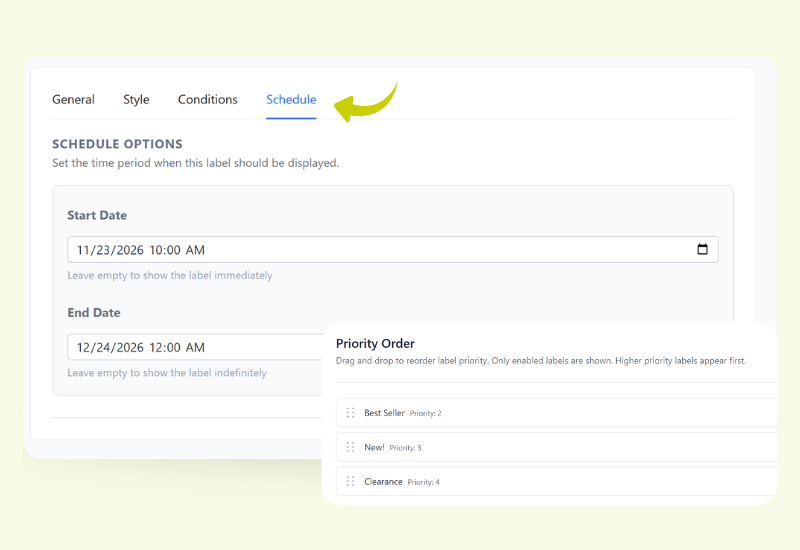
Set long-running badges for evergreen promos, then layer in scheduled labels for launches, flash sales, and seasonal events.
With start and end dates built in, your WooCommerce product labels switch on and off automatically so campaigns stay accurate without constant monitoring.
Unlock A Complete Promotion System
Get the All Access Bundle to combine Advanced Promo Kit, Advanced Coupons, WooCommerce Loyalty Program, and WooCommerce Gift Cards into one promotion engine.
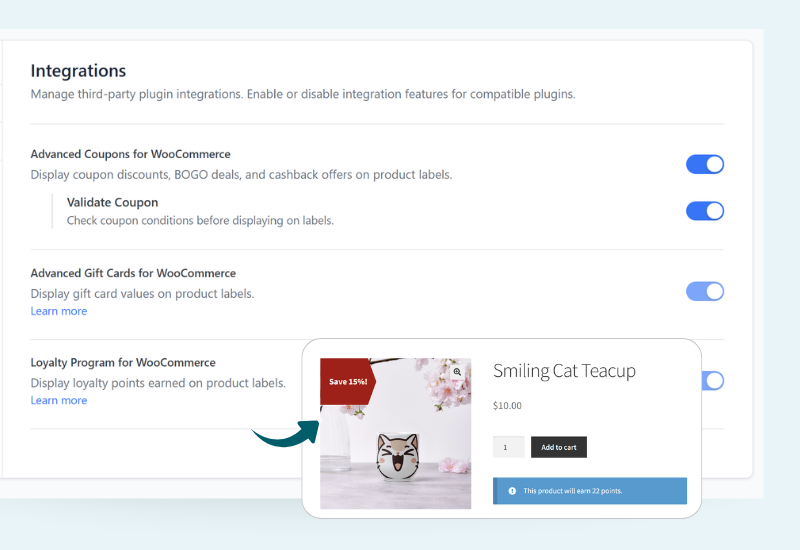
Use WooCommerce product labels and badges to spotlight coupon-eligible items, points-earning products, and gift-card-ready gifts so shoppers instantly see every perk in a single glance.
Frequently Asked Questions
Advanced Promo Kit lets you add eye-catching WooCommerce product badges and labels to your shop and product pages. You can highlight discounts, best sellers, low stock, new arrivals, and more — without editing each product one by one.
No. All labels are created from a visual interface in your WordPress dashboard. You can design WooCommerce product badges, set rules, and preview changes without touching a single line of code.
The default badge is a single static label. Advanced Promo Kit gives you full control over product labels and sale badges for WooCommerce: multiple labels per product, custom designs, smart rules, and dynamic discount messaging that stays accurate as prices change.
Definitely! You can show WooCommerce product labels on specific products, categories, tags, price ranges, or customer groups using flexible rule sets. That way, only the promotions that matter appear on each item.
Yes! You can stack multiple WooCommerce product badges on a product—for example “New,” “20% Off,” and “Low Stock.” You’re in control of the order and priority, so the most important message is always the one customers see first.
Yes. You can build Global Labels that automatically apply to matching products, and Product-Specific Labels that you configure directly on individual products. This gives you a mix of “set it and forget it” labels plus fine-grained control when needed.
You can target labels by category, tag, specific products, on-sale status, stock level, product age, user role, and more. This makes it easy to show WooCommerce product labels only where they make sense—for example, low-stock badges, VIP-only offers, or “New” labels for recently added products.
Yes. Advanced Promo Kit supports dynamic coupon values, so labels can display live percentages, sale prices, or savings based on your product data.
The plugin is designed to work with most modern WooCommerce themes and page builders. Labels use theme-friendly hooks and responsive styling so your WooCommerce product badges look good on desktop, tablet, and mobile.
Yes. You can set start and end dates for specific labels, perfect for launches, flash sales, and seasonal promotions. Once scheduled, your campaigns will automatically turn on and off at the right time.
Absolutely. Advanced Promo Kit is built to complement Advanced Coupons, WooCommerce Loyalty Program, and WooCommerce Gift Cards.
You can use WooCommerce product labels to call out coupon-eligible items, points-earning products, or gift-card-friendly purchases so shoppers see every benefit.
There are a number of shortcodes and widgets available in loyalty plugin including:
- Showing the customer’s points balance
- Showing the points redemption form
- and more.
Unlock The Complete Marketing Toolkit For WooCommerce
Get the All Access Bundle to combine product labels and badges, powerful coupons, loyalty points, and gift cards into one promo toolkit.
- Advanced Promo Kit: Add on-brand product labels and sale badges for WooCommerce so shoppers instantly spot your best offers
- Advanced Coupons: Run smarter promotions with BOGO deals, cart conditions, and auto-applied discounts that lift average order value
- WooCommerce Loyalty Program: Reward repeat customers with points that turn every purchase into a reason to come back
- WooCommerce Gift Cards: Sell flexible digital gift cards that bring in revenue now and attract new customers later
See How Easy It Is To Get Started! 🚀
Step 1: Install & Activate The Plugin
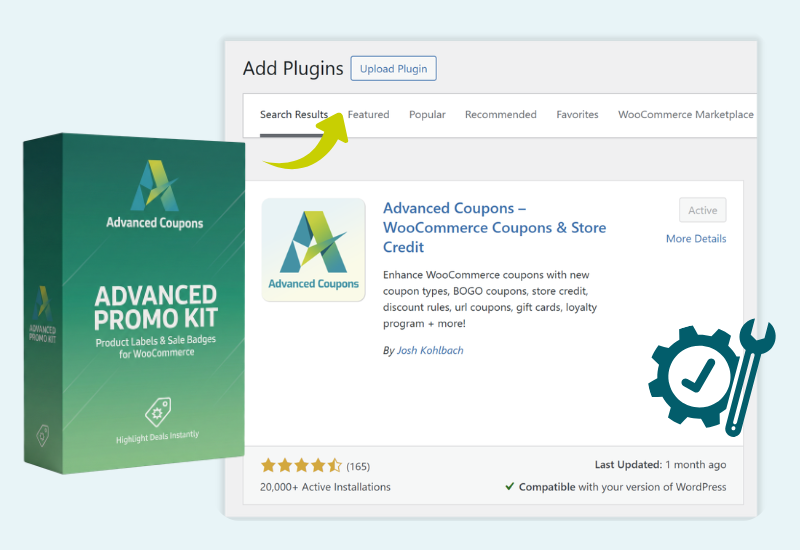
Install and activate both Advanced Promo Kit and Advanced Coupons Free.
Once it’s active, you’ll see a new Product Labels menu where you can manage all your WooCommerce product badges.
Step 2: Configure Global Settings
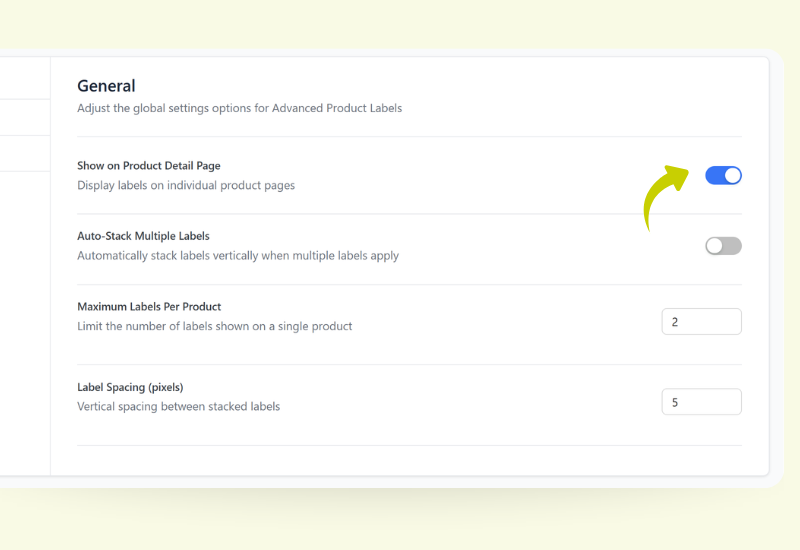
Go to Product Labels → Settings to decide how labels behave storewide.
Turn labels on for shop and product pages, set the maximum number of badges per product, control label spacing, and enable integrations for coupons, gift cards, and loyalty points.
Step 3: Create Your First Label
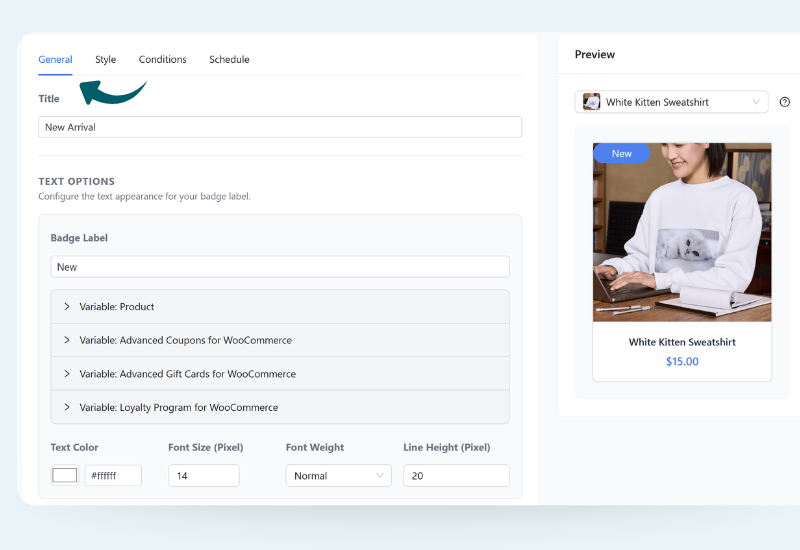
Open Product Labels → Create Label and add a title and badge text.
Use variables when you want dynamic messaging, then pick a badge shape—like a rectangle, ribbon, tag, or custom image—to design the core look of your WooCommerce product label.
Step 4: Style Your Badge to Match Your Brand
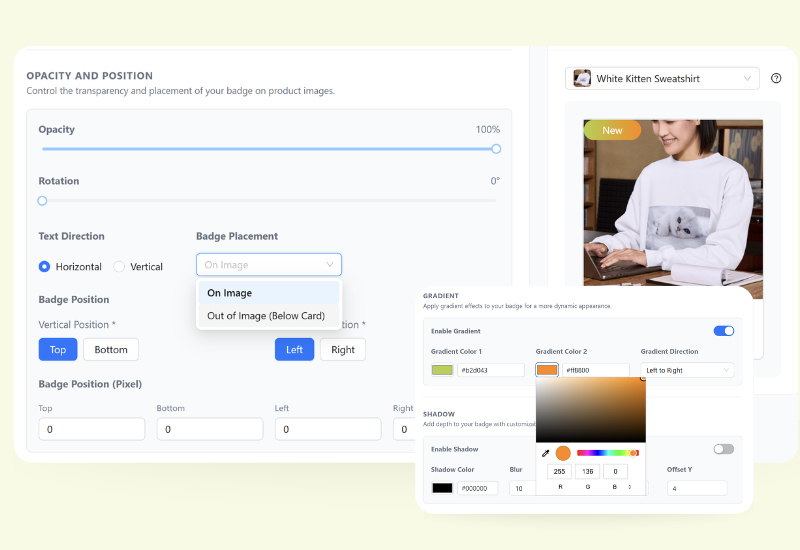
In the Style tab, customize colors, font size, width/height, and placement on the product image.
Fine-tune opacity, rotation, and position until your WooCommerce product badge looks perfectly on-brand in the live preview.
Step 5: Target & Schedule Your Promotion
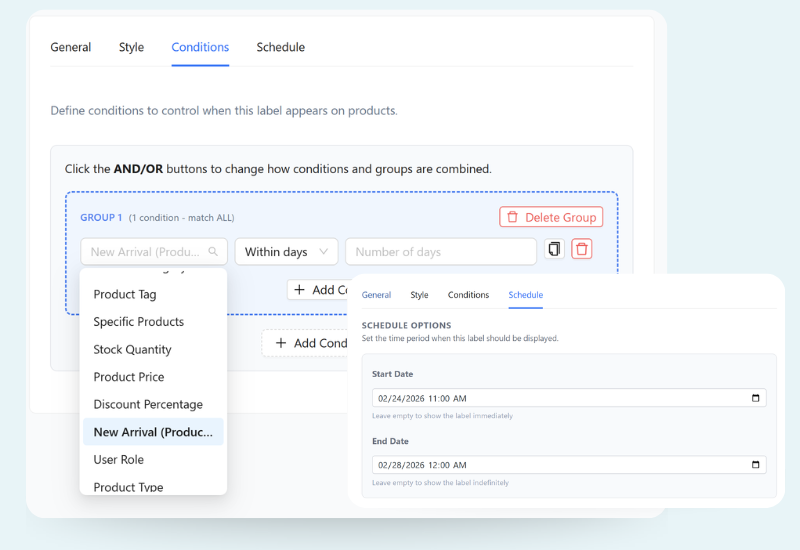
Use the Conditions tab to control where the label shows—specific products, categories, stock levels, and more. Then switch to the Schedule tab to set start and end dates for your campaign.
Save your changes, and your product labels and sale badges for WooCommerce will start showing automatically! 🎉
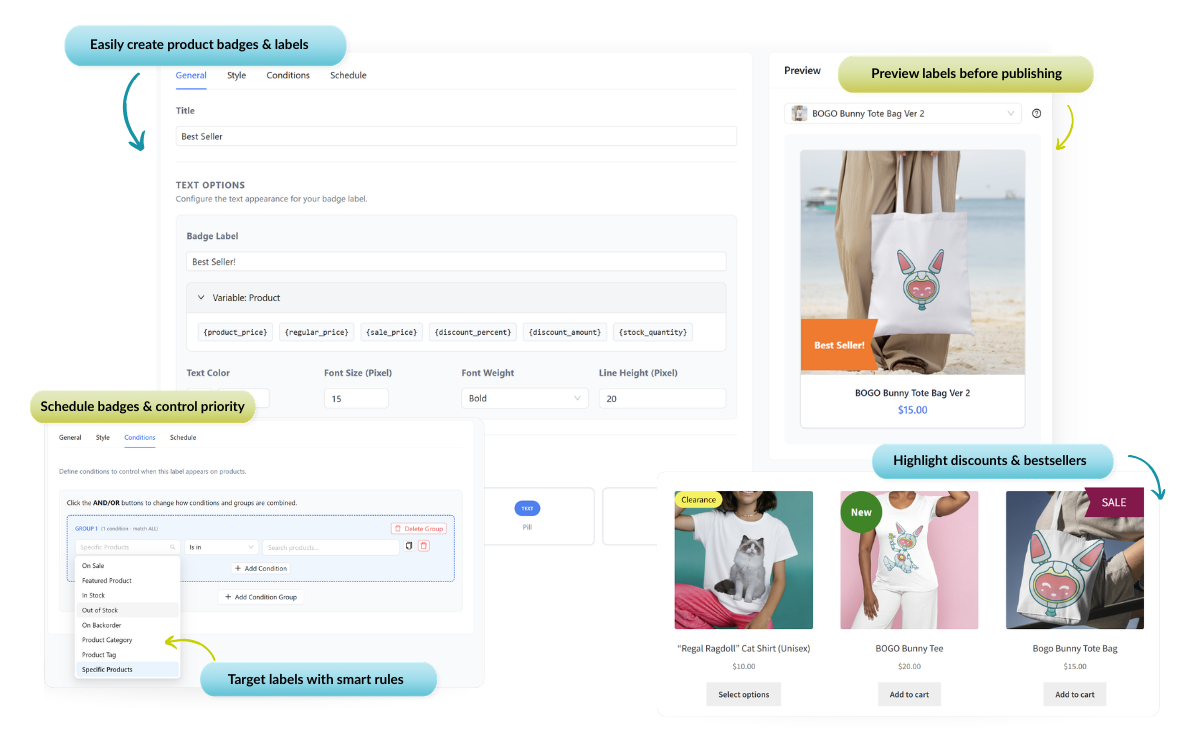
Create WooCommerce Product Labels & Badges in Minutes
- Highlight discounts & deals
- Target products & promos
- Customize styles & placement