Multi-language & multi-currency support for coupons with two amazing tools working in harmony.
WPML is a great tool for providing multi-language and multi-currency support to WooCommerce shop owners. WPML makes it easy to build multilingual sites and run them. It’s powerful enough for e-commerce stores, yet simple enough for blogs and everything inbetween.
This is an essential plugin especially for international shop owners that cater to customers across different countries. That is why we are proud to announce that starting version 2.3 of our Advanced Coupons plugin, we now have full integration and compatibility with WPML.
The WPML Integration mainly consists of the translation of ACFW texts/strings that can be easily translated with the WPML’s String Translation setting, the compatibility of translated products with our coupon features, and support with WPML’s Multi-Currency.
Strings Translation
To translate the strings of the Advanced Coupons plugin, here’s the guide that you can follow:
- Make sure that you have the 4 core plugins of WPML installed and activated.
- WPML Multilingual & Multicurrency for WooCommerce
- WPML Multilingual CMS
- WPML String Translation
- WPML Translation Management
2. Next, go to WPML > Theme and plugins localization. Then select “Advanced Coupons for WooCommerce Free” and “Advanced Coupons for WooCommerce”.
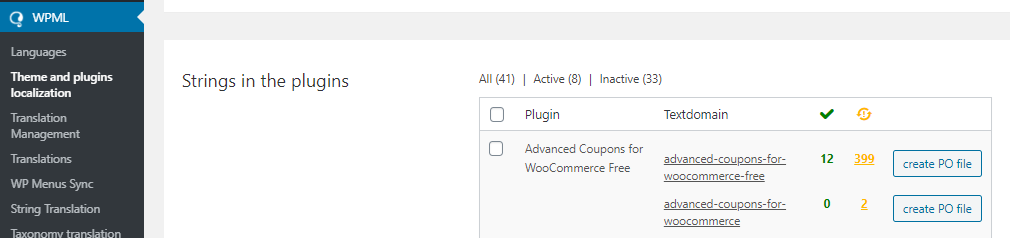
Afterwards, scroll to the bottom of the page and click Scan selected plugin for strings. This will scan all available strings for translations.
3. Lastly, navigate to WPML > String Translation and select the “advanced-coupons-for-woocommerce-free” and “advanced-coupons-for-woocommerce”. Then you can now search the strings you want to add translations.
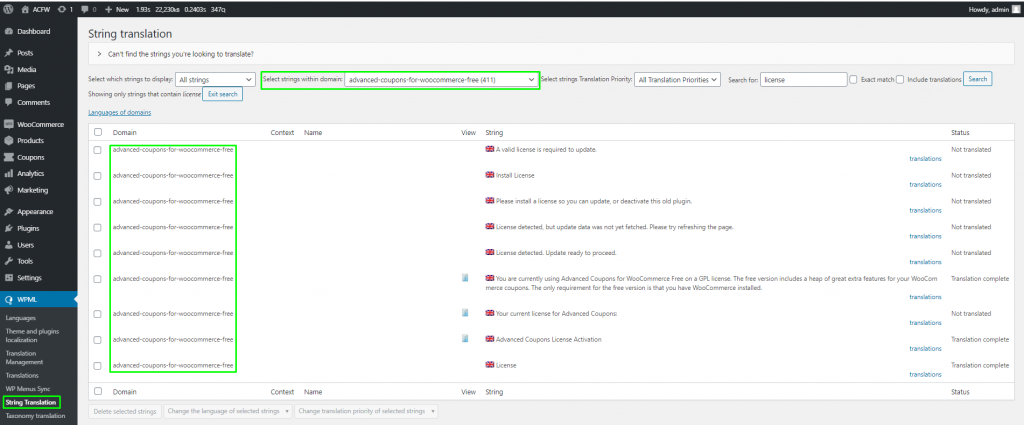
After translating the strings, make sure to check the Translation is complete checkbox and then save the translation
Product Translation compatibility
WPML Multilingual & Multicurrency for WooCommerce should allow you to translate products into different languages.
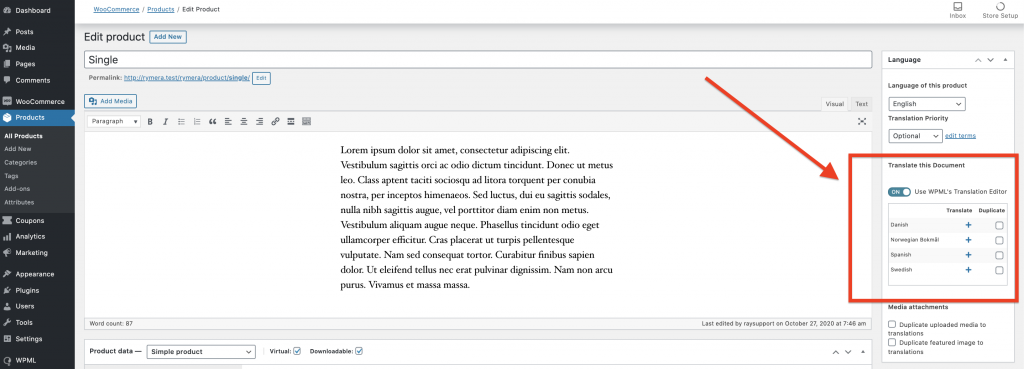
Once you’ve translated the products properly, our Advanced Coupons settings can identify these translated products and apply the same coupon discount across the product’s different languages.
For example, I’ve translated this Single product into the Spanish language. I can go ahead and create a BOGO Deal for this on the Coupons dashboard.
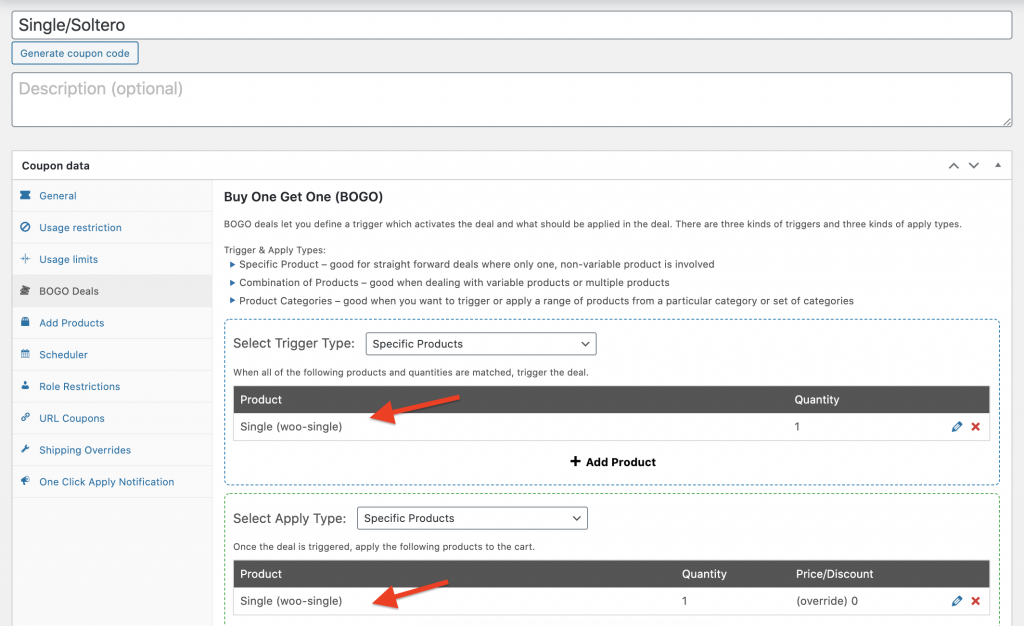
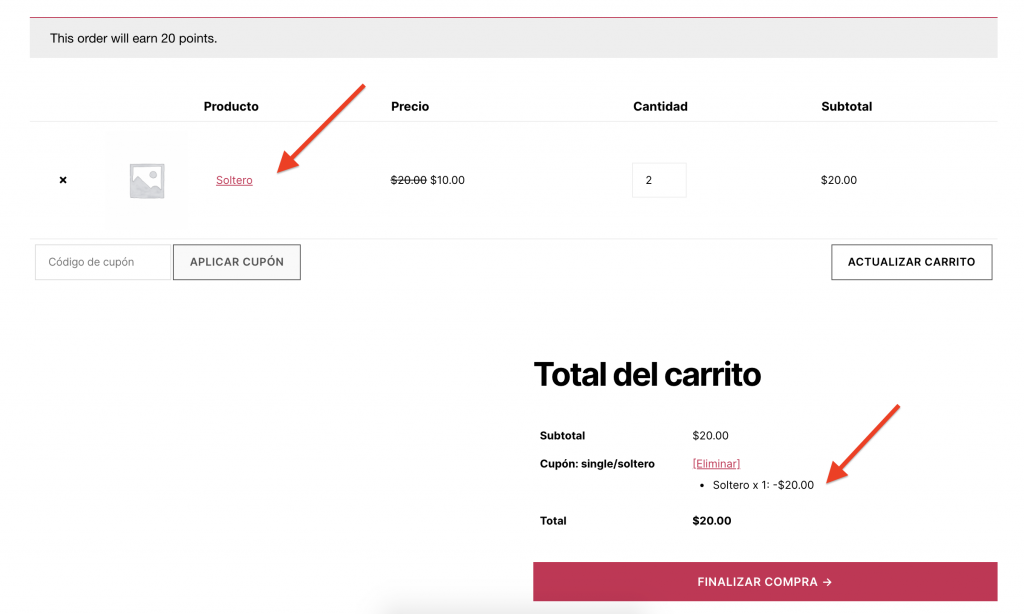
After creating a BOGO coupon, I went ahead to the Shop page and added two Single or Soltero (in Spanish) in the cart and applied the coupon.
Here’s how the coupon gets applied to the translated product too.
Multi-Currency Compatibility
Another feature of the WooCommerce Multilingual is the setting to allow multiple currencies. If you go to WooCommerce > Multilingual, you can find the Multi-currency settings.
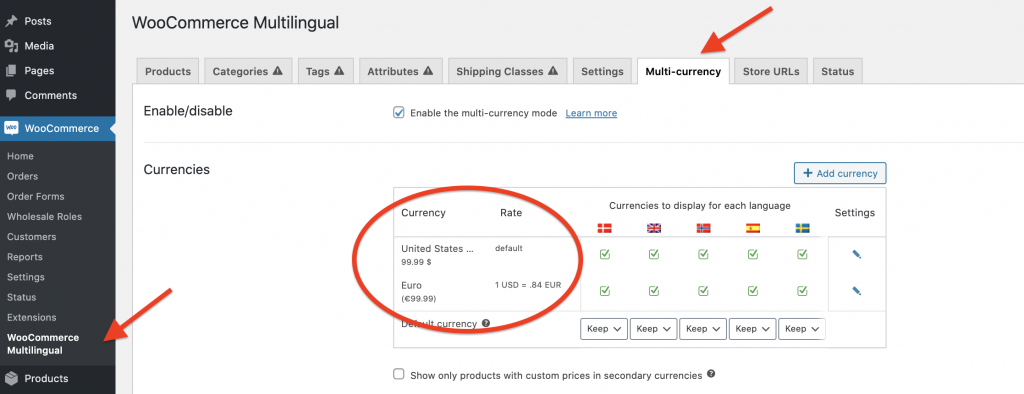
On the image above, I’ve set two currencies having US dollar and Euro.
With the Advanced Coupons and WPML Integration, we now support coupon discounts to be converted automatically into another currency based on your Multi-currency settings.
Here are some examples where you can find this integration very useful:
BOGO Deal: Price Override / Price Discount
In this example, I’ll create a coupon that will give a Buy one and Get the second Single product worth a $5 fixed price discount.
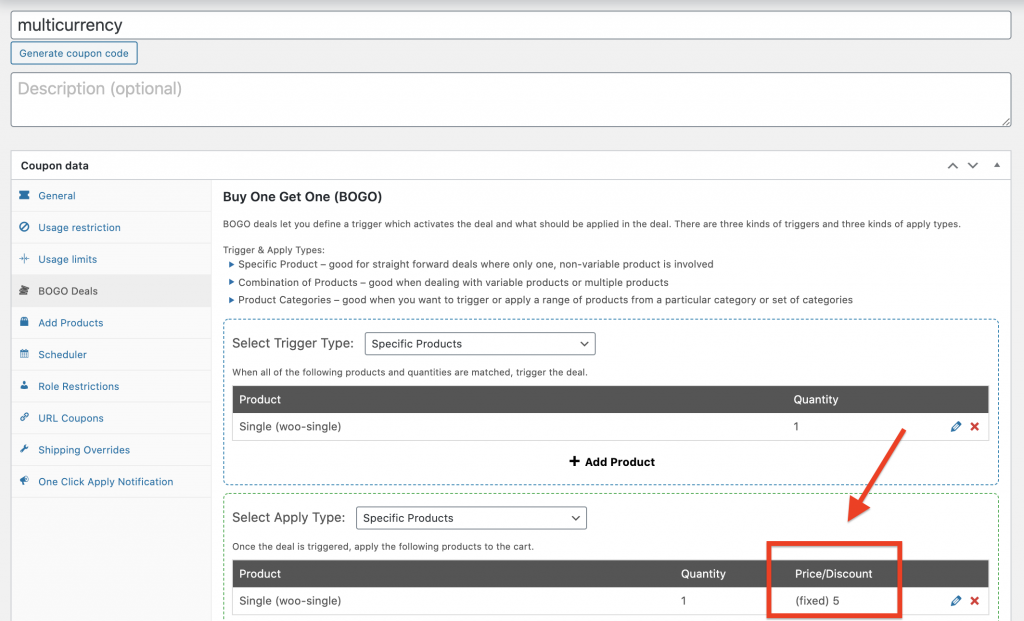
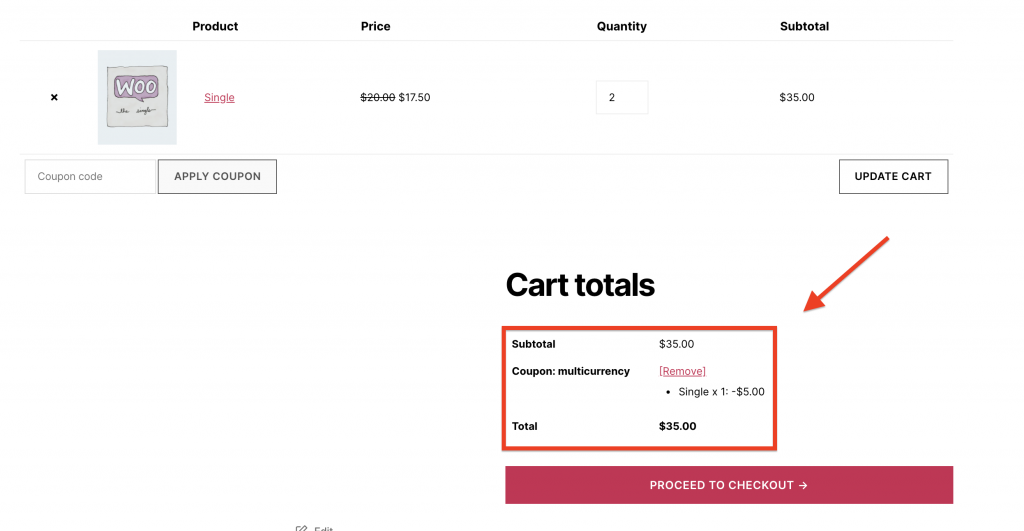
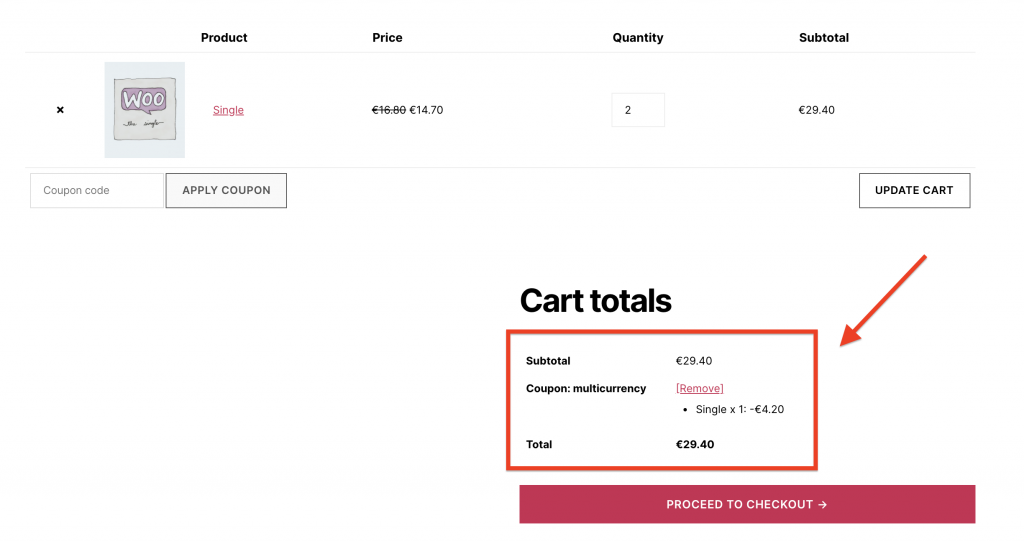
If I add two Single products to the cart and apply the coupon, I should get $5 less. With our integration, if the product is added in the Euro currency, it will automatically convert $5 to €4.20. You’ll be able to apply the same value of discount across multiple currencies!
Cart Conditions: Cart Subtotal
Another great feature that works well to our WPML Integration is the Cart Conditions: Cart Subtotal.
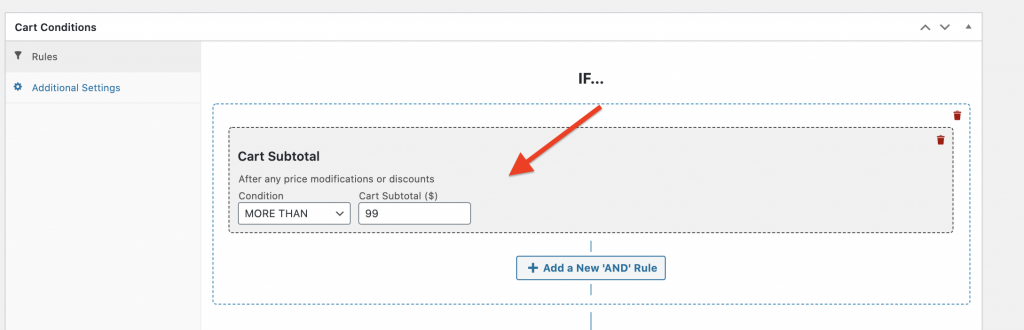
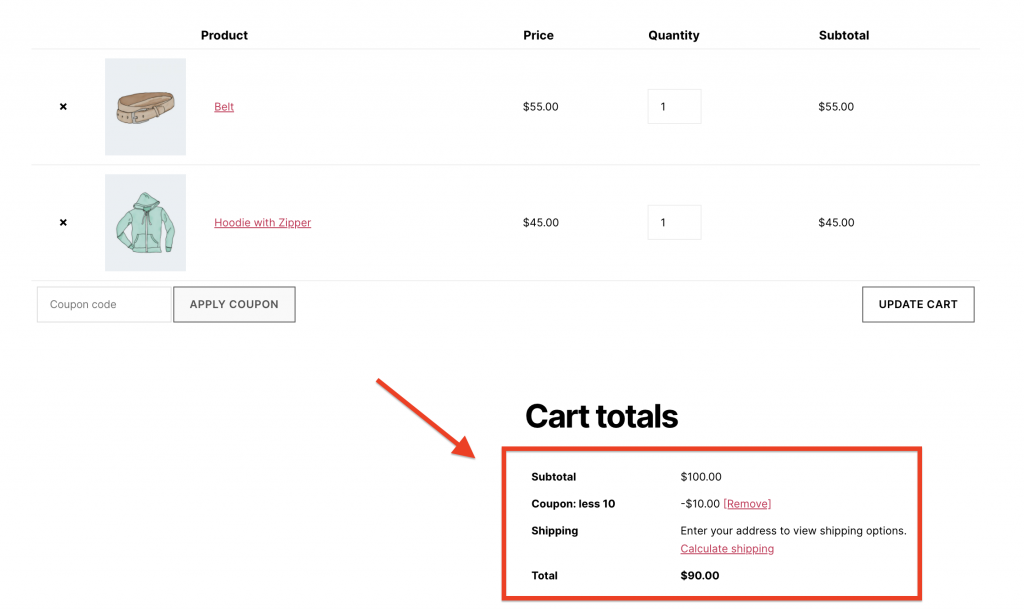
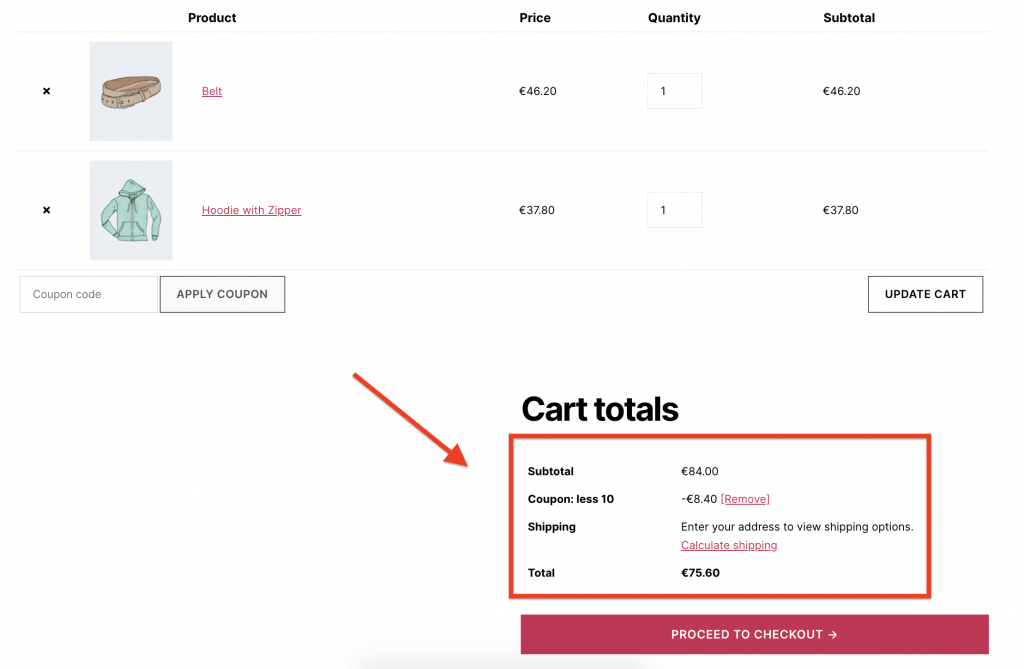
In this example, I’ll create a coupon that gives less $10 to the cart if the Cart Subtotal reached at least $100. In Euro, it should give me less €8.40 if the Cart Subtotal is at least €84.
I’ll go ahead and create a coupon with a fixed cart discount of $10 with Cart Conditions: Cart Subtotal. I’ve set the condition to be MORE THAN: 99.
I’ve added some products in US dollars to the cart and reached a subtotal of $100. If I switched to Euro currency, I’m still able to get the converted discount in Euro correctly.
To sum up, the Advanced Coupons and WPML Integration provides convenience and great advantage to international WooCommerce shop owners who want to implement coupon deals across multiple languages and currencies.