
If customers keep applying tiny credit amounts that barely move the needle, you can set a minimum threshold to stop it. This guide walks you through configuring the Minimum store credit redemption amount in Advanced Coupons Premium — so redemptions below your set amount are blocked automatically at checkout.
Prerequisites
- WooCommerce is installed and active.
- Advanced Coupons for WooCommerce (Free) is installed and active, with the Store Credits module enabled.
- Advanced Coupons Premium is installed and active (this setting is added by Premium).
How to Set the Minimum Redemption Amount
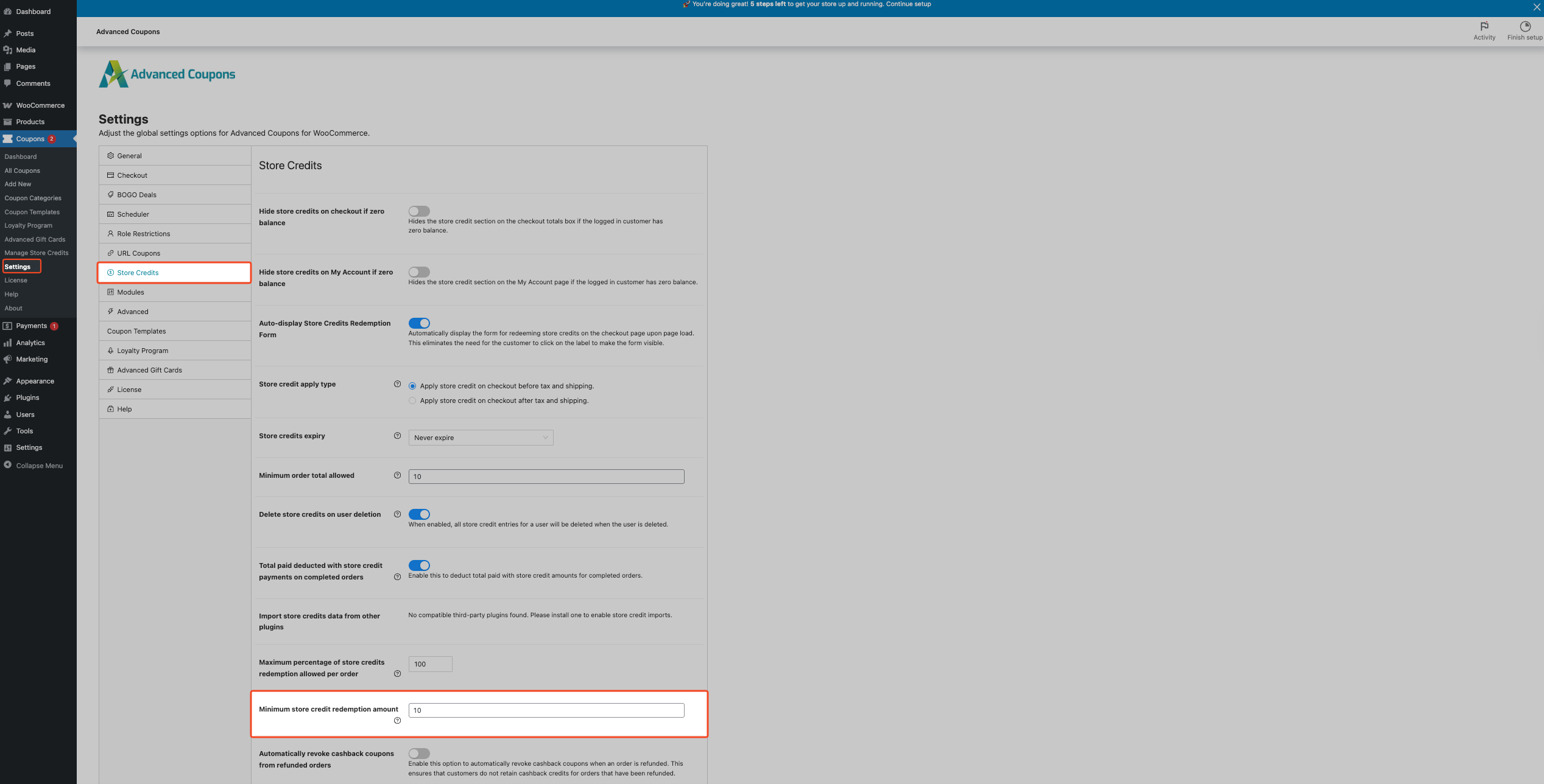
- In your WordPress admin, go to Coupons → Settings.
- Click the Store Credits tab.
- Find Minimum store credit redemption amount.
- Enter the minimum amount customers must redeem per order (enter 0 to disable the minimum entirely).
- Click Save Changes.
What Customers See
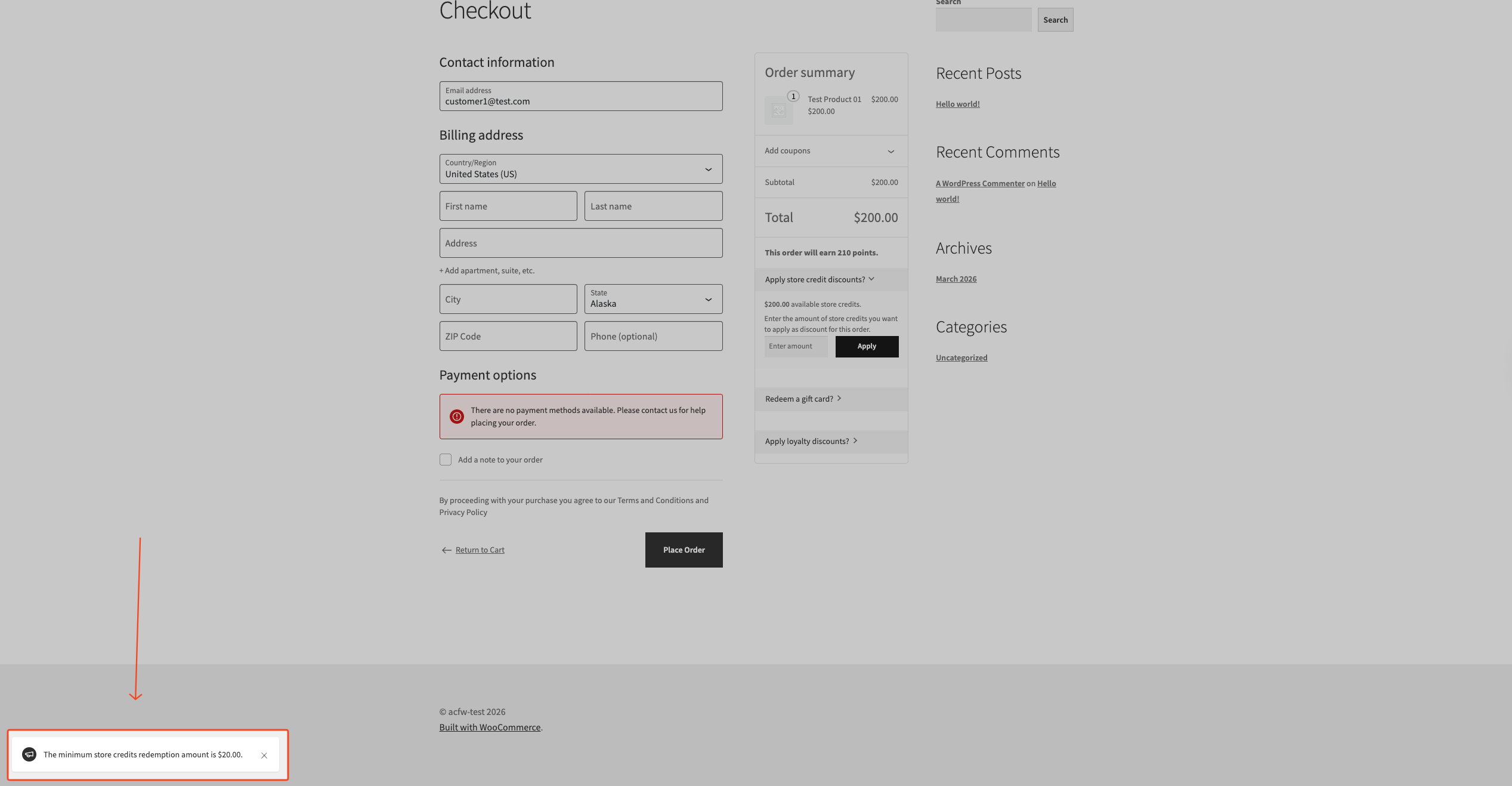
On the cart/checkout Store Credits form, if a customer tries to redeem less than your configured minimum, they see this error:
“The minimum store credits redemption amount is [amount].”
Troubleshooting
The Store Credits tab is missing
This usually happens when the Store Credits module is disabled, or Advanced Coupons (free) is not active.
Go to Coupons → Settings → Modules and enable Store Credits. Then confirm the free Advanced Coupons plugin is active.
The minimum amount is not being enforced
If customers can still redeem below the configured minimum without seeing an error, check that Advanced Coupons Premium is installed and active, because Advanced Coupons Premium adds this setting.
Also, confirm that the saved value is greater than 0.
Frequently Asked Questions
Does this block customers from using Store Credits entirely?
No. It only blocks redemptions below the minimum. Customers can still redeem Store Credits when they meet or exceed the minimum and have enough balance.
Does this apply per order or per item?
It applies per order, per redemption attempt on that cart/checkout.
Can I set different minimums for different customers or roles?
No. The minimum redemption amount is a global setting that applies to all customers equally.
Need Help?
If you have a question or run into any issues, we’re here to help.
- Premium users: Open a support ticket
- Free users: Visit our community forum on WordPress.org

