
You may want a coupon to work only when particular products are in the cart, and only above a certain quantity. Core WooCommerce can require a product, but it cannot check quantities, combine several rules, or test alternatives. This article shows you how to do that with cart conditions in Advanced Coupons.
Before you start
- The Product Quantities Exists In Cart cart condition needs Advanced Coupons Premium.
- Have the products you want to require already published.
Require products and quantities
- Open the coupon and find the Cart Conditions section.
- Add the Product Quantities Exists In Cart condition.
- Select the products the cart must contain.
- Set the quantity comparison for each product, for example MORE THAN 1.
- Update the coupon.
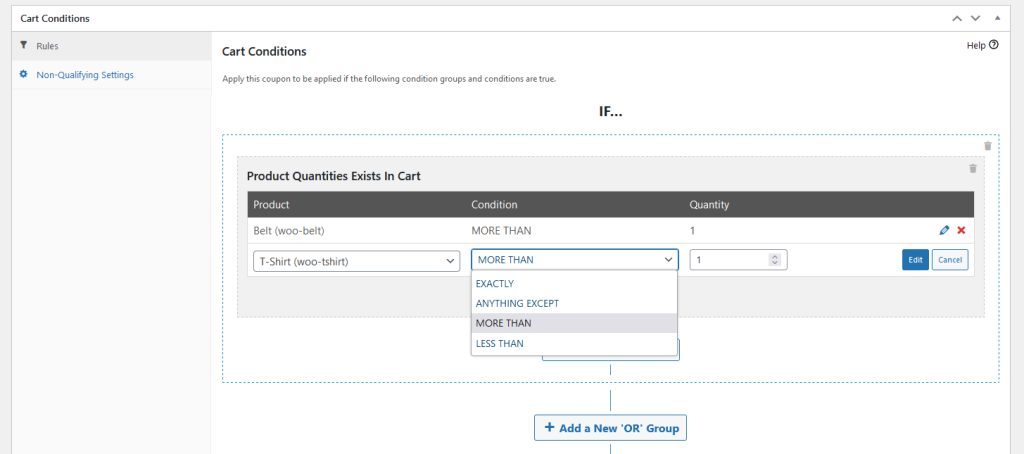
The example above requires two products in the cart, each with a quantity of more than 1, which means 2 or more of each item.
Chain condition groups
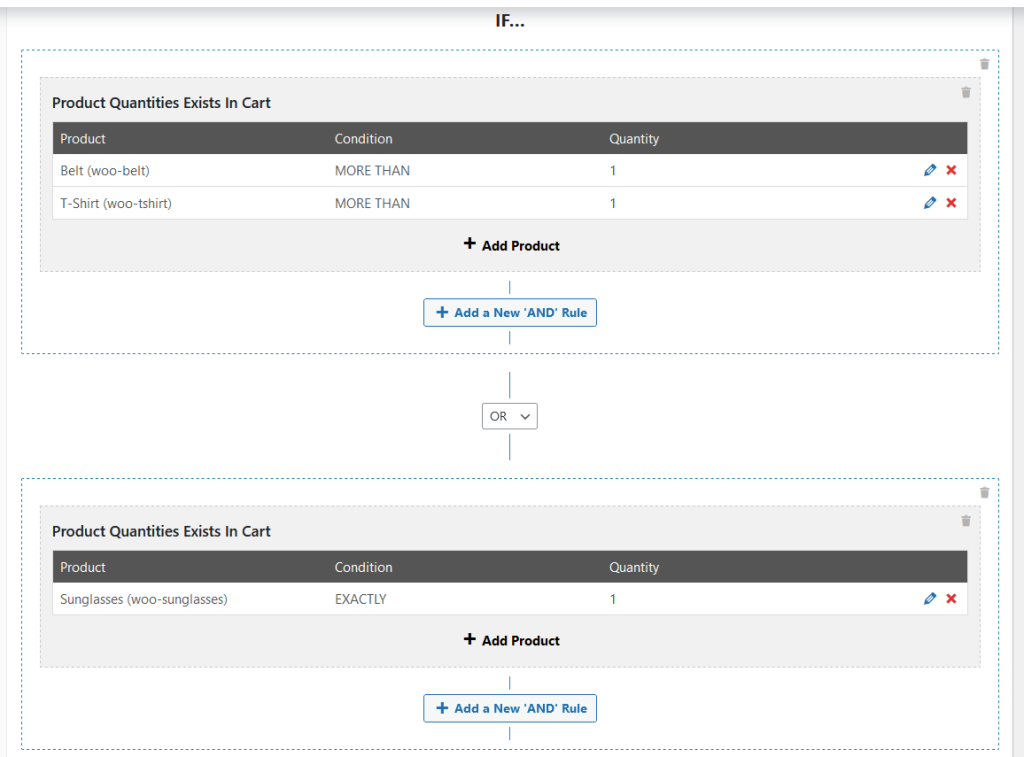
You can chain condition groups together to build more complex rules, such as testing one set of products or another.
How the condition behaves in the cart
The conditions must be true in the customer’s cart before the coupon can be applied. If the cart later stops meeting them, the coupon is removed again.
Troubleshooting
The coupon will not apply. Check the quantity comparison. MORE THAN 1 needs 2 items, so use EXACTLY 1 if a single item should qualify.
The coupon was removed from the cart. Check whether the customer changed a quantity or removed a product. The coupon drops off as soon as the cart no longer meets the conditions.
Only one of several product rules seems to apply. Review how your condition groups are chained. Conditions inside one group must all pass, and separate groups act as alternatives.
Need help?
If you have a question or run into any issues, we’re here to help.
- Premium users: Open a support ticket
- Free users: Visit our community forum

