
Integrations / FunnelKit
Advanced Coupons +
FunnelKit
FunnelKit lets you build a fully custom WooCommerce checkout page. Advanced Coupons adds a store credit redeem field directly into it, so your customers can apply their balance without leaving your optimized checkout.

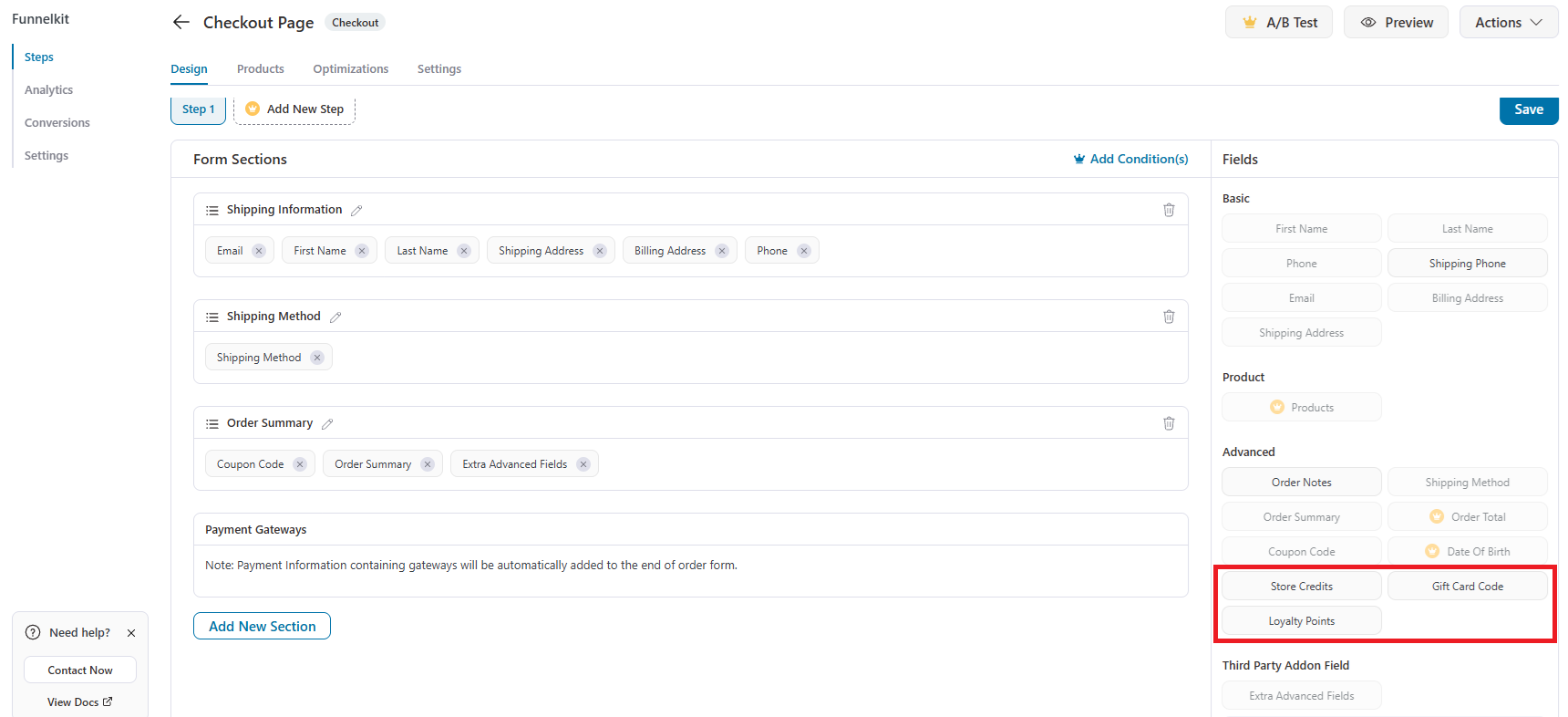
Store credit redemption on your FunnelKit checkout
FunnelKit builds its own custom WooCommerce checkout page outside WooCommerce’s default checkout template. Advanced Coupons detects when a FunnelKit checkout is active and adds a store credit redeem field directly into it, so customers can apply their balance without leaving your optimized checkout flow.
- Native store credit field: A store credit redeem field appears directly inside your FunnelKit checkout, styled to match its layout.
- No duplicate UI: Advanced Coupons' own tabbed checkout box is automatically hidden so customers only see one, consistent way to redeem their balance.
- Found under Advanced Fields: Once both plugins are active, "Store Credits" appears in the Advanced Fields panel of FunnelKit's checkout builder, ready to drag into any checkout layout, including imported templates.

Frequently Asked Questions
Almost none. Once FunnelKit Funnel Builder is active, drag the Store Credits field from the Advanced Fields panel onto your FunnelKit checkout. Pre-built FunnelKit templates don’t include it by default, so it needs to be added the first time you set up a checkout.
Advanced Coupons adds a store credit redeem field directly inside your FunnelKit checkout page, and hides its own separate checkout box so customers see one clean way to apply their balance.
No. This integration only requires FunnelKit Funnel Builder (the free plugin). FunnelKit Funnel Builder Pro adds order bumps and one-click upsells, which are separate features not required for store credit redemption.
FunnelKit builds a custom checkout page with its own field system, separate from WooCommerce’s default checkout template. Advanced Coupons plugs directly into that field system so the store credit redeem option still appears where customers expect it.
Yes. FunnelKit Funnel Builder is free on WordPress.org. Get it directly from the WordPress plugin directory.

