
Integrations / Fox Currency (WOOCS)
Advanced Coupons +
Fox Currency Switcher
Selling in multiple currencies with Fox Currency Switcher(WOOCS)? Advanced Coupons converts every discount, cashback amount and store credit balance to match, so your customers always see the right numbers no matter which currency they're browsing in.

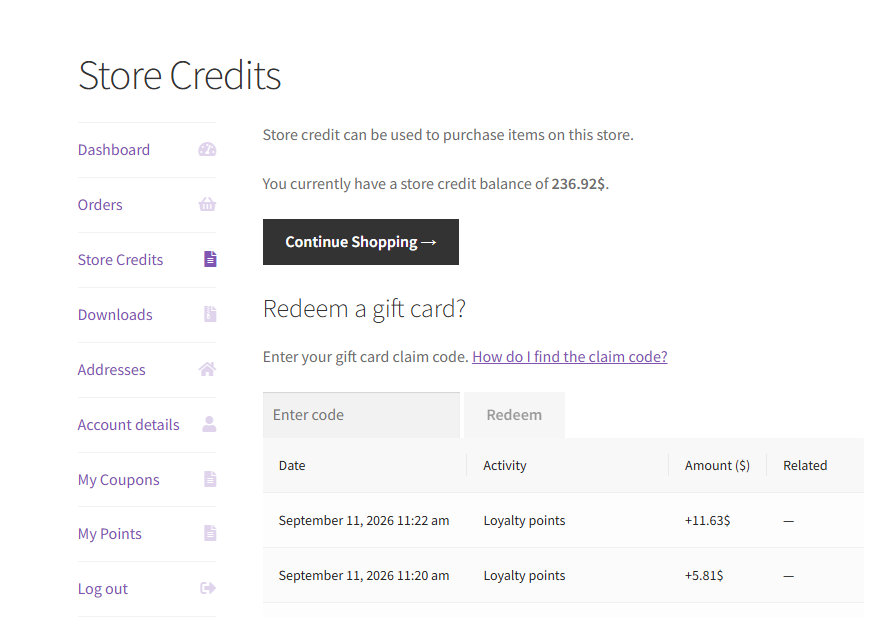
Discounts and store credit convert automatically
Advanced Coupons recalculates coupon discounts, cashback rewards and store credit balances every time a customer switches currency with WOOCS, so the numbers on screen always match what they’ll actually pay.
- Store credit follows the customer: If a shopper switches currency mid-session, their store credit balance converts automatically instead of staying stuck in the old currency.
- Admin pages stay in your base currency: Order and coupon management screens always show your store's real currency, regardless of what a shopper had selected.
- Rounds correctly for every currency: Conversions respect each currency's own decimal settings in WOOCS, so totals never look off.
Add Products and cashback coupons convert too
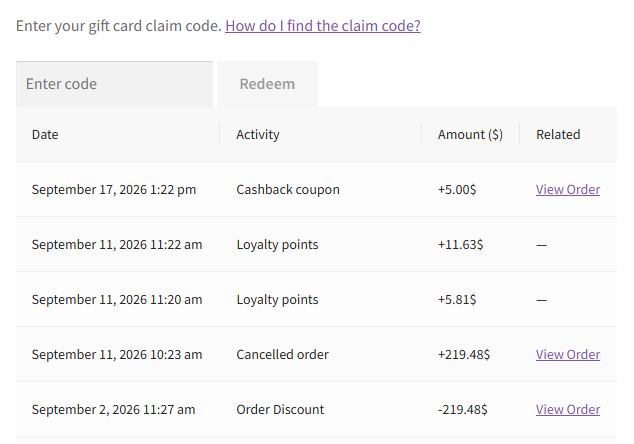
If you’re on Advanced Coupons Pro, the same currency awareness extends to Add Products deals and cashback coupons, so bonus items and cashback rewards are priced correctly in whatever currency a customer is shopping in.
- Add Products pricing matches the cart: Bonus and added product prices, plus their discount summaries, convert to the customer's selected currency.
- Cashback coupons convert cleanly: Both fixed and percentage cashback amounts are calculated in the right currency, with no double conversion.
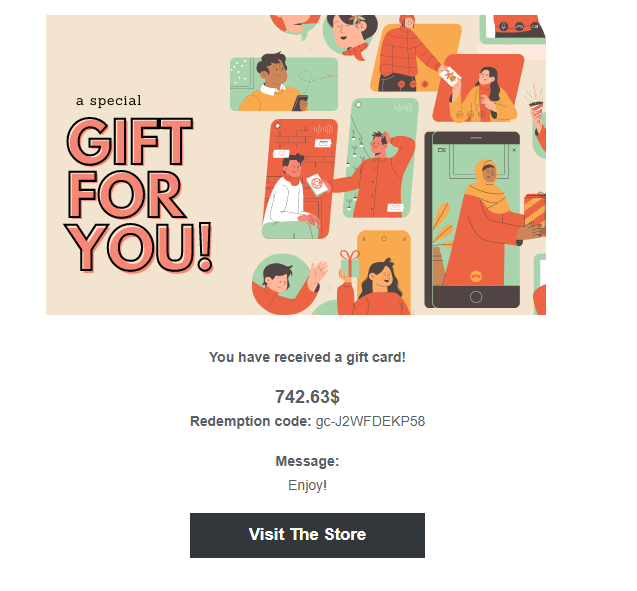
Gift card emails always show the right currency
If you’re also running Advanced Gift Cards, the same currency awareness carries over to gift card emails. Advanced Gift Cards temporarily switches WOOCS back to your store’s base currency while the email is generated, then restores it straight after, so the customer’s browsing currency never leaks into the email.
- No currency mix-ups: Gift card emails always display the value in your store's actual currency, not the shopper's selected one.
- Fully automatic: There is nothing to configure. It runs every time a gift card email is sent.
- Doesn't affect your storefront: WOOCS keeps working normally everywhere else. Only the gift card email itself is adjusted.

Frequently Asked Questions
No. Core currency conversion for discounts and store credits works with Advanced Coupons Free. Add Products and cashback coupon conversion require Advanced Coupons Pro.
Yes. WOOCS was the plugin’s original name. It’s now published as FOX Currency Switcher Professional for WooCommerce, but the integration works the same either way.
Advanced Coupons automatically converts their store credit balance to the new currency, so it’s never stuck in the wrong one.
No. Admin screens always display in your store’s base currency, no matter what currency a shopper had selected.
No. As soon as WOOCS is active, Advanced Coupons detects it and handles conversion automatically.
Yes. If you run Advanced Gift Cards alongside Advanced Coupons, gift card emails always show the value in your store’s real currency, regardless of what currency the customer had selected via WOOCS.
No. It only changes how the currency is displayed in the email. The gift card’s stored value doesn’t change.

