
If you’ve purchased the premium plugins, you’ll need your license key to activate the plugin and receive updates.
Your license key is included in your order confirmation email. You can also retrieve it at any time by logging into your Advanced Coupons Account.
Follow these steps to find your license keys:
1. Log in to your account
Head over to the Advanced Coupons Login Page and log in using your email address and password.
If you don’t remember your password, click the Lost your password? link on the login page to reset it.
2. Go to the Downloads section
After logging in, click the Downloads tab in your account dashboard.
Here you’ll see a list of all your purchased plugins, along with their respective license keys and expiry dates.
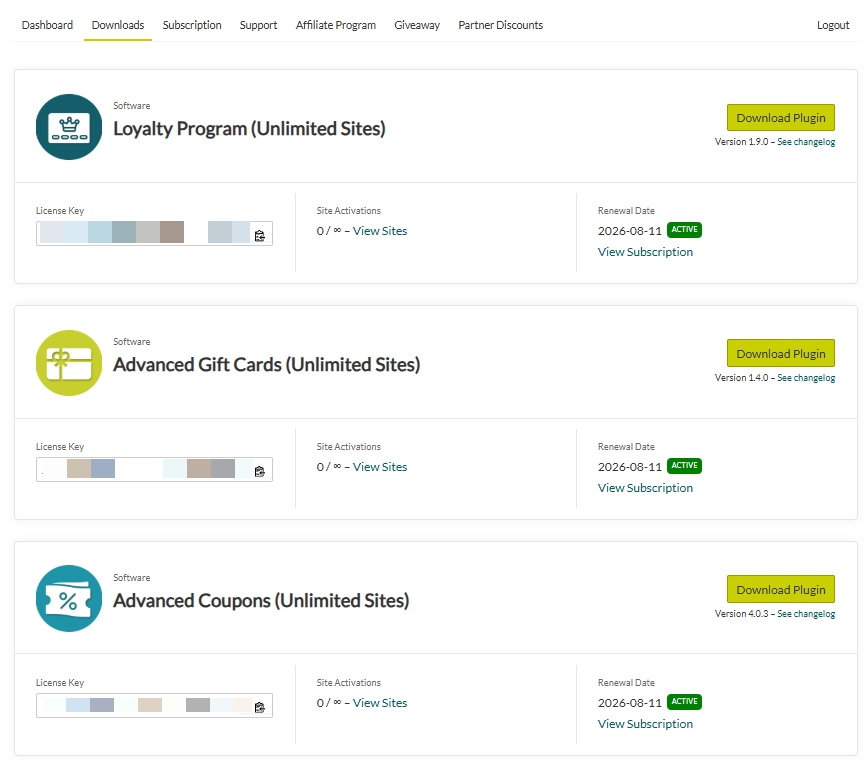
3. Copy your license key
Click the Copy button next to your license key or manually highlight and copy it.
You’ll use this key to activate your plugin inside your WordPress admin dashboard under Coupons > License.
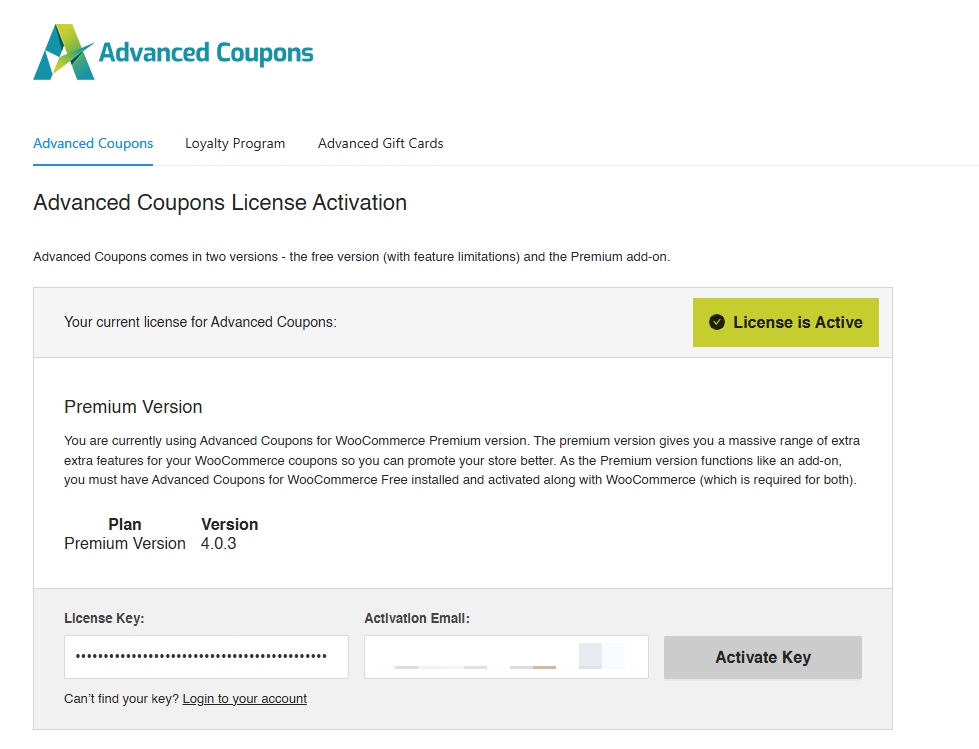
Which email the activation expects
Activation checks the billing email on the order that bought the license. That is not always the same as your WordPress login email, and it does not change if you later change the email on your account.
Capitalisation does not matter, so there is no need to retype the address in a different case. If the address does not match, activation reports Invalid activation email.
What happens when you renew
A renewal does not change your license key. The key you already have keeps working, so there is nothing new to enter and nothing to reinstall after renewing.
Each plugin has its own license key. A key only activates the plugin it was bought for, so an Advanced Coupons key will not activate Loyalty Program or Gift Cards. If you own the All Access Bundle you have a separate key for each plugin.
Frequently asked questions
Q: I’ve purchased more than one Advanced Coupons product. Do I get one license key or many?
A: Each Advanced Coupons product has its own unique license key. If you bought Premium, Advanced Loyalty Program, and Advanced Gift Cards, you’ll see three separate keys on the Downloads tab.
Q: I can’t see my license keys. What happened?
A: Your keys are listed against the billing email on the order. If you signed up with a different email from the one you bought with, the Downloads tab can look empty. Check which email received the order confirmation, then log in with that one. If the two addresses need merging, go to the support ticket request form and send us a message.
Q: I can’t find my license key at all. Where else can I look?
A: Double-check your order confirmation email or contact our support team and we’ll be happy to help.
Help & support
We have a dedicated support team for Advanced Coupons who know our products, WooCommerce, and the industry very well. You’re welcome to make use of their expertise at any time, worldwide.
If you are an existing customer, please go to the support ticket request form and send us a message.
If you are a free plugin user, please send us a support request on the forum, we actively monitor the WordPress.org support forums for the free plugin and help our users there as best as we can.

