
Discounting an order and then paying out loyalty points on it costs you twice. Advanced Loyalty Program lets you stop points being earned when a discount is involved, either on one specific coupon or across the store. This guide covers both controls and how they interact.
Prerequisites
- WooCommerce installed and active.
- Advanced Coupons for WooCommerce Free installed and active, with the Store Credits module turned on.
- Advanced Loyalty Program installed and active, with points earning already set up.
Block points on one coupon
Use this when a particular promotion is already generous enough and you do not want it earning points on top.
- Go to Coupons → All Coupons and open the coupon.
- Go to the Usage restriction tab.
- Tick Disallow earning loyalty points.
- Click Update.
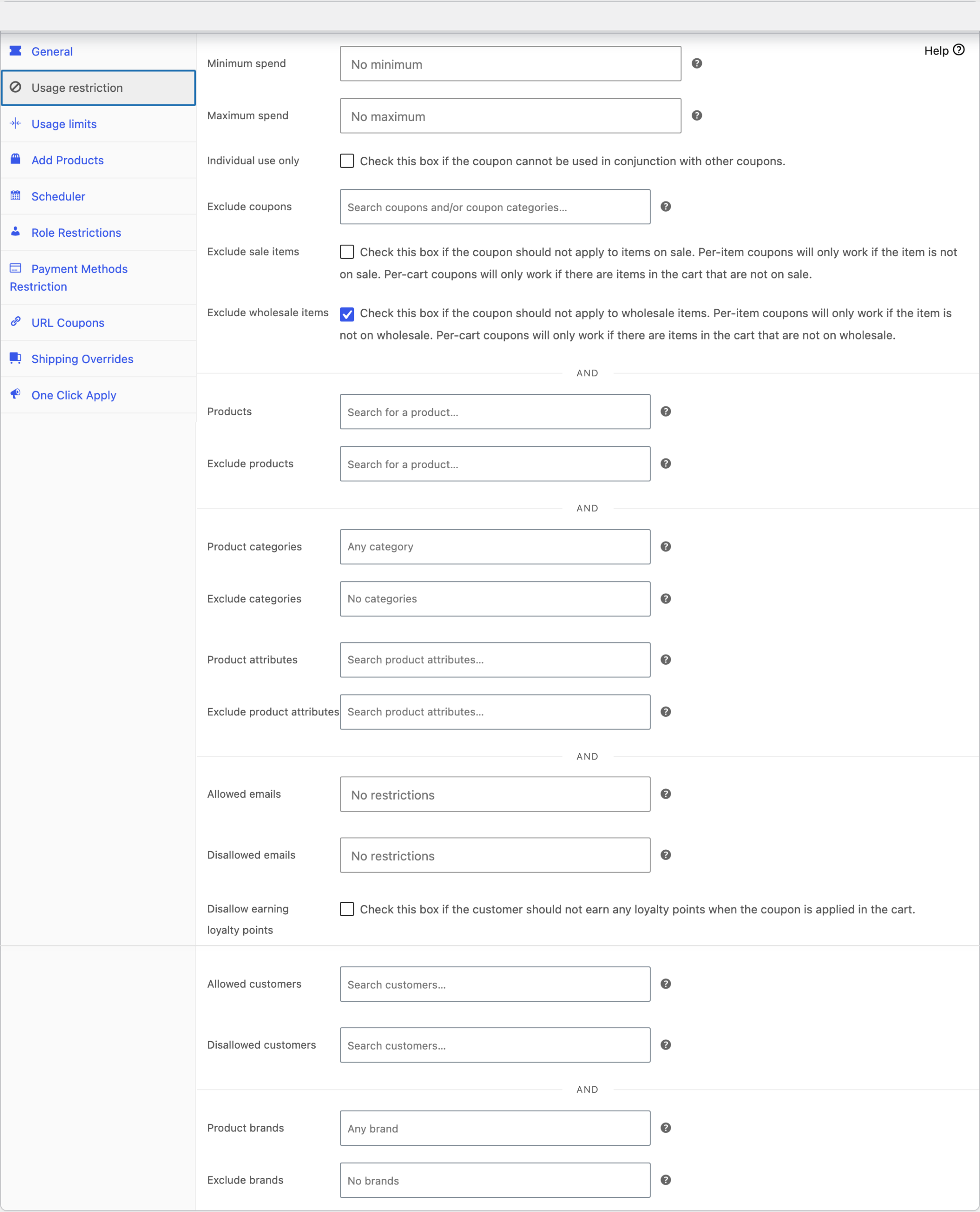
The setting description reads “Check this box if the customer should not earn any loyalty points when the coupon is applied in the cart.” When a customer uses this coupon, the whole order earns no points, even if other coupons are applied too. Orders without this coupon earn points as normal.
This is the control to reach for most of the time. It is precise, it is obvious to whoever edits the coupon later, and it does not affect anything else in your store.
Block points when store credit is used
There is also a store-wide setting for orders paid with store credit. Store credit often comes from redeemed points, so awarding points again on the same money is a loop worth closing.
- Go to Coupons → Loyalty Program → Settings.
- Open the General tab.
- Turn on Disallow earning points when a store credit discount is applied on cart.
The switch saves as soon as you turn it on. There is no Save button on this screen.

The switch is off by default, so customers earn points on store-credit orders until you turn it on.
Know this before you turn it on
The same switch also stops points being earned on any order that used a loyalty coupon, which is a coupon generated by redeeming points. If you only wanted the store-credit behaviour, this is wider than it looks. There is no separate switch for each one. Turn it on when you want both kinds of redemption to stop earning points. Leave it off if customers should keep earning points on either one.
Choosing between them
- One promotion should not earn points: use the per-coupon checkbox.
- No redemption of any kind should earn points: use the store-wide setting.
- Several coupons but not all of them: tick the box on each of those coupons. There is no bulk control for this.
Troubleshooting
Points stopped being earned on orders you did not expect
Check the store-wide setting first. Its name mentions store credit, but it also covers orders that used a loyalty coupon, so turning it on for one reason quietly changes the other. Turn it off and use the per-coupon checkbox if you only meant to target specific coupons.
Points are still awarded on a coupon you blocked
Confirm you clicked Update on the coupon after ticking the box, and that the customer used the coupon you edited rather than a similar one.
Points that were already awarded stay with the customer. The plugin checks the box when it awards points, which happens when the order reaches one of the statuses in Order status(es) for when to award loyalty points under Settings → Points Earning. So an older order that has not reached that status yet also earns no points once the box is ticked.
Customers earn points on the price before the discount
Go to Coupons → Loyalty Program → Settings → Points Earning and make sure Discounts is ticked under Points calculation options. It is ticked by default. When it is ticked, the plugin takes discounts off the order amount before it works out the points. If you untick it, customers earn points on the price before the discount, so they earn more. This changes how many points an order earns. It does not block earning. Getting started with Advanced Loyalty Program explains these options in full.
Frequently asked questions
Does blocking points also stop the customer redeeming points on that order?
No. These controls only stop points being earned. A customer can still spend points on an order that will not earn any.
Can I block points for a whole coupon category at once?
No. The per-coupon checkbox is set on each coupon individually.
Will existing points be taken away?
No. Nothing already awarded is removed. To adjust a balance by hand, see How to manually adjust loyalty program points.
Need help?
If you have a question or run into any issues, we’re here to help.
- Premium users: Open a support ticket
- Free users: Visit our community forum

