How does a deal become irresistible and too good to pass up? When it’s compelling, time-sensitive, and clearly communicated. That’s the reason why flash sales work well, but the last part is often overlooked. Flash sale advertising bridges this gap by helping you get the word out fast.
Since flash sales typically have a very short window, your marketing has to be as quick and compelling as your offer. In this guide, we’ll dive into 7 effective strategies to help you promote your sale and drive immediate action.
Bookmark this one, you’ll want to review it the next time you run a flash sale!
What Is A Flash Sale?
Flash sales are limited-time promotions where brands offer steep discounts for a very short period. They typically run from a few hours up to 48 hours at most.
This type of promotion aims to boost shopper urgency and drive a quick spike in sales. The combination of a ticking clock and a compelling offer taps into FOMO (fear of missing out), motivating customers to buy now rather than later. Run well, a flash sale concentrates a large share of a month’s orders into a very short window.
Depending on your specific goals, you can run sitewide flash sales or tailor them to specific product categories or collections. They’re perfect for clearing out excess stock or driving sales during high-traffic events like Black Friday.
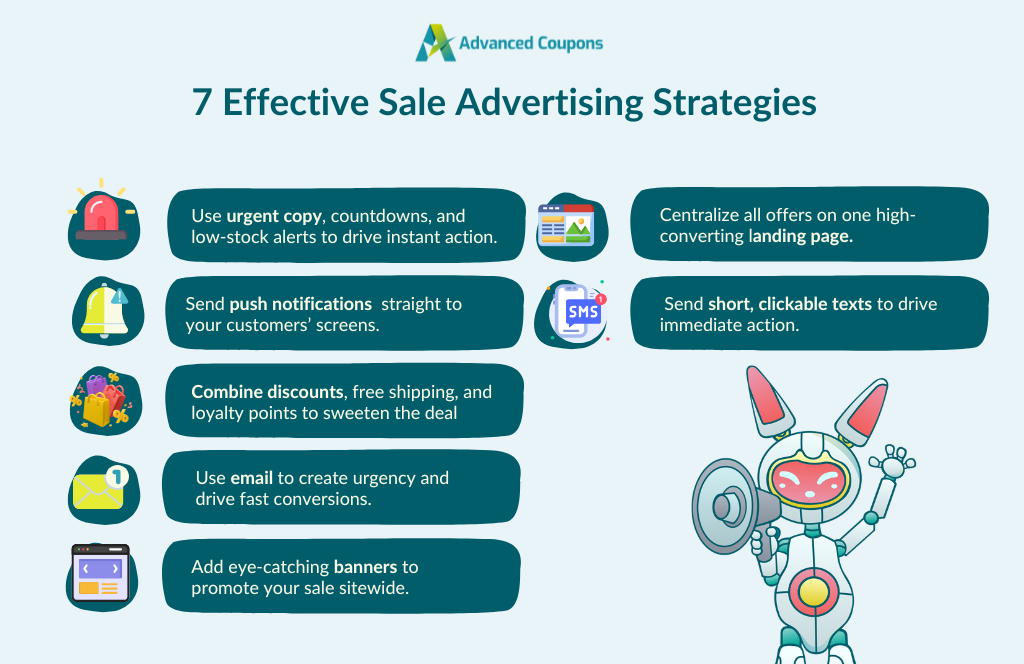
7 Flash Sale Advertising Strategies To Drive Fast Results
Since flash sales have a very short time window, your marketing strategy needs to be clear, quick, and intentional. Below, we’ll break down some of the best ways (and platforms) to get the word out fast before the click runs out.
1. Spark urgency with limited-time messaging
Urgency isn’t just an “element” in flash sales—it’s the entire premise of this promotion! To encourage shoppers to act, the limited-time offer should be reflected in all your messaging.
This entails using strong, scarcity-driven, and action-oriented cues like:
- Urgent copy: Use words like “Ends at Midnight,” “Final Hours,” “Only 2 Hours Left” across all your social media posts, email subject lines, or push notifications.
- Countdown timers: Add countdown timers on pop-ups, landing pages, and website banners to help customers visualize that time’s running out.
- Product scarcity: You can drive a greater sense of FOMO by displaying low stock indicators and messaging like, “Only 3 left in stock” or “Selling Fast!”
These elements can create a huge difference in how customers perceive your offer. Since it’s a flash sale, don’t be afraid to repeat the urgency messaging across multiple channels. This can help reinforce the deadline and give customers more chances to take action before it’s too late.
2. Use push notifications to announce flash sales
Push notifications should be a key part of every flash sale advertising strategy. They’re perfect for limited-time messaging, as they cut through the noise and pop up directly on a user’s device, even when they’re not browsing your website! This makes them ideal for time-sensitive promotions.
You can make it even easier for customers to take action by sending flash sale coupons directly as push notifications. Advanced Coupons’ integration with PushEngage lets you easily set this up on WooCommerce in just a few clicks!
To build momentum, consider sending out a sequence of push messages, instead of just one notice. Here’s a quick example:
- Teaser: ⏳ Flash Sale drops in 1 hour. Get your wishlist ready!
- Sale kick-off: It’s LIVE! 🥳 Get 40% OFF ALL ITEMS—ends at midnight!
- Before it ends: ⚡FINAL 2 HOURS TO SAVE: Flash Sale ending soon!
3. Offer stackable deals
Stackable deals allow customers to combine multiple incentives in one order. It’s a surefire way to create more excitement during a flash sale. For instance, you can offer:
- 15% off + Free Shipping
- 10% discount + 10% cashback
- Buy 1 Get 1 + Double loyalty points
Paired with a very limited time window, these types of offers feel too good to pass up! They can also help increase your average order values, especially when paired with minimum spend requirements.
🚨 IMPORTANT: You’ll want to set restrictions or qualifiers to make sure coupon stacking won’t negatively impact your bottom line.
If you’re using a plugin like Advanced Coupons, you gain full control over your promotions. You can choose which coupons can be stacked together, set cart conditions like cart subtotal and user roles, and even allow customers to earn loyalty points during the sale.
4. Send out last-minute email blasts
Email remains one of the most effective platforms for marketers, boasting an average ROI of 3600%. To put it simply, businesses earn $36 for every $1 spent on email marketing!
A well-timed email blast can work wonders if you’re running a flash sale. It’s an easy, personal, and engaging way to create awareness about your offer and give subscribers that nudge to act before your sale ends. Brands often create a sense of urgency in emails by:
- Adding countdown timers to emphasize the limited-time nature of the offer
- Placing URL coupons that auto-apply deals in the cart for faster redemption
- Using a high-urgency subject line like: “LAST CHANCE: Flash Sale ends in 4 HOURS!⏳”
Here’s an example from Time to inspire you:
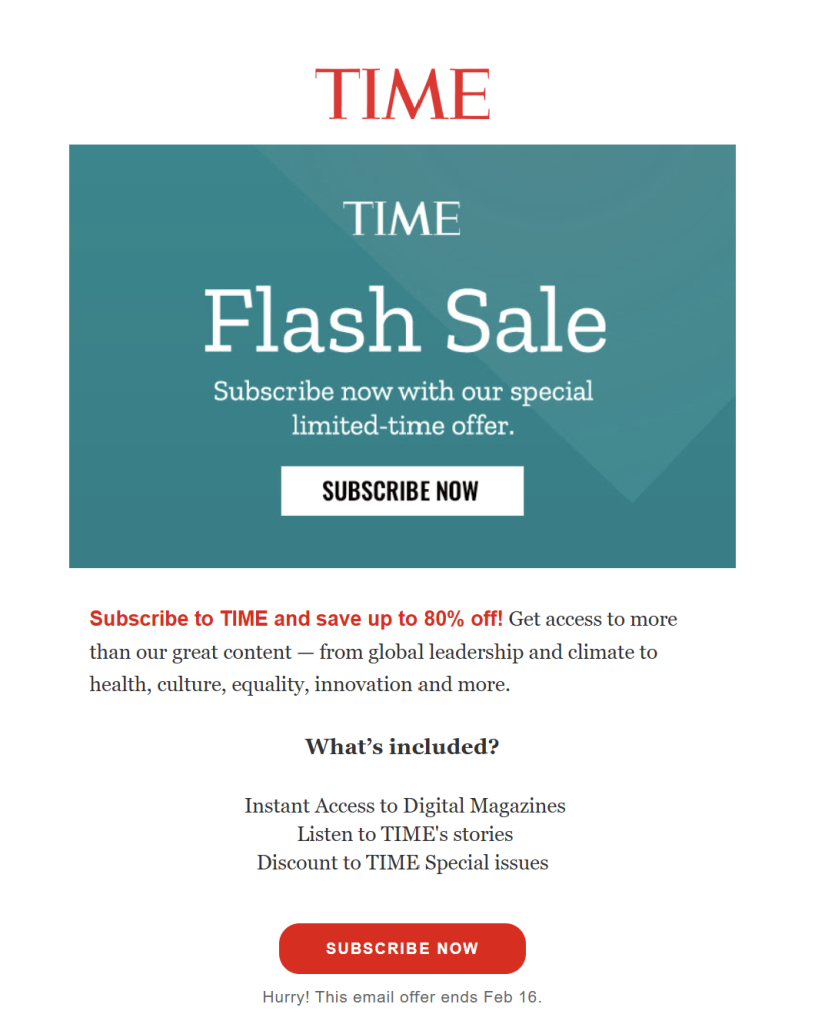
This email used a bold “Flash Sale” header, a clear CTA button, and high-contrast text to highlight the offer. TIME also included a deadline at the bottom to spark urgency and a short benefits list to reinforce the value. It’s simple but highly effective!
🎯PRO TIP: Make it as easy as possible for customers to take action by adding a bold, compelling call-to-action button like “Claim your Discount Now!” and linking it directly to your product page. Even better, you can use tools like Advanced Coupons to create URL coupons that automatically apply the discount when clicked.
5. Highlight flash deals with homepage banners
Your homepage is often the first page shoppers visit. It’s the perfect venue to announce ongoing events, especially if it’s something limited-time, like a flash sale. A bold, eye-catching banner on your homepage can help inform and grab attention.
Most brands add a simple sticky announcement banner to highlight ongoing deals. Take a look at this example from Snipes:
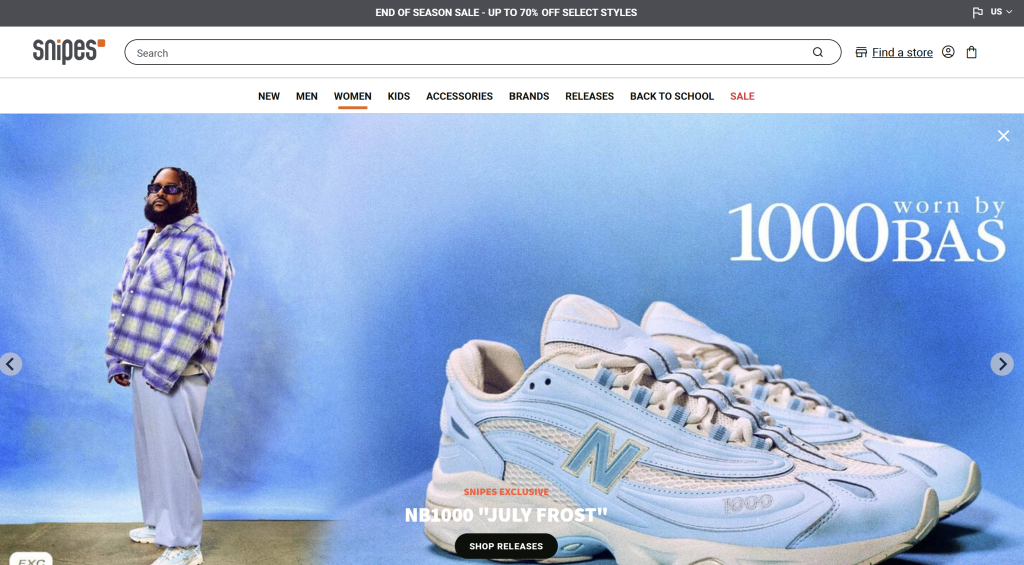
The banner is visible the moment you land on their homepage, featuring ongoing deals you won’t want to miss. It’s also sticky, which means it stays on top of the screen no matter where you navigate on their site.
At Advanced Coupons, we use tools like OptinMonster to recreate this effect. During sales events, we publish a header banner with a countdown timer to inform site visitors about the deal and when it ends, ensuring no one misses out.
6. Create a dedicated flash sale landing page
Some brands that run regular flash deals create a dedicated landing page for these offers. This landing page can act as your central campaign hub, where you showcase the products, highlight the offer, and make it easier for shoppers to take action.
Creating a landing page also simplifies your flash sale advertising campaign. Instead of using different links, you can direct all traffic to one high-converting page. Take a look at this example from Walmart:
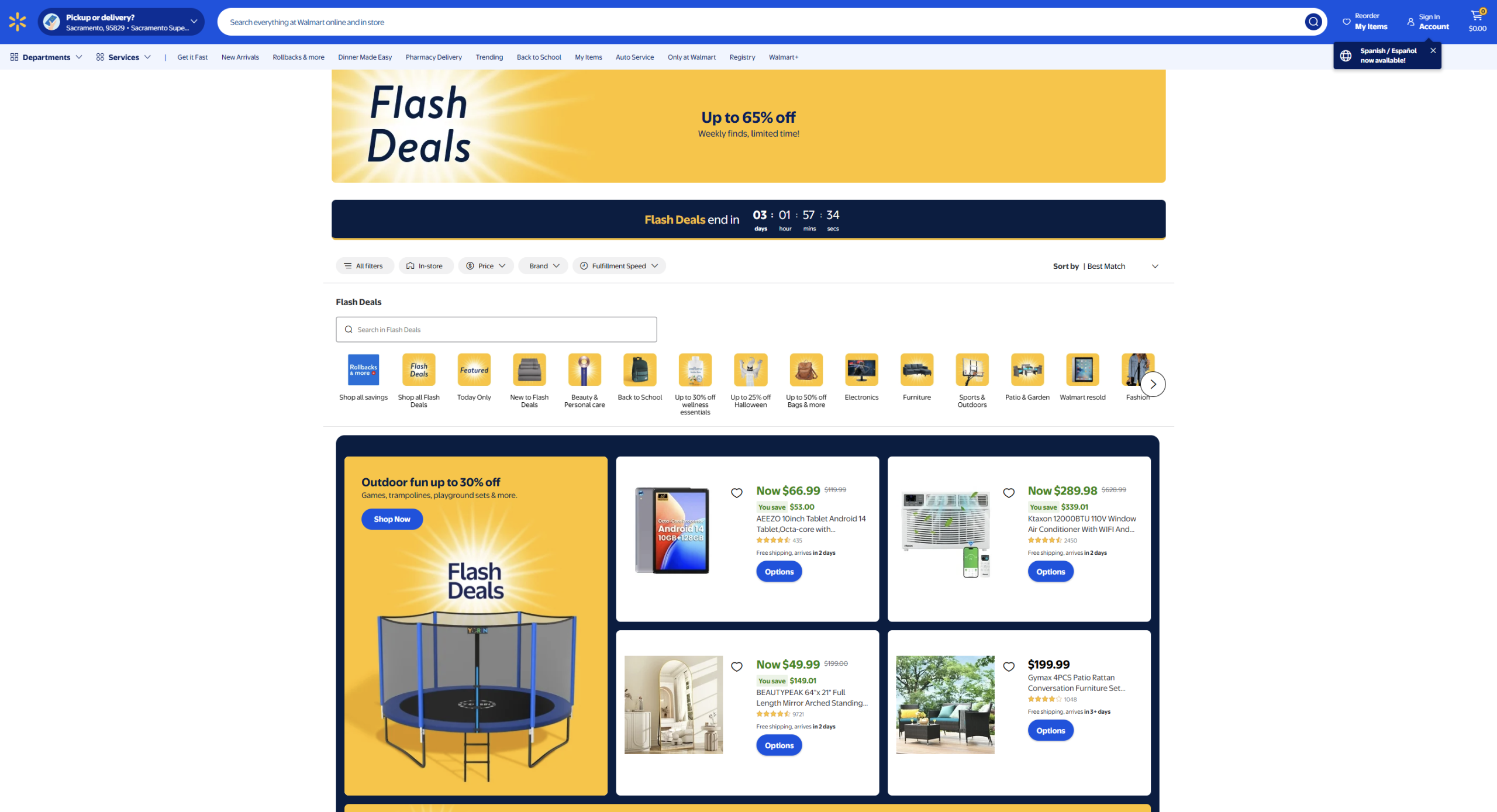
They’ve created a dedicated page for ongoing flash deals, complete with a countdown timer, category filters, and bold visuals that grab attention.
💡Wondering if creating a landing page is right for your flash sale? Consider it if:
- Your brand runs flash sales frequently (such as weekly or monthly)
- You’re featuring multiple products or categories
- You’re offering varied perks (like discounts + loyalty points + free shipping)
If you’re running a flash sale just for a few products, a banner, pop-up, or updated product page may be enough.
7. Promote flash sales using SMS marketing
SMS is another worthwhile addition to your flash sale advertising campaign. With open rates soaring as high as 98%, it’s one of the most effective platforms to announce limited-time offers. SMS works because it’s fast, direct, and personal.
Here are some tips to make them work for your business:
- Include a clickable link to encourage customers to take action. This can be a link to your landing page or a URL coupon that automatically applies the deal.
- Use urgency-driven language, such as “Last Chance,” or “Only a few hours left”
- Keep it short and punchy! Standard SMS has a character limit of 160, so every word counts.
🎯PRO TIP: To make your campaign more effective, use SMS alongside other marketing channels like email and push notifications. Spreading the word on multiple touchpoints can help increase the visibility of your offer and reach as many customers as possible.
How To Launch Flash Sales In WooCommerce
If you’re looking to run a flash sale in WooCommerce, you can use plugins like Advanced Coupons to make setup seamless and easy.
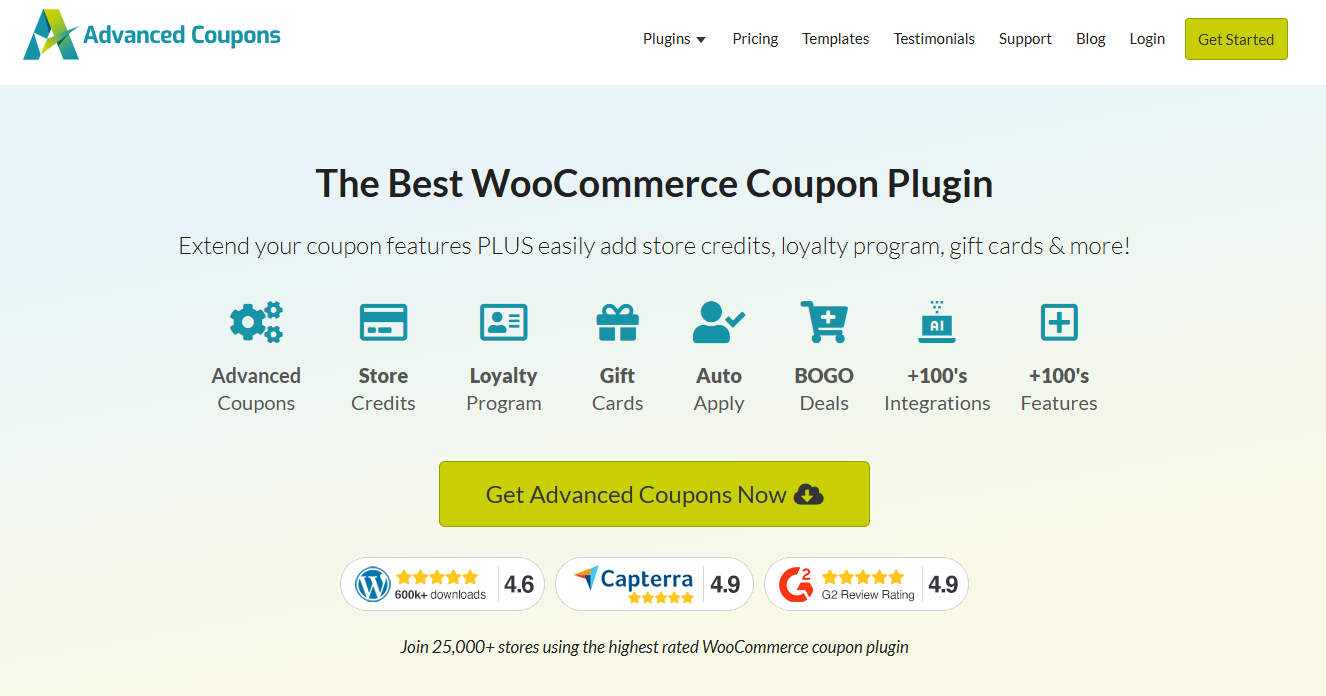
This powerful plugin extends the default coupon functions of WooCommerce, allowing you to:
- Schedule the exact time and dates for your sale
- Set advanced cart conditions to ensure only eligible customers access deals
- Allow multiple coupons to be applied in a single order (perfect for stacking deals!)
- Combine flash sales with other perks like BOGO offers, free shipping, or even store credit
- Track coupon usage and performance so you know exactly what’s working
Curious to learn more? Check out our official guides below:
Frequently Asked Questions
What is flash sale advertising?
Flash sale advertising includes all the marketing strategies brands use to promote their limited-time offer. Some popular platforms include SMS, push notifications, emails, website banners, and social media. The goal is to spread the word and encourage shoppers to act before they miss out on the deal.
What is an example of flash sales?
A common example is a deep discount offered for a very short period, such as: “40% off for the next three hours only.” The compelling offer and short timeframe tap into shoppers’ FOMO (fear of missing out), encouraging them to make a purchase before the offer expires.
How long is a flash sale usually?
Flash sales can run anywhere from a few hours to 48 hours at most. Some brands run very short timeframes (1-3 hours) to spark urgency.
Conclusion
Flash sales are one of the most effective ways to spike sales and drive traffic to your store. However, its success still depends on how well you spread the word about it. The flash sale advertising strategies we covered in this guide can help you build urgency and encourage fast action. To recap, let’s walk through them below:
- Spark urgency with limited-time messaging
- Use push notifications to announce flash sales
- Offer stackable deals for more value
- Send out last-minute email blasts
- Highlight flash deals with homepage banners
- Create a dedicated flash sale landing page
- Promote flash sales using SMS marketing
Looking to launch your next flash sale in WooCommerce? Tools like Advanced Coupons can help! With this plugin, you can schedule sales easily, set advanced cart conditions to determine who qualifies, create auto-apply coupons, and so much more!
We hope this piece helped out. Do you have any questions for us? Let us know in the comments.