
In Advanced Loyalty Program version 1.3, we released a new feature that allows you to set a maximum limit of points that can be redeemed at once.
This feature lets you control the maximum discount that will deduct the order from the points redemption.
How To Set A Maximum Redemption Limit
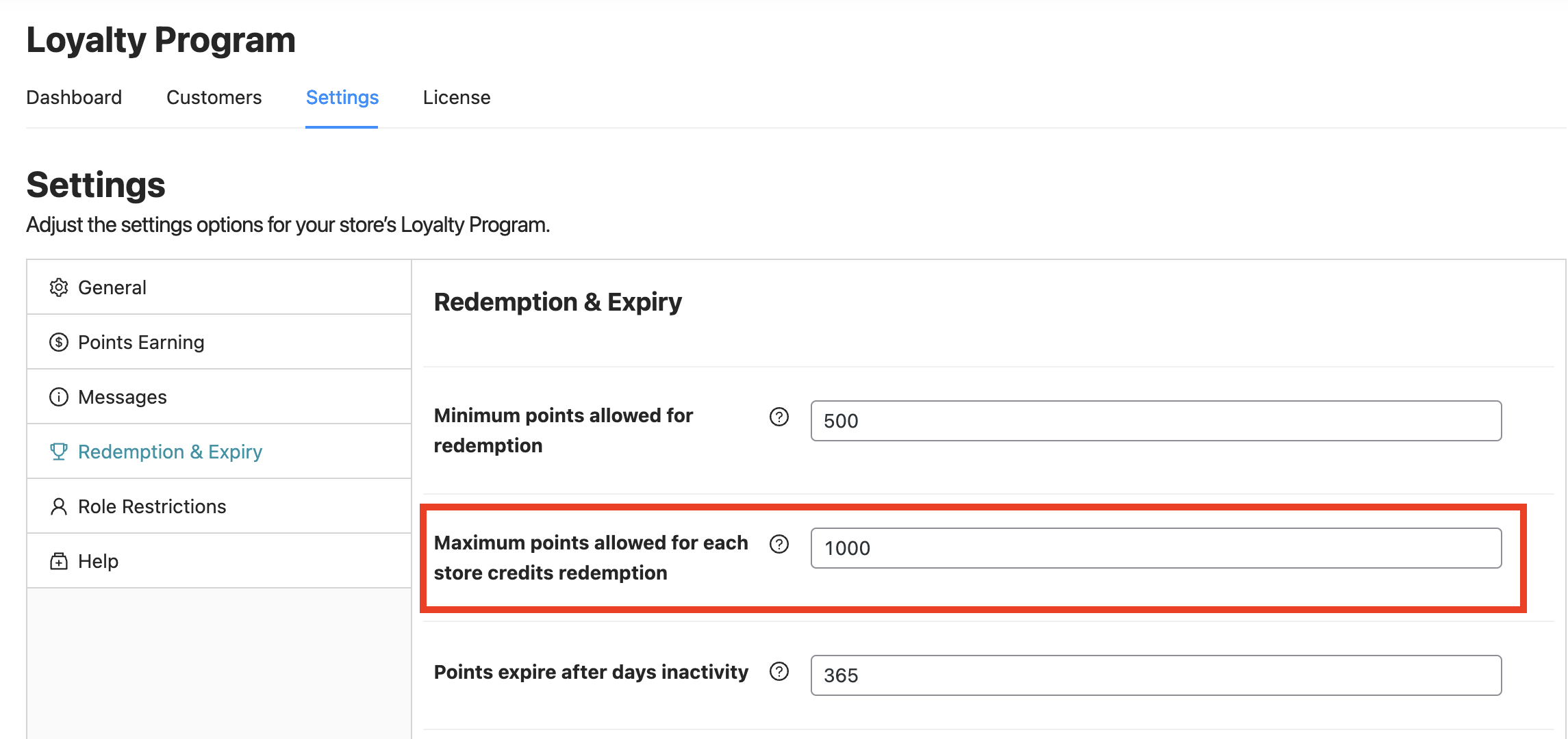
You can find this option at Coupons → Loyalty Program → Settings → Redemption & Expiry tab → Maximum points allowed for each store credits redemption.
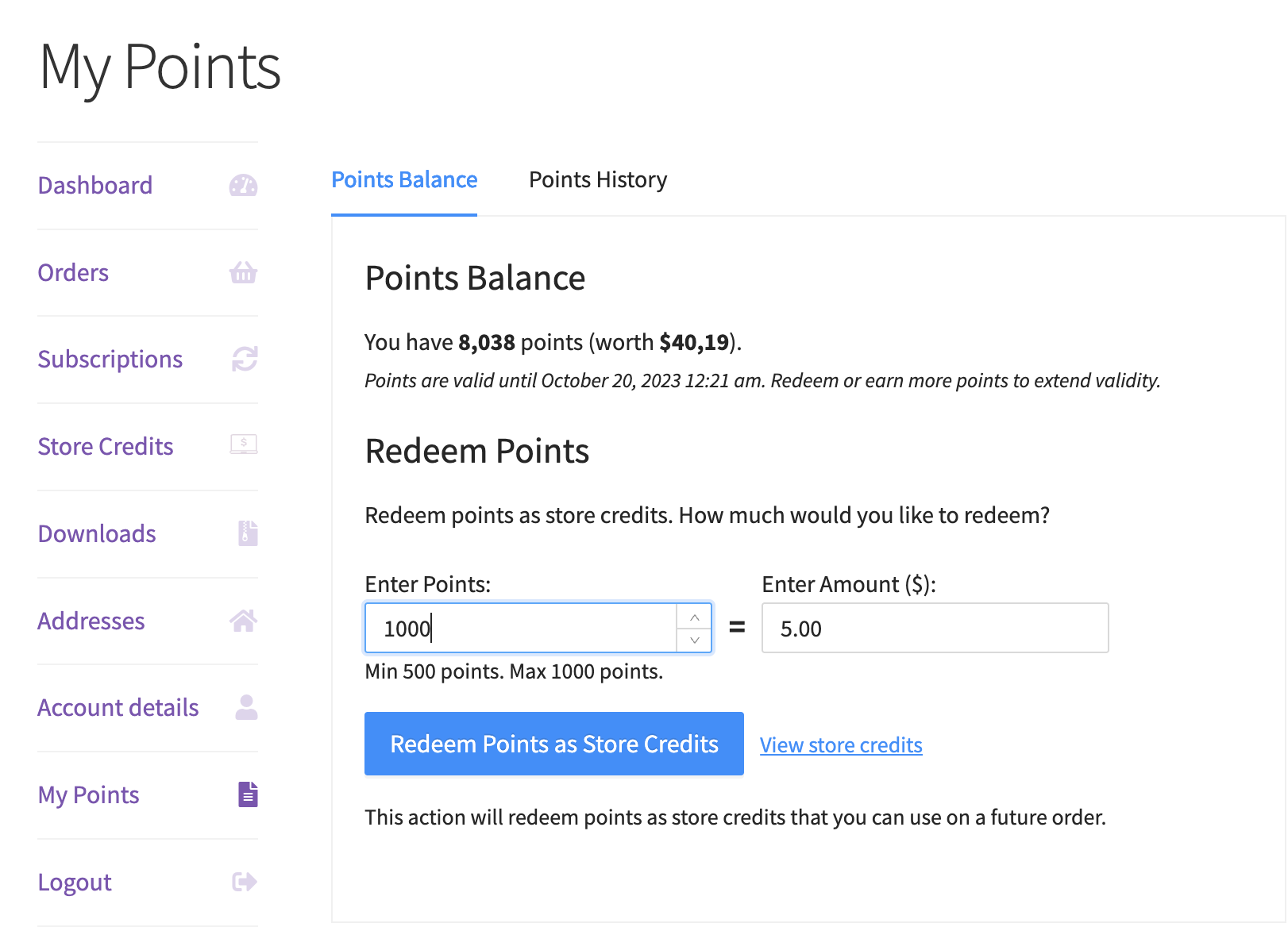
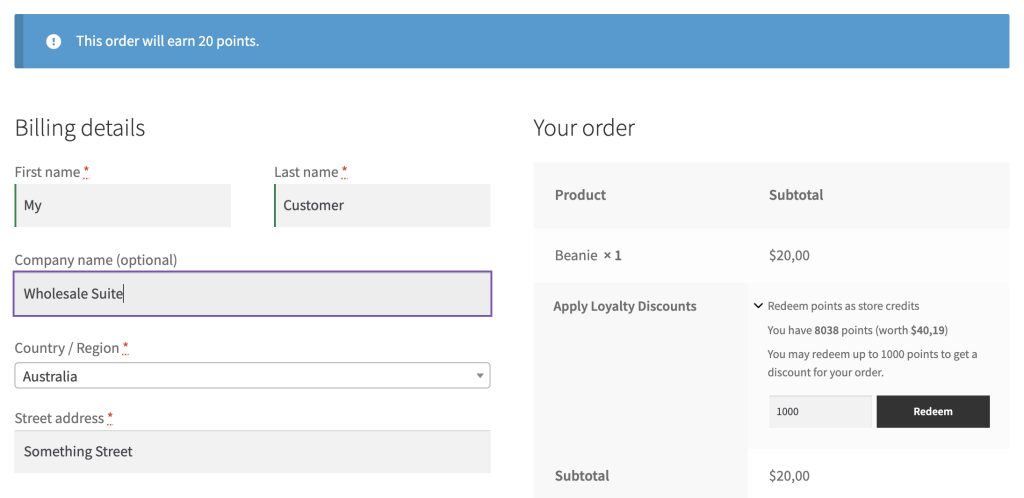
If the customer entered a number that is higher than the defined maximum limit, the system will automatically revert it to the defined maximum limit.
For example, you have set the limit to 1000 points, then if a customer enters 1500 points from the “Redeem Points”, the system will revert it to 1000 points instead of 1500 points.
What Happens When Points Are Redeemed?
When customers choose to redeem their loyalty points, those points are automatically converted into store credit based on the Points to Currency conversion rate you’ve configured in your Loyalty Program settings.
For example, if your conversion rate is 10 points = $1, and the customer redeems 50 points, they will receive $5 in store credit, which is then applied to their current order like a discount.

Note: If you want to limit how much store credit can be used per order, you can do that too! See our related guide here:
How to Set Maximum Store Credits That Can Be Used Per Order »
Help & Support
We have a dedicated support team for Advanced Coupons who know our products, WooCommerce, and the industry very well. You’re welcome to make use of their expertise at any time, worldwide.
If you are an existing customer please go to the support ticket request form and send us a message.
If you are a free plugin user, please send us a support request on the forum, we actively monitor the WordPress.org support forums for the free plugin and help our users there as best as we can.

