

The best WooCommerce store credit plugin for most stores is Advanced Coupons, because store credit is included in its free plugin. You can add credit to customer accounts, refund orders to store credit, and set an expiry period. Premium adds a cap on how much of an order credit can cover.
Returns are expensive in a way that doesn’t always show up as a line item. According to the National Retail Federation, 15.8% of retail sales were returned in 2025, totaling $849.9 billion, and 19.3% of online sales specifically. When a return ends in a cash refund, that money leaves your business instead of staying available for a future order.
Store credit changes that. The customer still gets their value back, but it stays inside your store. Picking a WooCommerce store credit plugin looks simple until you notice that most of them can hold a balance but very few can control how it gets spent.
Below are four WooCommerce store credit plugin options compared on the controls that matter once customers start carrying balances.
What Store Credit Is And When It Makes Sense
Store credit is a balance attached to a customer’s account that they can spend on future orders. Unlike a gift card, it’s typically issued by the store rather than purchased as a product. Unlike a coupon, it behaves like a customer balance that is reduced as it’s used.
The appeal over a cash refund is straightforward: the value stays available to spend in your store rather than being sent back as cash. Our guide on store credit versus refunding works through the math, and what store credit is covers the basics if you’re new to it.
Speed matters too. The same NRF research found 76% of shoppers are more likely to choose a return option that gives them an instant refund or exchange, and about 71% say they are less likely to shop with a retailer again after a poor returns experience, up from 67% the year before. If a customer accepts store credit, making the balance available immediately keeps that return experience moving without unnecessary waiting.
Where store credit is also useful, beyond returns:
- Goodwill on a service failure: credit can give a disappointed customer a reason to come back without adding another cash refund.
- Loyalty payouts: points that redeem into a balance rather than a one-off coupon.
- Gift card redemption: in some setups a redeemed gift card becomes credit, which keeps the leftover value in play.
If you want the difference between the three spelled out, we cover store credit and gift cards separately.
What To Look For In A WooCommerce Store Credit Plugin
Holding a customer balance is only one part of store credit. The bigger difference between plugins is how much control they give you over when and how that balance can be used.
Five controls matter:
- A cap on how much of an order credit can cover. If a customer holds $200 and your average order is $60, uncapped credit can cover several orders without another payment. A percentage cap lets you decide how much of each order can be paid with credit.
- A minimum redemption amount. Stops customers from applying tiny amounts of credit when you’d rather set a practical minimum.
- A minimum order total that must remain after credit. Lets you set a floor on what the customer still pays, so you can prevent credit from covering the entire order.
- Expiry. An expiry setting lets you decide how long unused balances remain available, where local rules allow it.
- Reminder emails for dormant balances. An automated nudge can bring an unused balance back into view and encourage a return visit.
The Comparison At A Glance
| Capability | Advanced Coupons | YITH WooCommerce Account Funds | Wallet for WooCommerce | Wallet System for WooCommerce |
|---|---|---|---|---|
| Store credit in a free plugin | Yes | No | Yes, free core | Yes, free core |
| Maximum percentage of an order credit can cover | Yes, 1 to 100, Premium | Not listed | Not listed | Not listed |
| Minimum redemption amount | Yes, Premium | Not listed | Not listed | Not listed |
| Minimum order total remaining after credit | Yes, free | Not listed | Not listed | Not listed |
| Credit expiry | Yes, free, in days, months, or years | Not listed | Pro upgrade | Not listed |
| Reminder emails for dormant credit | Yes, Premium | Not listed | Not listed | Not listed |
| Partial payment at checkout | Yes | Yes | Yes | Yes |
| Customers can top up their own balance | No | Yes, with a purchase discount | Yes | Yes |
| Admin adjustment of balances | Yes | Yes | Yes | Yes |
| Pricing | Free core; Premium $99.50 first year | €79.99 first year | Free core; paid Pro upgrade | Free core; Pro $79/year |
Capabilities were checked against each plugin’s own product page and WordPress.org listing. “Not listed” means the vendor doesn’t state that capability there, which isn’t the same as it being impossible.
Advanced Coupons
Store credit in Advanced Coupons starts in the free plugin. You can issue credit, adjust customer balances, and let customers spend their credit at checkout without paying for Premium.
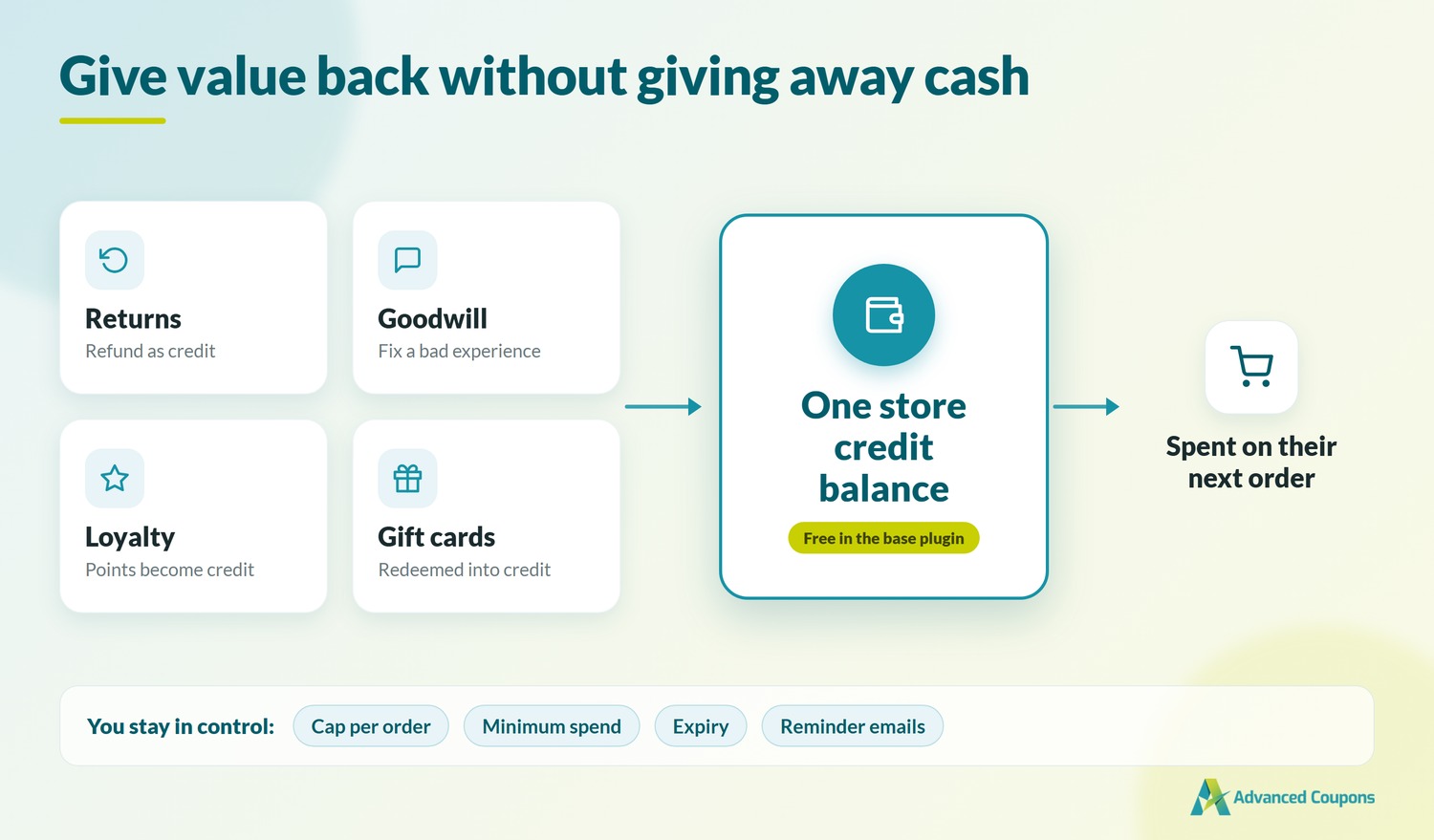
The free plugin covers the core store credit workflow, while Premium adds tighter redemption controls and reminders:
Free: issuing store credit, adjusting balances from the admin, customers redeeming credit against orders, credit expiry, and the minimum order total that must remain after credit is applied.
Premium: the maximum percentage of an order that credit can cover, set anywhere from 1 to 100; the minimum redemption amount; and automatic reminder emails for customers sitting on unused credit.
You can choose what the percentage cap is calculated against. Advanced Coupons can calculate it before or after tax and shipping, so the same percentage can apply to the cart subtotal or the final order total depending on your setting.
Store credit also acts as a shared redemption balance inside the Advanced Coupons ecosystem. Loyalty points can redeem into store credit, redeemed gift cards become store credit, and refunds issued as store credit land in the same balance. Coupons and BOGO deals stay in the same broader promotion toolkit, but they’re separate promotion mechanics rather than value paid into that balance.
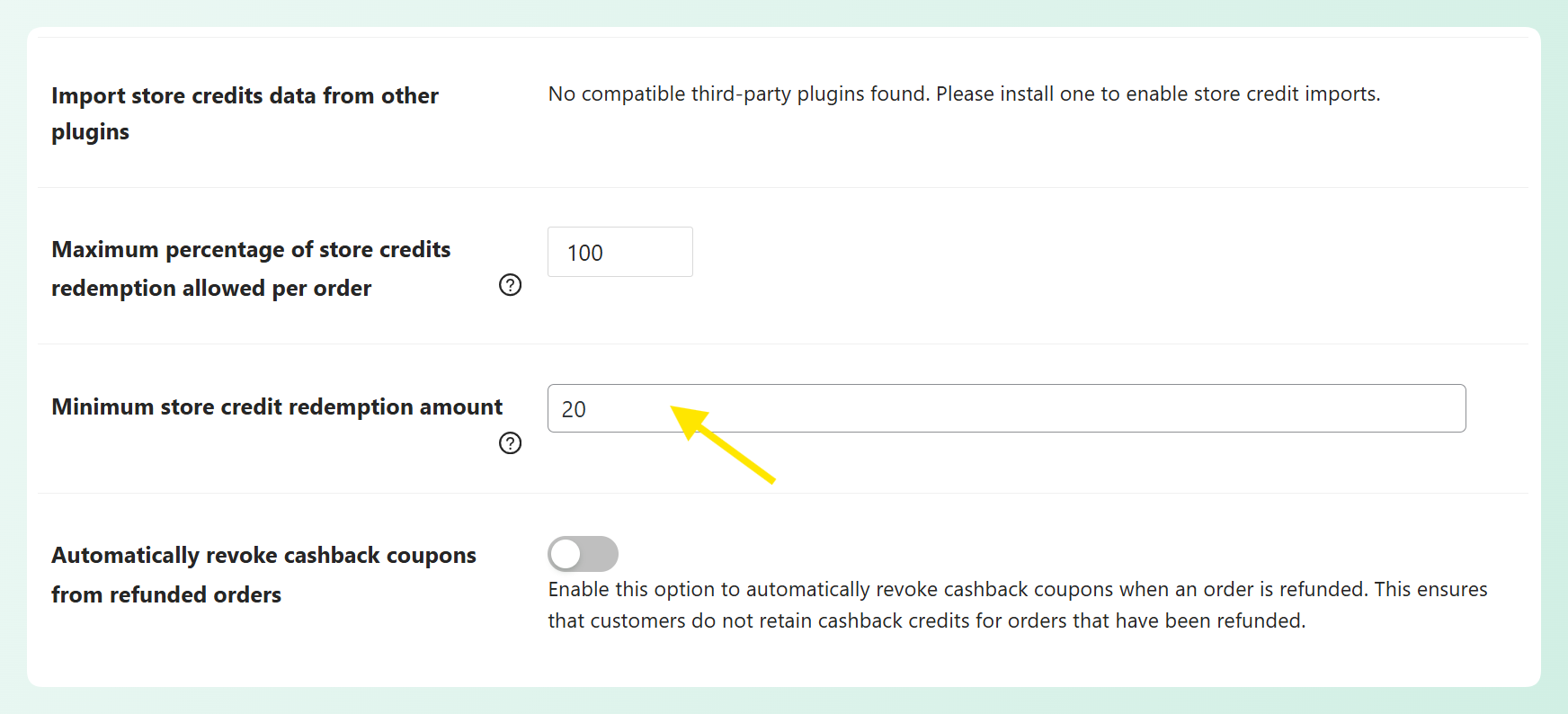
If you plan to issue store credit regularly, set your maximum redemption percentage before customer balances start building up. That gives customers consistent rules from the beginning and helps you control how much credit can apply to each order.
If you also use Advanced Loyalty Program or Advanced Gift Cards, redeemed value can flow into the same store credit balance. Premium also includes bulk store credit adjustment for issuing credit to many customers at once, along with the minimum redemption amount setting.
Pricing: the base plugin is free. Premium starts at $99.50 for the first year on a single site and renews at $199.
Other WooCommerce Store Credit Plugins To Consider
The other three plugins take different approaches to store credit and customer wallet balances.
YITH WooCommerce Account Funds
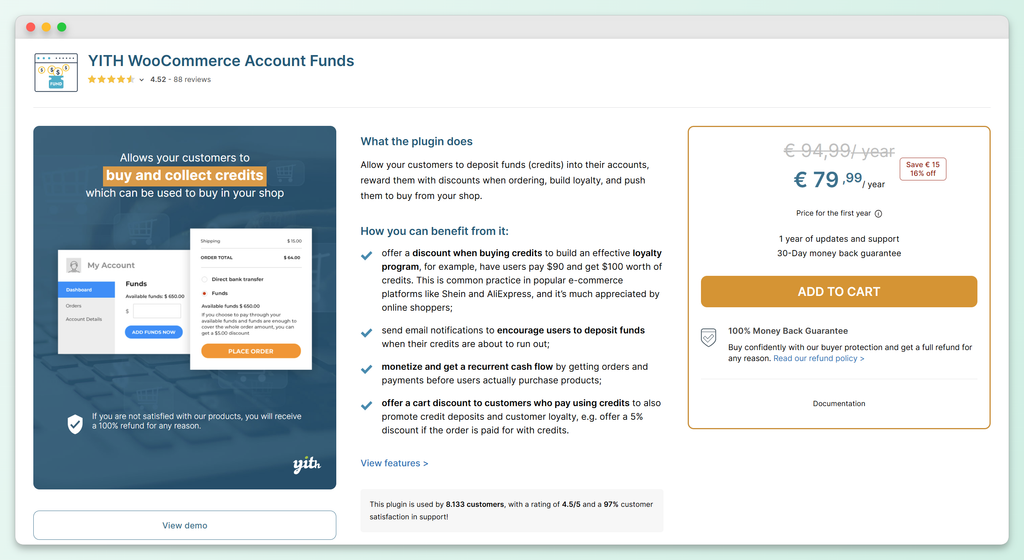
YITH takes a different angle, with a stronger focus on customers adding prepaid funds to their own accounts. That makes it especially well suited to top-ups and prepaid balances.
One useful feature is the option to discount the purchase of funds, so a customer can pay $90 and receive $100 of credit. This gives stores another way to encourage prepaid balances. You can also apply a cart discount when an order is paid with funds, set minimum and maximum deposits with an increment, restrict which payment methods can buy funds, and send a low-balance email when someone’s funds drop below a threshold you set.
For stores focused on returns and rewards, YITH offers fewer controls over how credit is spent. Partial payment at checkout is an on-or-off choice rather than a percentage cap, and no credit expiry is listed. That makes YITH a strong fit for prepaid deposits, while stores that need tighter redemption limits may prefer a different option.
Wallet for WooCommerce
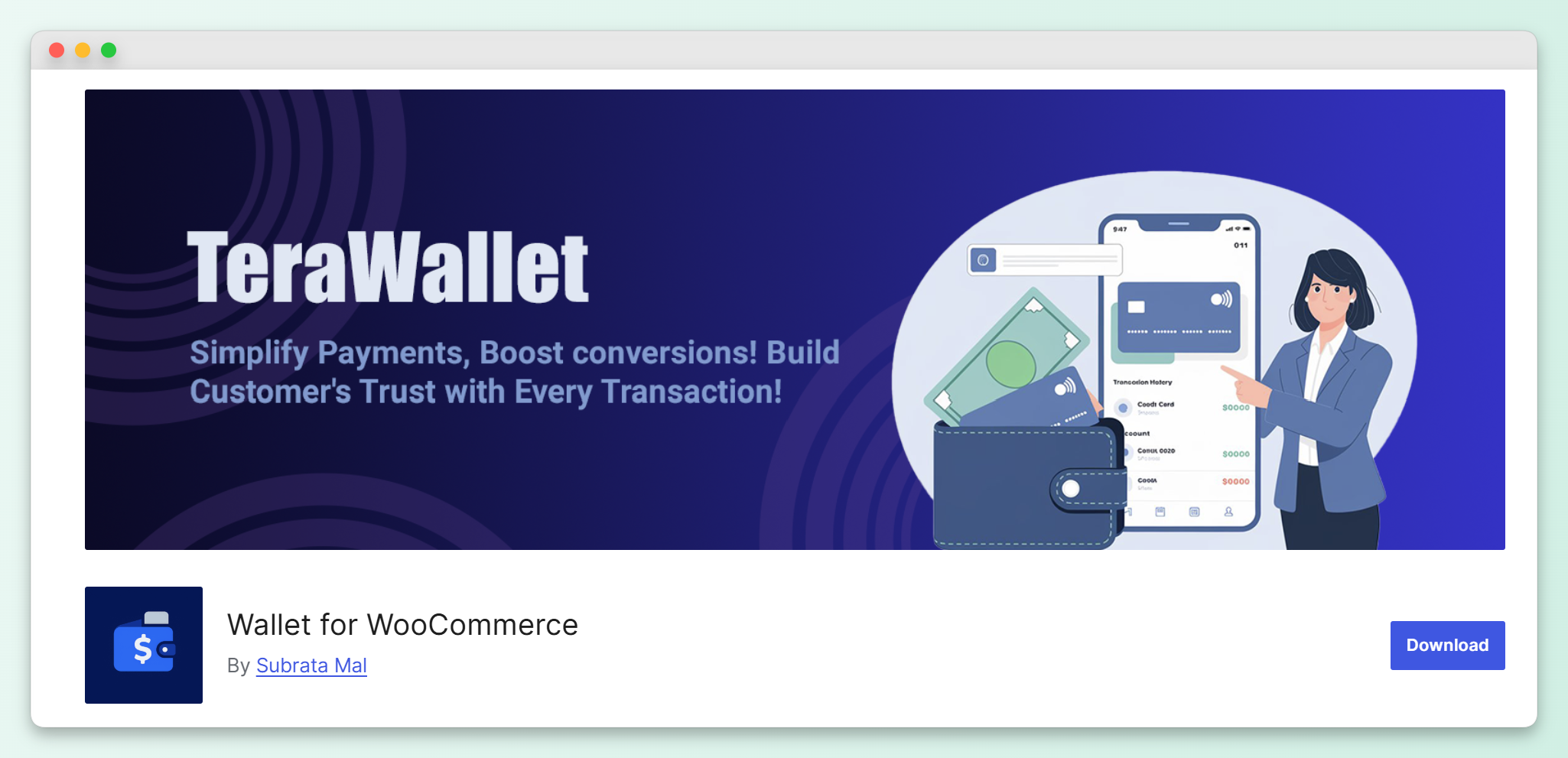
Also known as TeraWallet, its free core covers a lot. It supports top-ups, full or partial wallet payments, transfers between customers, manual balance adjustments with notes, wallet locking, and cashback based on cart total, product, or category. It also includes a transaction ledger for keeping track of wallet activity.
Wallet expiry, withdrawals, wallet-only coupons, and an importer sit behind the paid Pro upgrade. What you don’t get at either tier is a percentage cap on how much of an order the wallet can cover.
Wallet System for WooCommerce
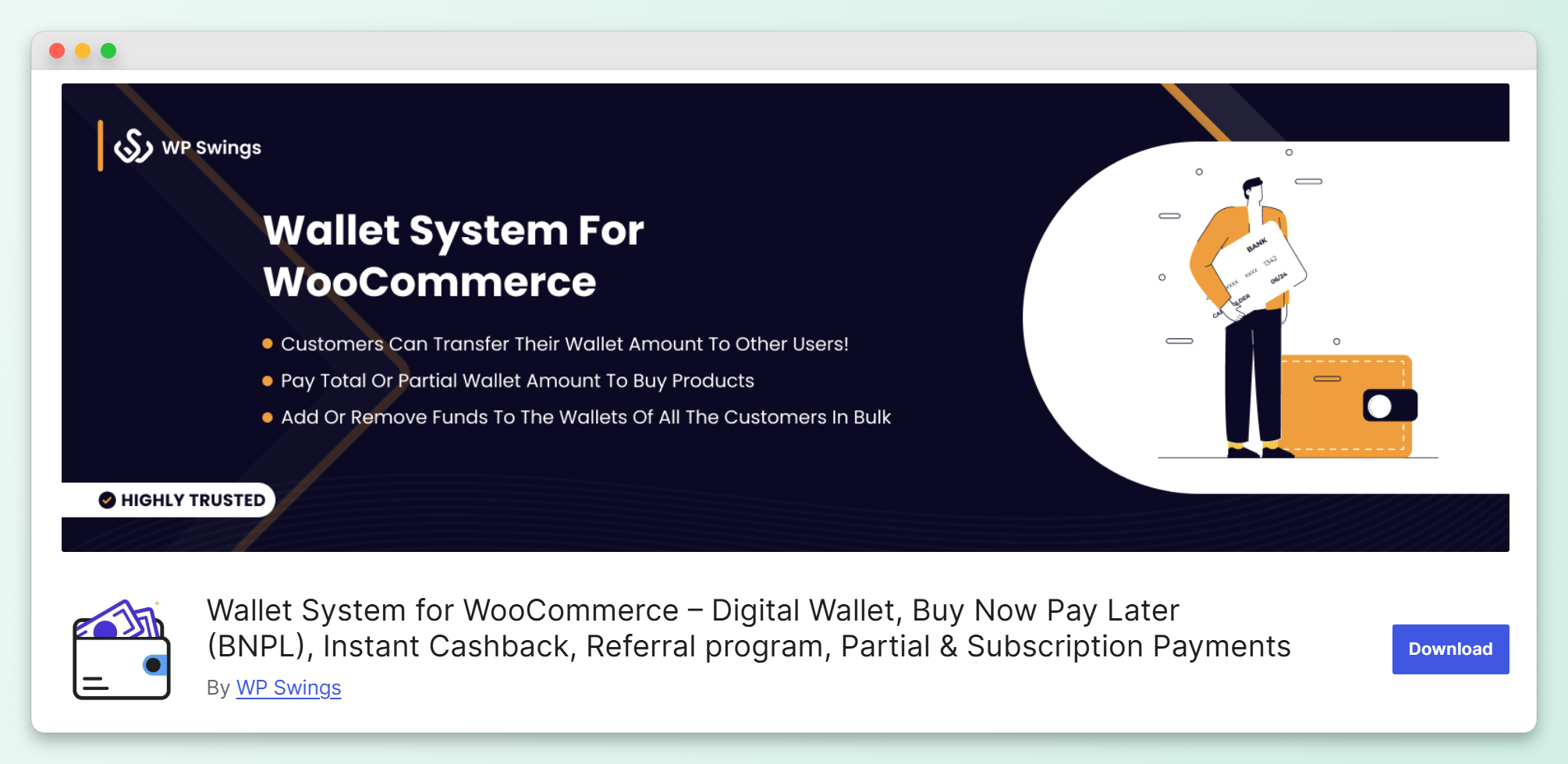
WP Swings offers one of the broadest wallet feature sets in this comparison, with a free plugin and a paid Pro upgrade. The free version covers wallet transfers between customers, KYC document verification, cashback by user role, referrals, partial payments, withdrawal requests, and scheduled top-ups. Pro adds payment requests between users, PayPal auto-withdrawals, configurable transfer and withdrawal fees, negative balances, and referral coupons.
If you need something closer to a full wallet or payments system, WP Swings is worth considering, especially because its KYC tools have no equivalent in this comparison. Its other plugins can also connect with the wallet: Points and Rewards can convert earned points into wallet credit, while redeemed gift card coupons can recharge the wallet. If your main goal is simply managing credit for refunds and rewards, though, that broader wallet setup may be more than you need.
Which Store Credit Plugin Should You Choose?
Choose Advanced Coupons if your priority is keeping store credit useful without letting it cover more of each order than you intend. It’s the only option in this comparison with a percentage cap on redemption, and it pairs that with a minimum redemption amount, a minimum order total that must remain after credit, expiry, and reminders for unused balances.
As customer balances grow, the percentage cap gives you control over how much credit can apply to each order. The other three plugins in this comparison don’t list an equivalent percentage limit. Advanced Coupons also lets you start with free store credit, expiry, and a minimum remaining order total, then add the percentage cap, minimum redemption amount, and reminders in Premium when you need more control.
The alternatives make more sense in a couple of specific cases. YITH WooCommerce Account Funds is a better fit if you want customers to preload funds and reward them with a discount on the deposit itself. If customer-to-customer transfers matter more, both Wallet for WooCommerce and Wallet System for WooCommerce include them in their free versions.
For stores using credit mainly for returns, goodwill, and rewards, those redemption controls make Advanced Coupons the stronger fit.
Frequently Asked Questions
Does WooCommerce have store credit built in?
WooCommerce core doesn’t include a native customer store-credit balance, so you need a plugin or extension to add one. Basic store credit is available free in the Advanced Coupons plugin, which covers issuing credit, adjusting balances, and letting customers redeem it at checkout.
Can I limit how much store credit a customer uses on one order?
Yes. With Advanced Coupons Premium, you can set the maximum percentage of an order that store credit can cover, anywhere from 1 to 100. You can also choose whether that percentage is calculated before or after tax and shipping. The other three plugins in this comparison don’t list an equivalent per-order percentage limit.
Does store credit expire?
It depends on the plugin. Advanced Coupons lets you set an expiry period in the free plugin, in days, months, or years from the customer’s last activity, and credit never expires by default. Wallet for WooCommerce offers expiry through its paid Pro upgrade. Check your local consumer rules before setting a short window, because some regions regulate how quickly issued credit can lapse.
What is the difference between store credit and a gift card?
A gift card is purchased value, usually delivered as a redeemable code. Store credit is a balance issued to a customer account, often as a refund or reward. In Advanced Coupons, a redeemed gift card converts into store credit, so the value ends up in the same customer balance.
How much does a WooCommerce store credit plugin cost?
Pricing depends on the plugin and tier. Advanced Coupons includes store credit in the free plugin, while Premium starts at $99.50 for the first year and renews at $199. Wallet for WooCommerce and Wallet System for WooCommerce both have free cores, with WP Swings’ Pro upgrade listed at $79 a year for one site. YITH WooCommerce Account Funds is €79.99 for the first year.
Start Using Store Credit In Your WooCommerce Store
With a cash refund, the money goes back out. With store credit, the customer keeps that value to spend on a future order in your store. The plugin you choose determines how much control you have over that balance.
If you want to revisit any part of the comparison:
- What Store Credit Is And When It Makes Sense: when credit can be useful instead of cash
- What To Look For In A WooCommerce Store Credit Plugin: caps, minimums, expiry, and reminders
- The Comparison At A Glance: the four options side by side
- Advanced Coupons: free to start, with tighter controls in Premium
- Which Store Credit Plugin Should You Choose?: the verdict, and the two cases for something else
If you want a WooCommerce store credit plugin you can start with for free and add more control as you need it, Advanced Coupons includes store credit, expiry, and a minimum remaining order total in the free plugin, with additional redemption limits and reminder emails in Premium.
Have questions about setting store credit up for your store? Let us know in the comments. 😊