
If you run retail and wholesale from one store, a promotional coupon can stack on top of a wholesale price and cut deeper into your margin than you intended. Advanced Coupons can exclude wholesale-priced items from a coupon, so the discount only reaches retail shoppers. This article shows you where the setting is and exactly how each coupon type behaves once it is on.
Before you start
- WooCommerce Wholesale Prices must be installed and active. The setting only appears when it is, because Advanced Coupons adds this integration on the back of that plugin.
- The setting has been available since Advanced Coupons 4.6.1.
- A price only counts as wholesale when the customer is actually getting the wholesale price for that item.
Turn on the setting
- Go to Coupons > All Coupons and open the coupon you want to change.
- Open the Usage restriction tab.
- Tick Exclude wholesale items.
- Click Update.

The setting is per coupon, so you can leave it off for coupons you are happy to have stack with wholesale pricing.
How the coupon behaves once it is on
The result depends on whether the coupon discounts individual items or the cart as a whole. The difference matters, because one quietly skips items and the other refuses the coupon outright.
Per-item coupons skip the wholesale items
A coupon that discounts individual products stays usable. It simply does not discount any item that is wholesale-priced. A cart holding both retail and wholesale items still gets the discount on the retail items.
Whole-cart coupons are refused
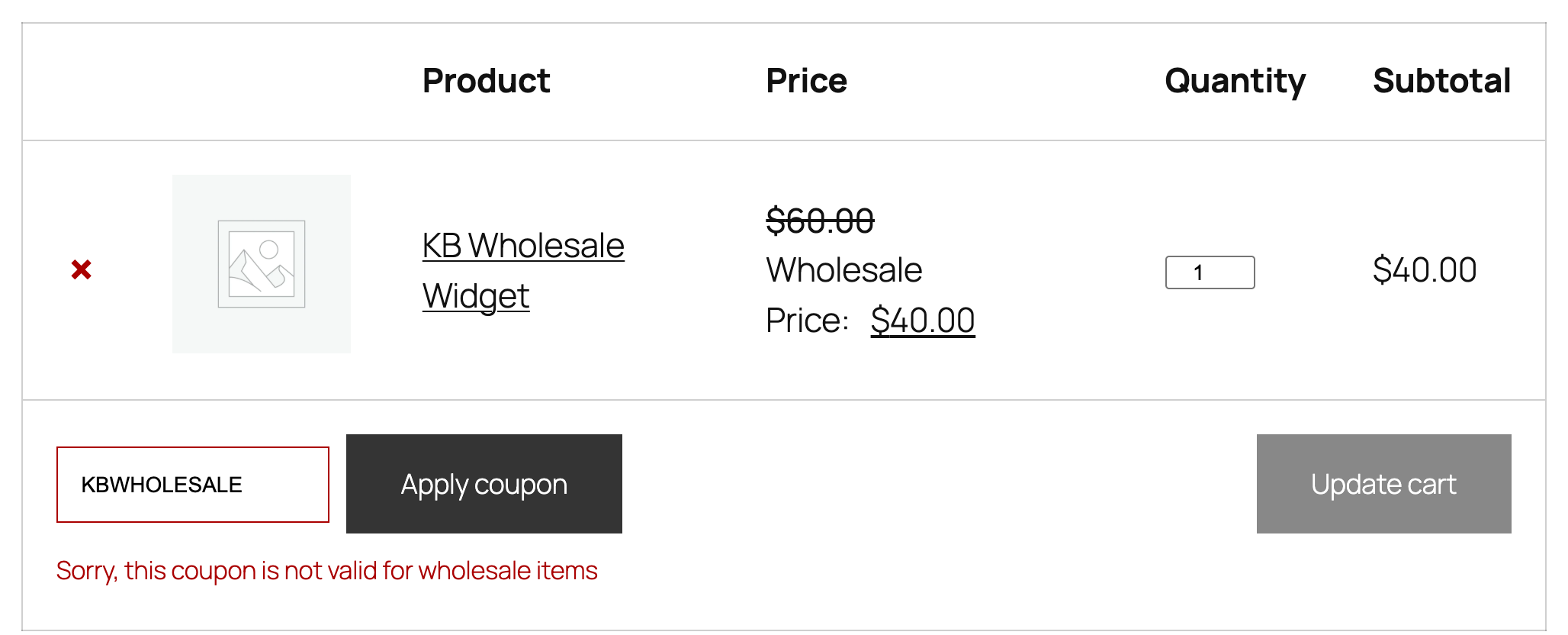
A coupon that discounts the cart as a whole cannot apply partially, so it is refused as soon as any item in the cart is wholesale-priced. The customer sees this message:
Sorry, this coupon is not valid for wholesale items
This applies even when the cart also holds retail items. One wholesale-priced item is enough to block the coupon.
Which coupon types are refused outright
The whole-cart refusal applies to these two discount types:
| Discount type | Behaviour when a wholesale item is in the cart |
|---|---|
| Fixed cart discount | Coupon refused, with the wholesale items message |
| Buy X Get X Deal (BOGO) | Coupon refused, with the wholesale items message |
| Percentage discount | Applies, but skips the wholesale-priced items |
| Fixed product discount | Applies, but skips the wholesale-priced items |
Troubleshooting
The setting is not on the Usage restriction tab. Check that WooCommerce Wholesale Prices is installed and active. The checkbox is only added when that plugin is running.
A wholesale customer is still getting the discount. Confirm the item is genuinely wholesale-priced for that customer rather than just being on sale. The setting keys off the wholesale price being applied to the cart item, not off the customer’s role alone.
A retail shopper is blocked from using the coupon. Check the cart for a wholesale-priced item. On a Fixed cart discount or a BOGO deal, one wholesale item blocks the whole coupon. Use a per-item discount type instead if you want the coupon to keep working on the retail items.
You want the coupon to stack with wholesale pricing after all. Untick Exclude wholesale items on that coupon and click Update.
Frequently asked questions
Does this block wholesale customers from using any coupon?
No. It only affects coupons where you have ticked the box, and only for items that are wholesale-priced.
Can I set it for all coupons at once?
No. It is a per-coupon setting, so tick it on each coupon you want restricted.
Why is my Fixed cart discount refused when the cart has retail items too?
A cart-level discount cannot apply to part of a cart, so it is refused when any item is wholesale-priced. A per-item discount type is the right choice for mixed carts.
Need help?
If you have a question or run into any issues, we’re here to help.
- Premium users: Open a support ticket
- Free users: Visit our community forum

