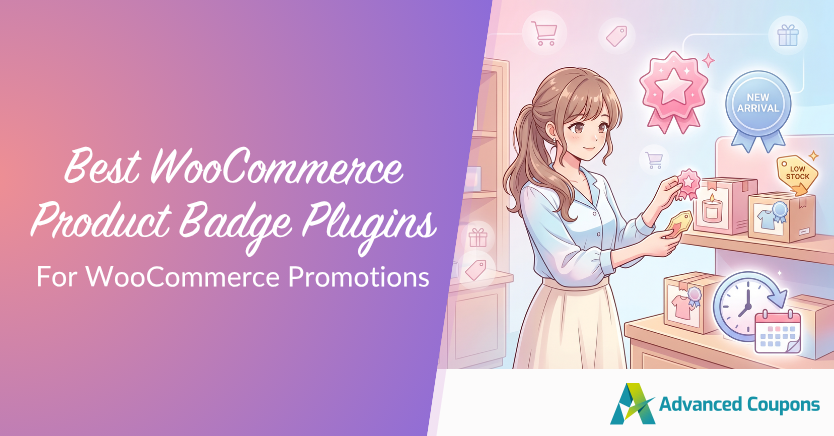
The best WooCommerce product badge plugin for most promotion-driven stores is Advanced Promo Kit. It lets you create custom product labels and sale badges for discounts, best sellers, low stock, back-in-stock items, and new arrivals. You can also control when and where badges appear using rules for products, categories, tags, stock status, product age, user roles, and scheduling.
That control matters because product badges should stay closely tied to the offers they promote. A product marked “20% OFF” should reflect a real discount. A flash sale badge should disappear when the campaign ends. And a “New Arrival” label should only appear while the product still feels new. When badges match what shoppers actually see, they become helpful buying cues instead of outdated or confusing messages.
Because Advanced Promo Kit is part of the Advanced Coupons product line, it can support the same promotion workflow you already use for coupons, BOGO deals, loyalty points, and gift cards within a WooCommerce marketing toolkit used by 25,000+ store owners.
In this guide, we’ll compare five WooCommerce product badge plugins based on design flexibility, display rules, scheduling, promotion fit, and long-term usefulness for stores that actively run coupons, sales, and seasonal campaigns.
What to Look for in a WooCommerce Product Badge Plugin
The best WooCommerce product badge plugins go beyond visual customization. Before comparing specific tools, it’s worth understanding the four criteria that separate a useful badge plugin from a decorative one.
Design flexibility
Your badges need to match your brand. Look for options that let you customize shapes, colors, sizes, and text without touching CSS. Animation support and the ability to make badges clickable (linking to a sale page or coupon URL) are also worth having.
For more context on why visual trust signals matter, see our guide to adding trust badges to your product pages.
Display rules and conditions
A badge plugin should let you control which products show which labels, and under what conditions. The basics include targeting by category, tag, stock status, and product type. More advanced plugins add conditions for price thresholds, discount percentages, user roles, and “new arrival” windows.
Scheduling and automation
If you run seasonal promotions or flash sales, you need badges that turn on and off automatically. Manual badge management across dozens or hundreds of products doesn’t scale, and it leads to stale badges that outlive their promotions.
Integration with promotions
This is the criterion many standalone badge plugins do not fully cover. A badge that says “SALE” should support a real promotion, not sit separately from the rest of your campaign setup. If you run coupons, loyalty rewards, gift cards, or limited-time offers, look for a WooCommerce product badge plugin that can support those workflows through smart rules, dynamic label text, scheduling, and integrations with the tools you already use.
The 5 Best WooCommerce Product Badge Plugins Compared
Below are five WooCommerce product badge plugins worth comparing if you want to highlight offers, product details, and promotional messages across your store. The right choice depends on how much control you need over design, display rules, scheduling, and how closely your badges need to support your wider promotion workflow.
| Plugin | Best for | Standout feature | Rules | Promotion fit | Pricing note |
|---|---|---|---|---|---|
| Advanced Promo Kit | Promotion-heavy stores | Dynamic promo badges | Smart rules + scheduling | Advanced Coupons ecosystem | Paid; bundle option |
| AsanaPlugins Product Badges & Sale Booster | Urgency-led promos | Badges + countdowns | Product/category targeting | Standalone sale booster | Free + paid |
| Advanced Product Labels (BeRocket) | Catalog-based labels | Flexible product labels | Product group conditions | Standalone labeling | Free + paid |
| Product Badges for WooCommerce by Kestrel | Marketplace plugin buyers | Pre-made badge sets | Stock/category/product rules | Visual merchandising | Paid extension |
| Advanced Woo Labels | Granular label rules | Text variables | Advanced display conditions | Standalone label control | Free + Pro |
1. Advanced Promo Kit: Best Overall For Promotion-Driven Stores
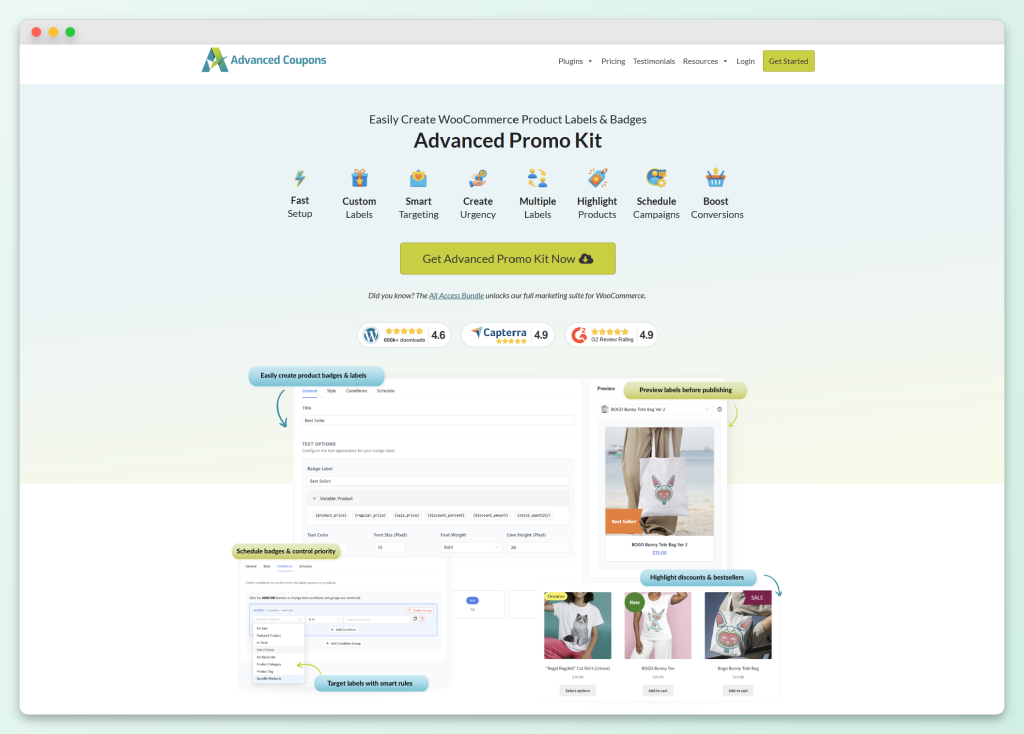
Advanced Promo Kit is the strongest choice in this list for WooCommerce stores that treat product badges as part of a larger promotion strategy. It is built by the Advanced Coupons team, so it fits naturally alongside coupon campaigns, loyalty points, gift cards, and other store marketing workflows.
The plugin gives you full control over badge design, with customizable shapes, colors, sizes, backgrounds, borders, and spacing. You can add animations to draw attention and make badges clickable with a custom URL, which is useful for directing shoppers to collections, bundles, or coupon landing pages. There’s no CSS or code required for any of this.
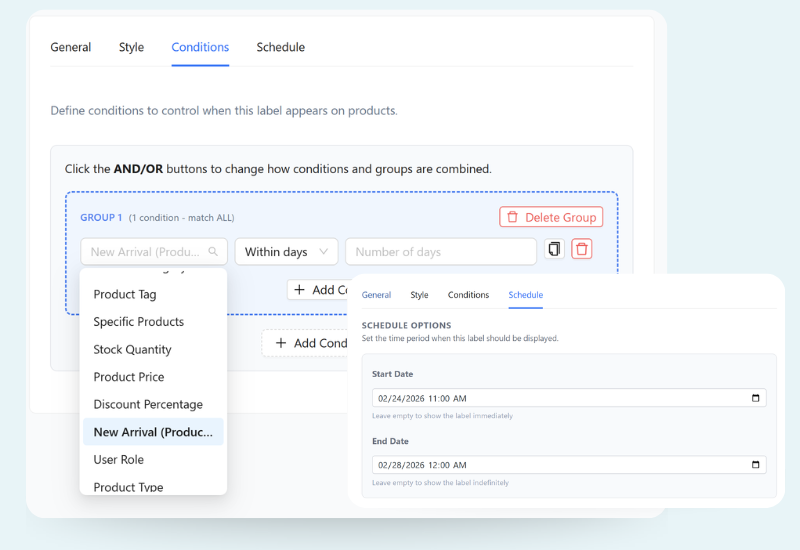
Where Advanced Promo Kit genuinely stands apart is its smart targeting. You can show badges based on details like products, categories, tags, price ranges, stock level, product age, user role, and other store conditions. That makes it easier to create focused labels for campaigns such as “VIP Deal,” “Low Stock,” “New Arrival,” or “Member Offer” without adding the same badge to every product manually.
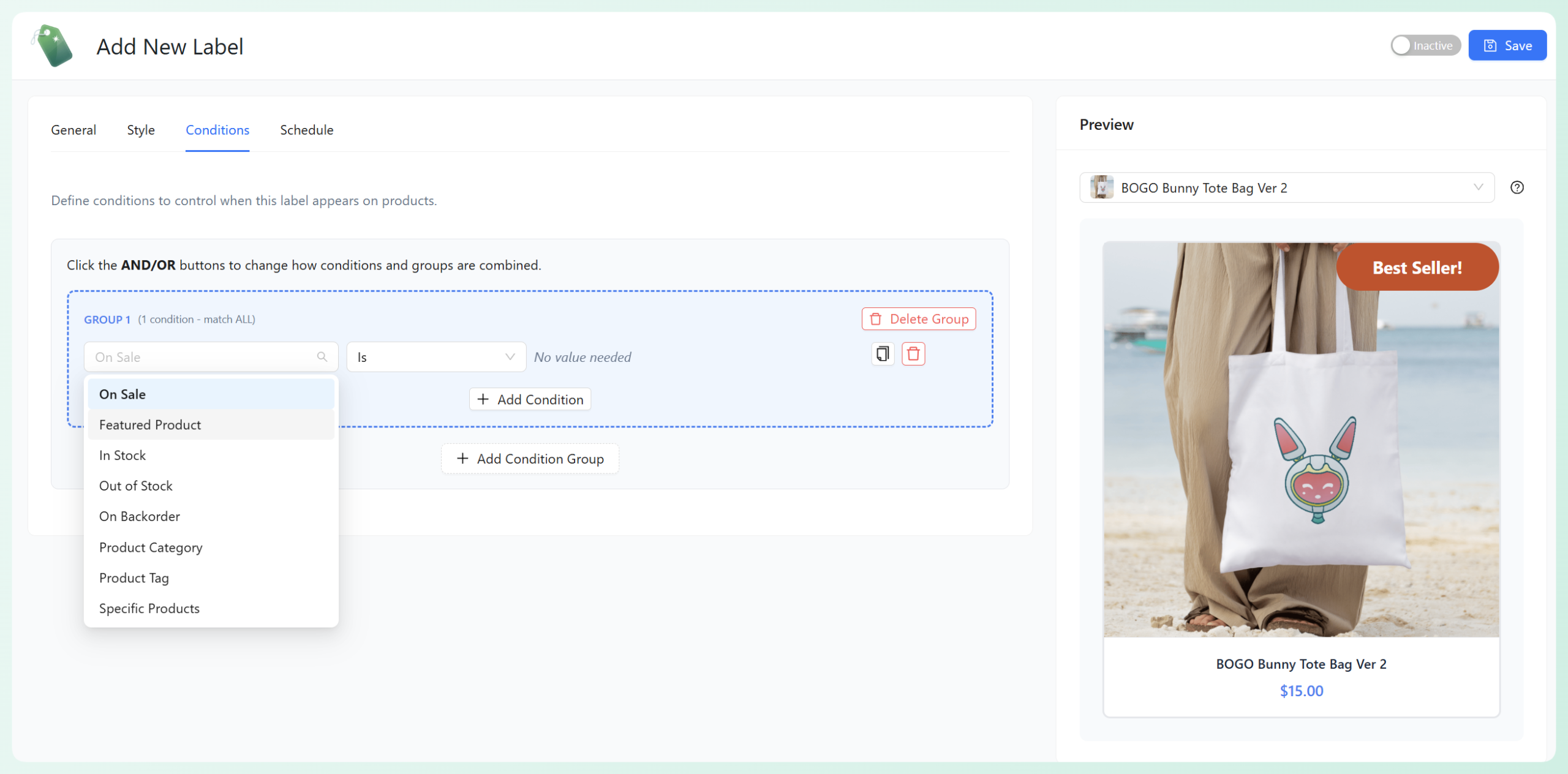
The live preview is also useful when you are designing labels because you can check how the badge looks before publishing it. This makes it easier to adjust the style, placement, and message without guessing how it will appear on your store.
The ecosystem fit is where Advanced Promo Kit becomes especially valuable. Because it is part of the Advanced Coupons product line, it can work alongside your coupon, loyalty, gift card, and store promotion workflows. For example, you can use product labels to call out coupon-eligible items, points-earning products, gift-card-friendly purchases, sale prices, savings, and other dynamic promotion messages. That makes it a stronger long-term choice than a standalone badge plugin if badges are part of your broader WooCommerce marketing strategy.
Advanced Promo Kit also supports both global and product-specific labels. That gives you flexibility to run storewide campaign labels while still adjusting individual products when they need a more specific message, such as “Clearance,” “Low Stock,” or “New Arrival.”
💡 Practical tip: Avoid adding badges to every product at once. When every item on a category page has a bright “SALE” label, the badges can start to feel like background noise. A better approach is to use condition-based targeting so labels appear only where they add helpful context, such as a real discount, a low-stock message, a new arrival, or a points-earning opportunity.
For a step-by-step walkthrough, see our guide on creating sale badges and product labels for WooCommerce. Advanced Promo Kit is available as a standalone plugin and as part of the Advanced Coupons product line.
2. AsanaPlugins Product Badges & Sale Booster
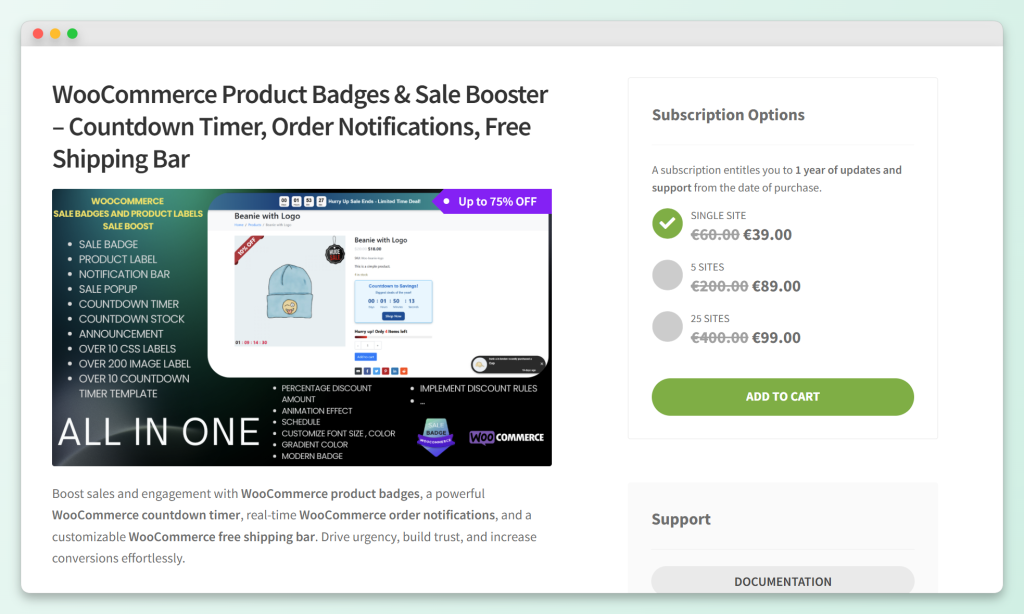
AsanaPlugins Product Badges & Sale Booster is a feature-rich WooCommerce product badge plugin with a broader sale-booster angle. In addition to badges and labels, the paid version highlights urgency and engagement tools such as countdown timers, notification bars, order notifications, discount popups, and free shipping bars.
For badge design, the plugin supports CSS labels, image labels, modern badges, percentage discount labels, animations, positioning controls, and live preview. It can also display labels based on useful product details such as discount values, product quantity, rating, shipping class, stock status, and sale status.
Its biggest strength is breadth. If you want one standalone plugin that combines product badges with urgency and sale-booster elements, AsanaPlugins is worth considering. The scheduling and expiration options also make it useful for stores that run time-sensitive promotions.
AsanaPlugins is a good option if you want a standalone badge plugin with extra urgency tools built in. However, if your main goal is to make badges part of a larger coupon and promotion strategy, our Advanced Promo Kit vs AsanaPlugins comparison goes deeper on the differences, and Advanced Promo Kit gives you a clearer path because it works alongside the Advanced Coupons product line instead of sitting separately from it.
3. Advanced Product Labels for WooCommerce (BeRocket)
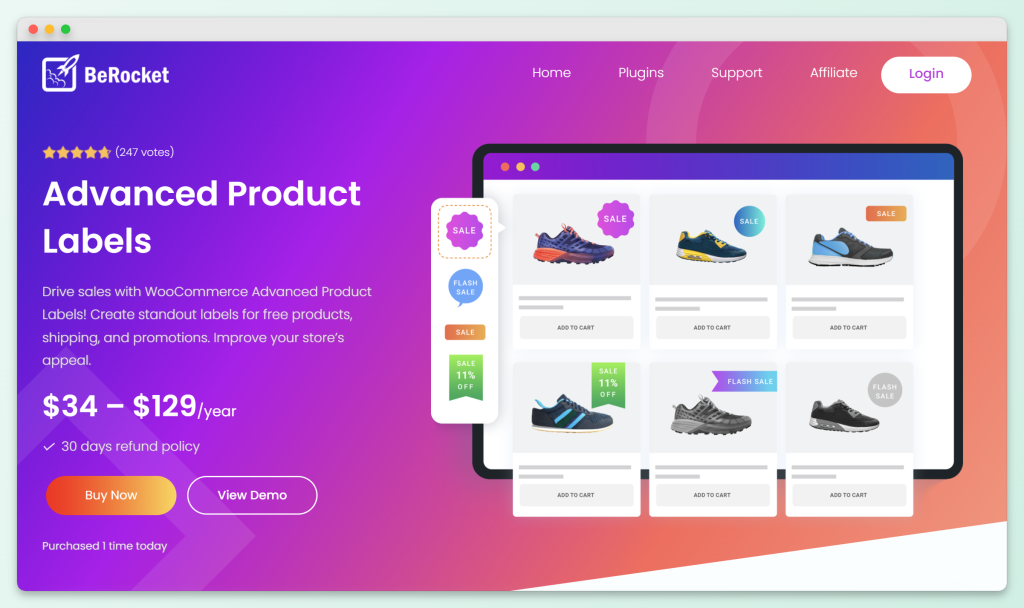
Advanced Product Labels for WooCommerce by BeRocket is a standalone labeling plugin for highlighting free shipping, promotions, product attributes, and other product details.
The plugin’s main strength is condition-based labeling. You can apply labels to specific products or product groups, which makes it useful for catalog-based callouts like “Free Shipping,” “On Sale,” or other product-specific messages.
This makes BeRocket useful for stores that want flexible product labels based on catalog rules, especially when the labels are more informational than campaign-driven.
The paid version adds more advanced options, including discount timers, expanded label content options, advanced conditions, and variation-related support. These can be useful for stores that need more control over where and how labels appear.
That said, Advanced Product Labels for WooCommerce is still best understood as a standalone labeling tool. Its paid version adds more advanced label and timer-related options, but its strength is product labeling itself. For stores that want badges to work as part of coupon campaigns, loyalty messaging, gift card promotions, and seasonal offers, Advanced Promo Kit is easier to align with the rest of the marketing workflow.
4. Product Badges for WooCommerce by Kestrel
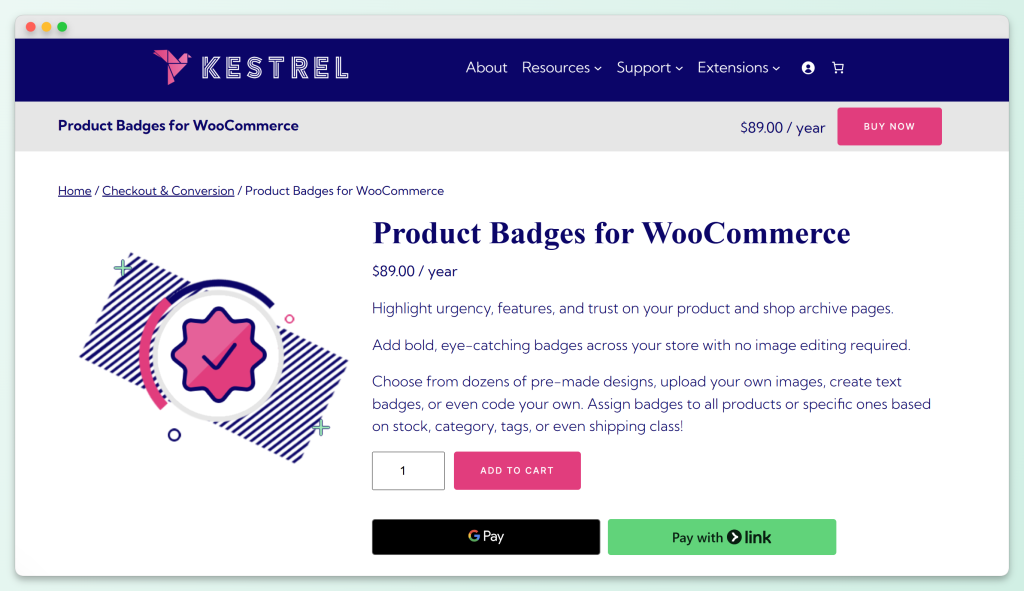
Product Badges for WooCommerce by Kestrel is a paid WooCommerce Marketplace extension for adding visual badges to product images across your store. It is a solid option for store owners who want ready-made badge designs, custom badge options, and a familiar WooCommerce extension workflow.
The plugin supports pre-made badges for holidays and promotional events, custom image badges, text badges, countdown badges, and code-based badges using HTML/CSS. You can also display multiple badges on the same product, which is useful when you want to highlight more than one detail, such as a limited-time offer and free shipping.
For targeting, Product Badges for WooCommerce by Kestrel lets you assign badges sitewide or conditionally based on details like stock status, backorder status, featured products, categories, tags, shipping classes, or specific products. This gives it enough flexibility for common product callouts, seasonal campaigns, and simple urgency messaging.
Its main limitation is that it is still a badge management extension rather than a broader promotion workflow tool. It can help you display attractive product badges, but it is not built around Advanced Coupons campaigns, loyalty points, gift cards, or coupon-focused promotion messaging. If your store mainly needs visual merchandising, Kestrel is a reasonable choice. If you want badges to reinforce a larger promotion strategy, Advanced Promo Kit gives you a more connected setup.
5. Advanced Woo Labels
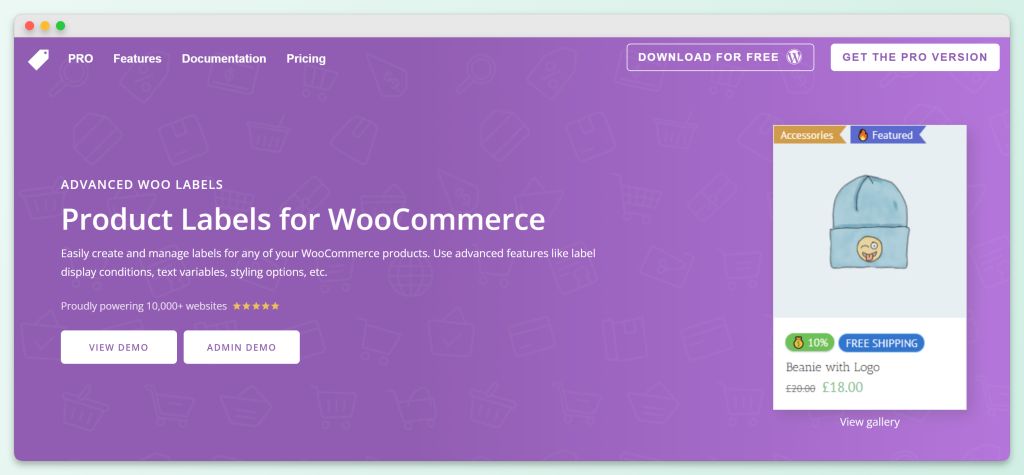
Advanced Woo Labels is a strong standalone WooCommerce product badge plugin for stores that want detailed display rules and dynamic label text without tying the setup to a full coupon marketing suite.
The plugin supports unlimited labels, multiple display positions, label groups, text variables, and display conditions based on products, pages, users, taxonomies, discounts, stock status, and more. That makes it useful for labels like “On Sale,” “Low Stock,” “New,” “Members Only,” or other product-specific messages that should appear only in certain situations.
Its Pro version adds more advanced options, including image labels, additional label shapes, animations, more display conditions, more text variables, and label links. This gives Advanced Woo Labels a lot of flexibility for stores that want a standalone badge system with deep rule control.
Advanced Woo Labels is one of the stronger standalone options in this list, especially if you care about granular display rules and dynamic text. The main difference is focus: Advanced Woo Labels gives you deep label control, while Advanced Promo Kit is better suited for stores that want product badges to reinforce coupons, loyalty points, gift cards, sale messaging, and other promotion-driven campaigns.
How Product Badges Increase Conversions (When Done Right)
Product badges can make important buying signals easier to notice. A clear “Sale,” “Low Stock,” “New Arrival,” or “Earn Points” label helps shoppers understand why a product is worth a closer look, especially on busy shop and category pages.
The key is to use badges with intention. If every product has the same bright “SALE” badge, the label can lose meaning quickly. Badges work best when they highlight something specific and useful, such as a real discount, a limited-time campaign, a new product, a low-stock item, or a loyalty-related perk.
Accuracy matters, too. A “20% OFF” badge should match the offer shoppers actually see. A seasonal promo label should not stay visible long after the campaign ends. When badges and promotions fall out of sync, the message can feel confusing or careless.
That is why smart rules, dynamic label text, and scheduling matter. Instead of manually updating every label, you can use a WooCommerce product badge plugin to control when badges appear, where they show, and what product data they display. For promotion-heavy stores, this makes Advanced Promo Kit especially useful because it combines badge design with scheduling, dynamic placeholders, and integrations with the wider Advanced Coupons product line.
Frequently Asked Questions
What is the best WooCommerce product badge plugin?
Advanced Promo Kit is the best WooCommerce product badge plugin for promotion-focused stores that want labels to do more than decorate product images. It lets you create rule-based product labels and sale badges for discounts, best sellers, low stock, new arrivals, and other campaign messages, then control where and when they appear using product, category, tag, stock, user role, and scheduling rules. It also fits into the wider Advanced Coupons product line, so your badges can support coupon campaigns, BOGO deals, loyalty points, and gift card promotions from the same WooCommerce marketing toolkit.
What is the best free WooCommerce product badge plugin?
Advanced Woo Labels and AsanaPlugins Product Badges & Sale Booster both offer capable free versions for basic labels and badge display. However, free badge plugins usually work best as standalone tools. If you are already running promotions through Advanced Coupons, Advanced Promo Kit is the stronger upgrade because it supports smart rules, dynamic promotion labels, scheduling, and integrations with the wider Advanced Coupons product line.
Can I schedule product badges to appear only during sales?
Yes. Advanced Promo Kit supports start and end dates for labels, making it useful for launches, flash sales, and seasonal campaigns. AsanaPlugins Product Badges & Sale Booster also offers scheduling and expiration options. The main difference is that Advanced Promo Kit is designed to fit into the broader Advanced Coupons ecosystem, so it is a better choice if your badge strategy is closely tied to coupons, loyalty points, gift cards, and other promotion tools.
Do product label plugins slow down my WooCommerce store?
Most lightweight badge plugins should add only a small amount of load when configured well, but performance still depends on the plugin, your theme, hosting setup, badge images, and how many labels load on archive pages. To keep things lean, use optimized badge images, avoid unnecessary animations across large catalog views, and test key shop and product pages after enabling a new badge plugin.
How do I create custom product badges without coding?
The WooCommerce product badge plugins in this comparison are designed to help store owners create badges from the WordPress dashboard without custom development. Advanced Promo Kit keeps this especially approachable with visual styling controls for shapes, colors, sizing, animations, and placement, plus a preview so you can check the badge before publishing.
What is the difference between product badges and trust badges?
Product badges (sale labels, discount badges, “new arrival” tags) appear on product images to highlight promotions or product attributes. Trust badges (SSL seals, payment method icons, money-back guarantees) appear near the checkout or footer to reassure shoppers about security and credibility. Both types of badges influence purchasing decisions, but they serve different purposes at different points in the buyer journey.
Can product badges be tied to coupon conditions?
Advanced Promo Kit is the best fit in this comparison if you want product badges to support Advanced Coupons campaigns. It integrates with Advanced Coupons, Loyalty Program, and Advanced Gift Cards, so you can use labels to highlight coupon-eligible items, points-earning products, gift-card-friendly purchases, dynamic discounts, sale prices, savings, and other promotion messages. Standalone badge plugins can still be useful, but they are not built around the same Advanced Coupons workflow.
Which WooCommerce Product Badge Plugin Should You Choose?
Every badge plugin in this comparison can put a colorful label on a product image. The real question is whether that label stays accurate when your promotions change.
Advanced Promo Kit is the strongest choice in this comparison for stores that want product badges to support a broader promotion system. It combines custom badge design, smart display rules, scheduling, dynamic placeholders, and integrations with Advanced Coupons, Loyalty Program, and Advanced Gift Cards. That makes it more practical for promotion-heavy WooCommerce stores than a standalone badge tool.
Here’s a recap of what to prioritize:
- What to Look for in a WooCommerce Product Badge Plugin: Evaluate plugins on design flexibility, display rules, scheduling, and promotion integration
- Advanced Promo Kit: Choose this if you want product badges that support coupons, loyalty points, gift cards, scheduling, and dynamic promotion messages
- How Product Badges Increase Conversions: Use condition-based targeting instead of blanket labeling for better conversion results
If you’re already using Advanced Coupons for your WooCommerce promotions, Advanced Promo Kit is the natural next step. You can purchase it as a standalone plugin, or get it as part of the All Access Bundle alongside Advanced Coupons Premium, Advanced Loyalty Program, and Advanced Gift Cards.