
As a WooCommerce store owner, your Black Friday planning decides how the biggest sales period of the year actually goes. Leave it until late November and you are building offers with no time to test them. This guide gives you a dated timeline to work to, then a step-by-step checklist for each piece of the setup.
From setting goals and tracking your numbers to creating irresistible offers and promotions, this checklist covers all the essential steps you need to take to maximize your sales and profits.
Whether you have run five Black Fridays or none, the plan below is the same: decide in September, build and test in October, and spend November watching rather than configuring.
Why Prepare For Black Friday?
Black Friday is still growing, and it is growing earlier. According to Adobe Analytics data reported by Digital Commerce 360, Black Friday 2025 drove $11.8 billion in US online sales, up 9.1% year over year, while Cyber Monday grew 7.1% to $14.25 billion. Black Friday also took a bigger share of the holiday weekend than the year before, at 26.7% of the five-day total.
So, this means that now, more than at any point in history, there is a huge opportunity awaiting online store owners in November and December.
The whole window matters more than the headline day. Adobe Analytics put the five days from Thanksgiving to Cyber Monday at $44.2 billion in US online sales in 2025, up 7.7% year over year. Black Friday and Cyber Monday bring in about $26 billion of that, which leaves roughly $18 billion across Thanksgiving and the weekend. Those in-between days are worth planning for rather than sitting out.
You surely won’t want to miss out on this incredible opportunity!
Black Friday 2026: The Dates That Matter
Black Friday 2026 is Friday, November 27, following US Thanksgiving on Thursday, November 26. Cyber Monday is Monday, November 30.
Those two dates anchor everything else, but they are not the only ones worth marking:
- Thursday, November 26: Thanksgiving. Traffic starts climbing the evening before.
- Friday, November 27: Black Friday.
- Saturday, November 28 to Sunday, November 29: the weekend lull, where many stores stop promoting entirely.
- Monday, November 30: Cyber Monday, which tends to skew more heavily online than Black Friday itself.
- Early December: the window where one-time buyers either come back or disappear.
Working backwards from November 27 gives you three usable months. The timeline below splits them into September, October and a week-by-week November. The detailed checklist further down covers how to do each individual piece.
Your Month-By-Month Black Friday Planning Timeline
Most Black Friday problems are not offer problems. The discount was fine. It just got built in the last week of November, when there was no time left to test whether the cart conditions actually worked. Good Black Friday planning is mostly a matter of doing the slow parts early.
Where this timeline mentions a specific feature, it refers to Advanced Coupons. Coupon scheduling and BOGO deals are in the free plugin. Auto-apply and add-product coupons are Premium features. Knowing which is which now saves a surprise later.
September: decide, do not configure
September is for decisions. Getting the offer type right now is what stops you rebuilding everything in November.
- Audit last year properly. Which offer drove the most orders, what your average order value was during the promotion compared with a normal week, and how many of those buyers ever came back. That third number usually explains why last year felt busy but not especially profitable.
- Pick one primary mechanic and commit. Stores that run a sitewide percentage, a BOGO, free shipping and a gift-card bonus at the same time tend to confuse shoppers and cannibalize their own margin.
- Set up store credit and gift cards. Both take longer to configure than people expect. If a bonus gift-card offer is part of your plan, build and test the product now. There is more on why that mechanic works in Black Friday gift cards. With Advanced Gift Cards, you can also let shoppers choose their own gift card amount, which suits last-minute holiday gifting.
- Plan how you will capture emails. Decide what you are offering in exchange for an address, and check the form works on mobile.
October: build everything, then break it
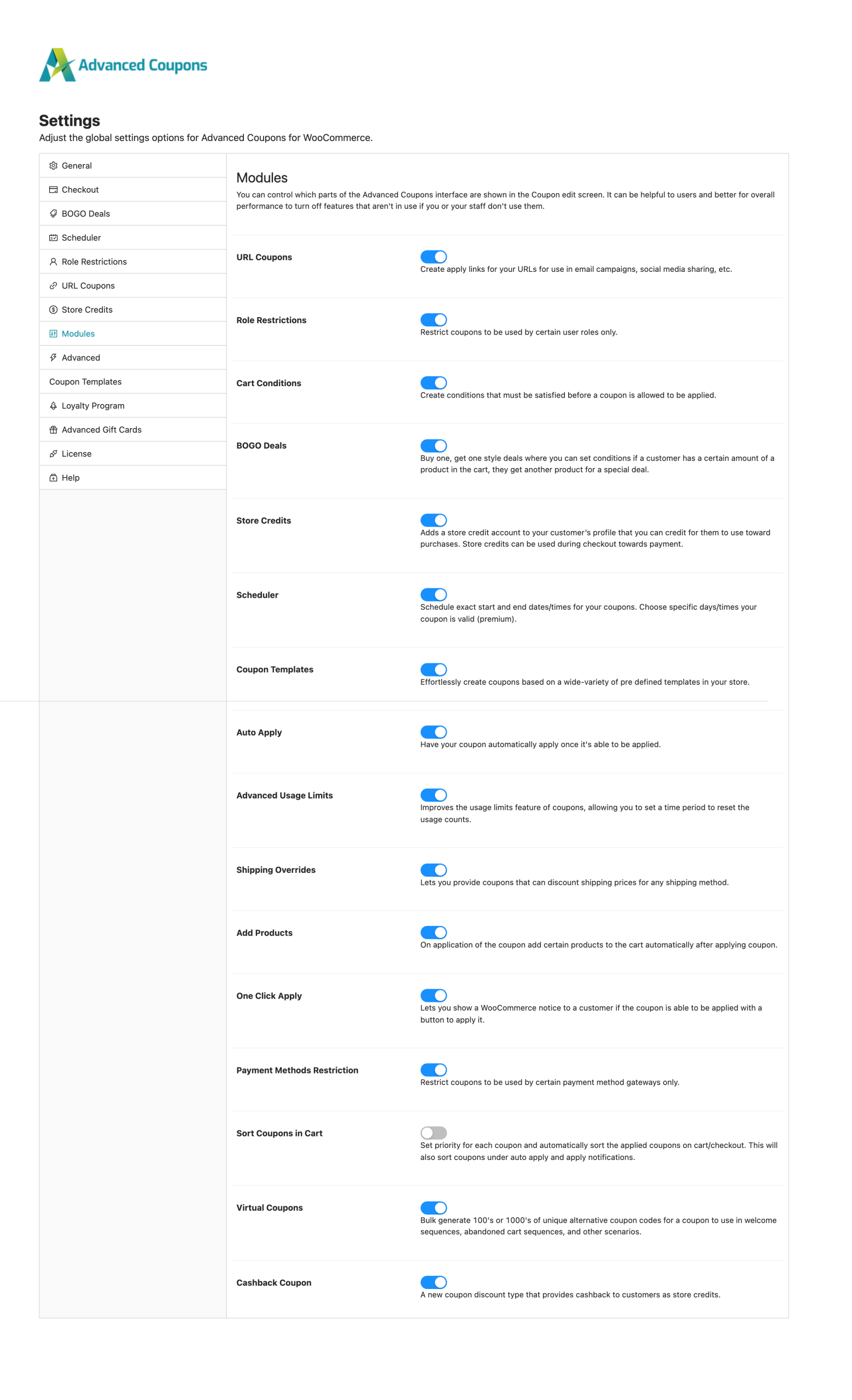
October is configuration month. Everything gets built and, more importantly, tested against a real cart.
Create every coupon you plan to run, including the ones you might not use. A coupon that exists and sits unpublished is easier to deploy on the day than one you have to build under pressure.
💡 PRO TIP: You don’t have to start every coupon from scratch. Advanced Coupons has a set of ready-made Black Friday coupon templates, from simple percentage discounts to “first 100 customers” and first-hour deals, that you can load and adjust to fit your store.
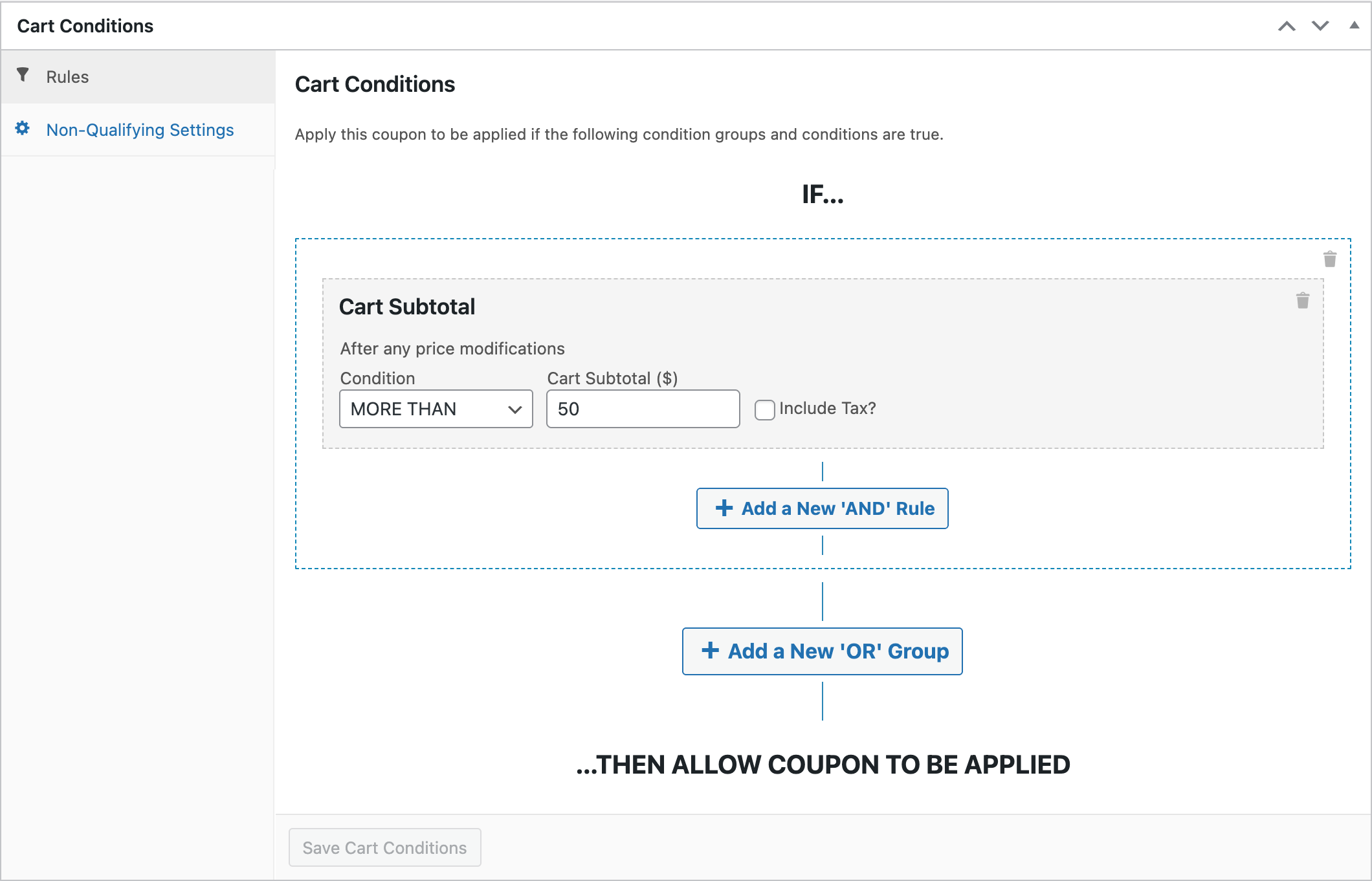
Cart conditions are the guardrails. They stop a discount applying to carts you never intended it for, such as a $12 order qualifying for free express shipping. The conditions worth setting for most stores are a minimum cart subtotal, a specific product or category in the cart, or a customer role restriction if you also sell wholesale.
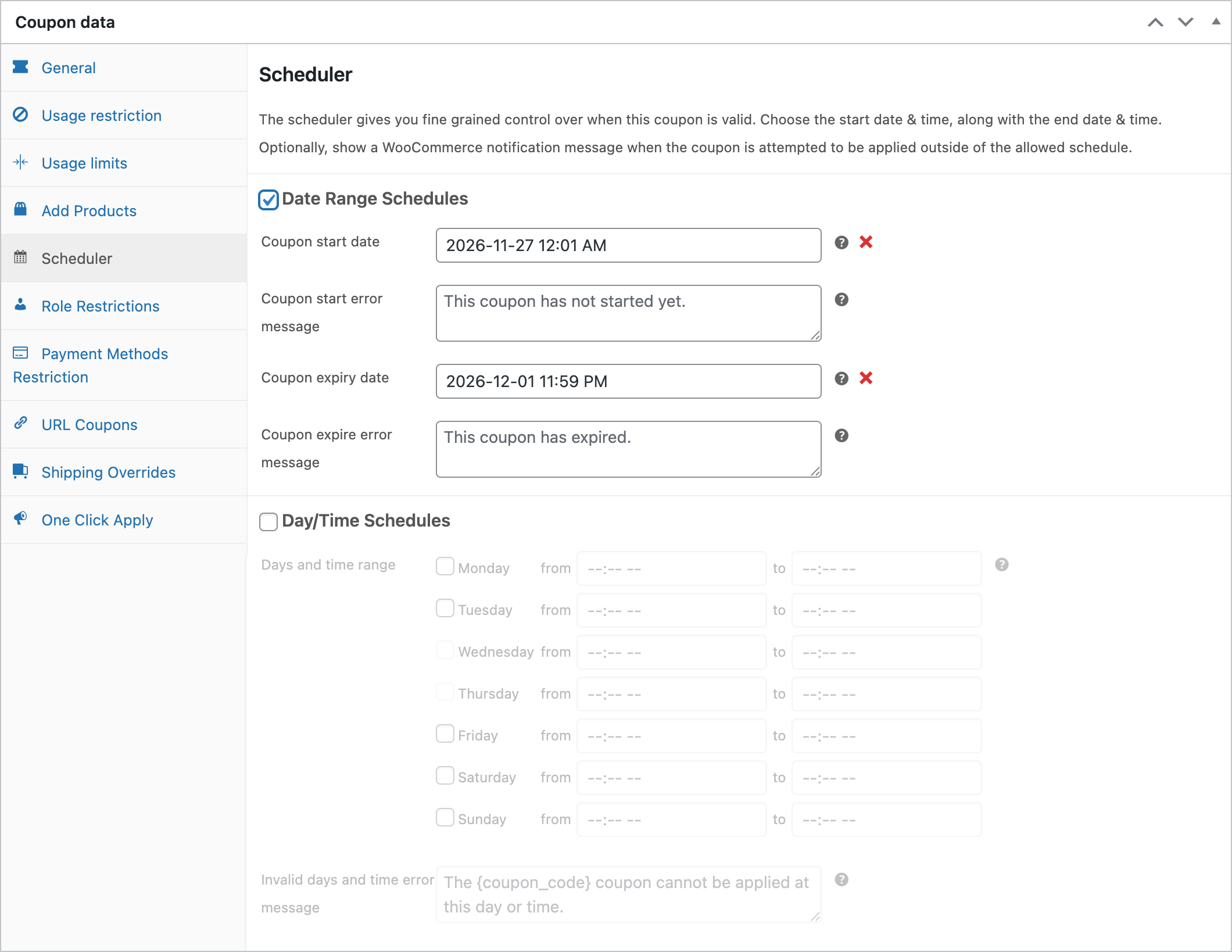
Next, set the start and end times for every coupon, in your store’s timezone, and double-check the end date. An offer that runs a day longer than intended is a margin problem you will not notice until the reporting.
Then test the full cart flow. Add products to a real cart, apply each coupon, and check the total, the shipping and the tax. Remove an item and confirm the discount recalculates the way you expect.
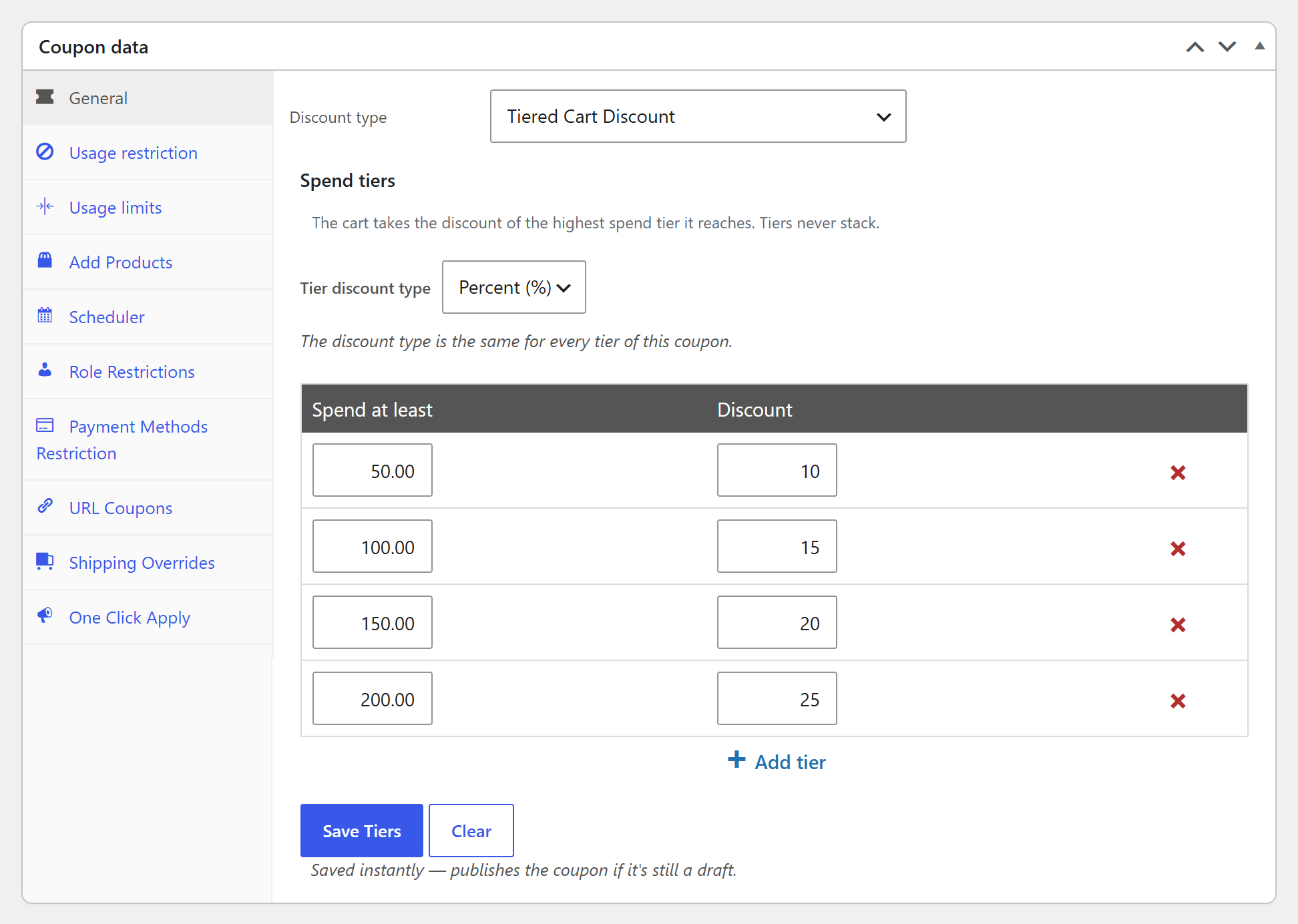
One thing we see often: a store owner builds a threshold discount, tests it with a qualifying cart, and never tests a cart that falls just below the threshold. The offer works perfectly for shoppers who already qualify and silently does nothing for the ones you were trying to nudge. Test both sides of every condition, not just the passing side.
💡 PRO TIP: If you want more than one threshold, Advanced Coupons Premium has a Tiered Cart Discount coupon type. You set several spend tiers in one coupon (for example, 10% off at $50 and 15% off at $100), and the shopper gets the highest tier their cart reaches. Shoppers below the first tier see a “Spend $X more to use this coupon” message, which is exactly the nudge a just-below-threshold cart needs.
November, week by week
Early in the month, tell your existing customers something is coming before you tell anyone else. Early access is a genuine reason for someone to open the email, and it spreads your traffic across more than one day. This is also the point to publish your sale badges if you use them. With Advanced Promo Kit, you can set a Start Date and End Date on each sale badge, so your Black Friday labels appear and disappear on schedule.
The week before, stop touching the store. No theme updates, no new plugins, no last-minute checkout changes. Send the reminder email, confirm your hosting can handle a traffic spike, and confirm someone is actually available to answer support questions on the day.
On Friday, November 27, your job is monitoring, not building. Watch three things: whether orders are coming through, whether the discounts are applying correctly, and whether anything is erroring at checkout. Keep one unpublished backup offer ready in case the primary promotion underperforms by mid-morning.
Across Saturday, November 28 and Sunday, November 29, keep going. Traffic does not stop on Friday night, and many stores go quiet for two days before restarting for Cyber Monday, which leaves the weekend unmonetized. A lighter offer works well here: if Friday was a sitewide percentage, the weekend can be free shipping or a threshold deal. Short, time-boxed promotions suit this window, and the mechanics are covered in how to run a WooCommerce flash sale.
Cyber Monday deserves a different offer, not a repeat of Friday’s, because shoppers who saw Friday’s deal and did not buy have already declined it once. Since Cyber Monday skews online and later in the day, a time-limited offer with a genuine end time tends to work better than a flat discount running all day. For offer formats that go beyond a flat discount, try these Cyber Monday promotion ideas.
In the week afterwards, your new customers are still paying attention. This is where store credit earns its place: issuing credit redeemable in January gives a first-time buyer a reason to return at the slowest point of the year.
December: recover and retain
Black Friday is an acquisition event. Whether it was worth running depends almost entirely on what happens next.
- Issue store credit or loyalty points to Black Friday buyers, redeemable on a future order.
- Segment the new customers away from your existing list so you can talk to them differently.
- Review the numbers properly: orders, average order value, and margin after discount. Revenue on its own hides a lot.
Loyalty points work well here because they reward the behavior you actually want, which is the second purchase rather than the first. For approaches aimed at smaller stores, see Black Friday loyalty program strategies.
How To Prepare For Black Friday (Your Ultimate Checklist)
Preparing for a huge sale can feel overwhelming, but with the right Black Friday checklist, it’s not just doable… it’s exciting! In this section, we’re going to walk you through everything you need to know to make the most of the biggest sales season of the year.
1. Assess past results and set goals
Past sales performance can reveal key information about what worked, what didn’t, and where opportunities lie. So, before deciding which strategies to run, take a good look at last year’s metrics. Some key metrics you can look into include sales volume, conversion rates of different campaigns, traffic, engagement, and customer feedback.
Going through this step will help you identify patterns and trends, such as which specific promotions resonated most with shoppers, or which platforms gave you the highest traffic. From there, you can start:
- Setting goals: Use last year’s results as your baseline. For instance, do you aim to increase your sales by 15% compared to last year, or reduce cart abandonment rates by 10%?
- Identifying Key Performance Indicators (KPIs): Depending on your goals, you may want to track engagement rates, conversion rates, or customer sign-ups.
- Creating your trackers: Set up your tracking system (more on this later) to monitor performance throughout the sales period. You may opt for a simple spreadsheet, or use tracking tools like Google Analytics.
2. Set your target dates
One thing you have to learn when learning how to prepare for Black Friday is that it’s not just one single day. In fact, it’s a term used to cover many more days. It’s often used to refer to the entire sale period at the end of November and early December.
But here’s the thing: you don’t have to host a sale on all those days. It really depends on your store, your audience, and how much time you have to get ready. For example, if you’re reading this on the Monday just before Black Friday, it might be a bit late to jump into action for every single day.
The good news, however, is that you can totally pick and choose which dates work best for you. There are no strict rules saying you have to tackle them all. It’s all about what suits your game plan.
3. Determine your advertising options
In today’s e-commerce landscape, advertising is a big player, and a lot of us rely on communities made accessible through platforms like Facebook Ads and Google Ads to connect with people actively searching for products. Leveraging these platforms can help you reach more people and connect your brand to relevant audiences.
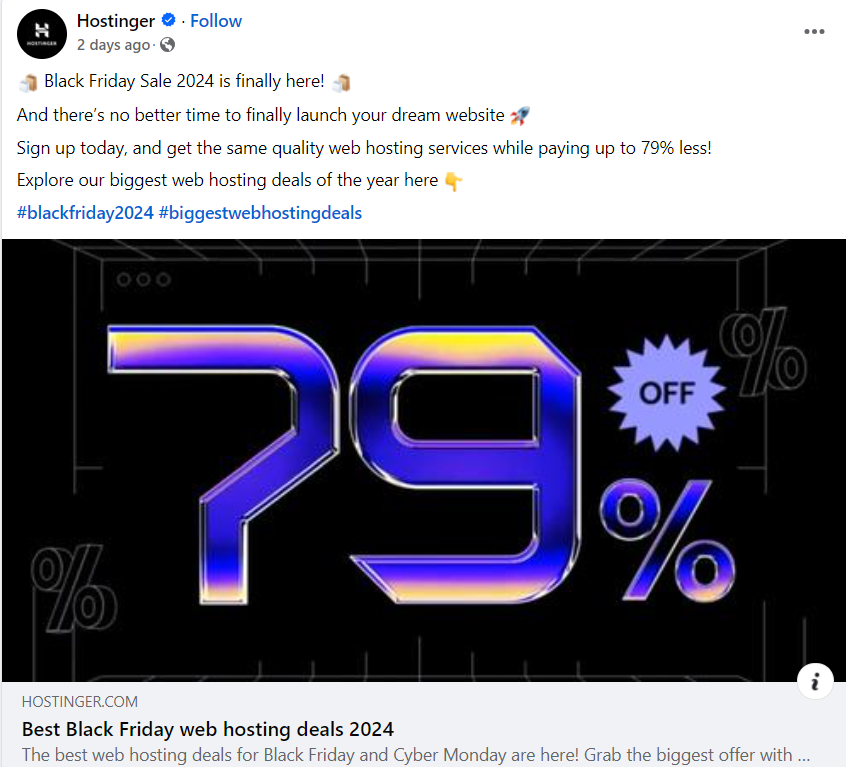
But hey, don’t forget about the other platforms out there! You might want to consider diving into options like X (formerly Twitter), LinkedIn (especially if you’re in the B2B game), YouTube, and many more!
4. Get your stats tracking in place
Keeping a close eye on everything that happens during Black Friday matters, not just for the event itself but for your long-term success as well. In fact, having a reliable tracking system in place is useful year-round. So, if you haven’t set it up yet, it’s a smart move for the future too.
The first step is to determine what you should be tracking and what you can let slide. We’ve given it its own step on this Black Friday checklist because it’s so important. You can’t monitor everything at once, so focus on the aspects you deem most critical.
For tracking e-commerce statistics, Google Analytics is a solid choice. It’s free and provides comprehensive insights. Furthermore, to set up Google Analytics with full e-commerce tracking, consider using a tool like MonsterInsights, which streamlines the setup process.
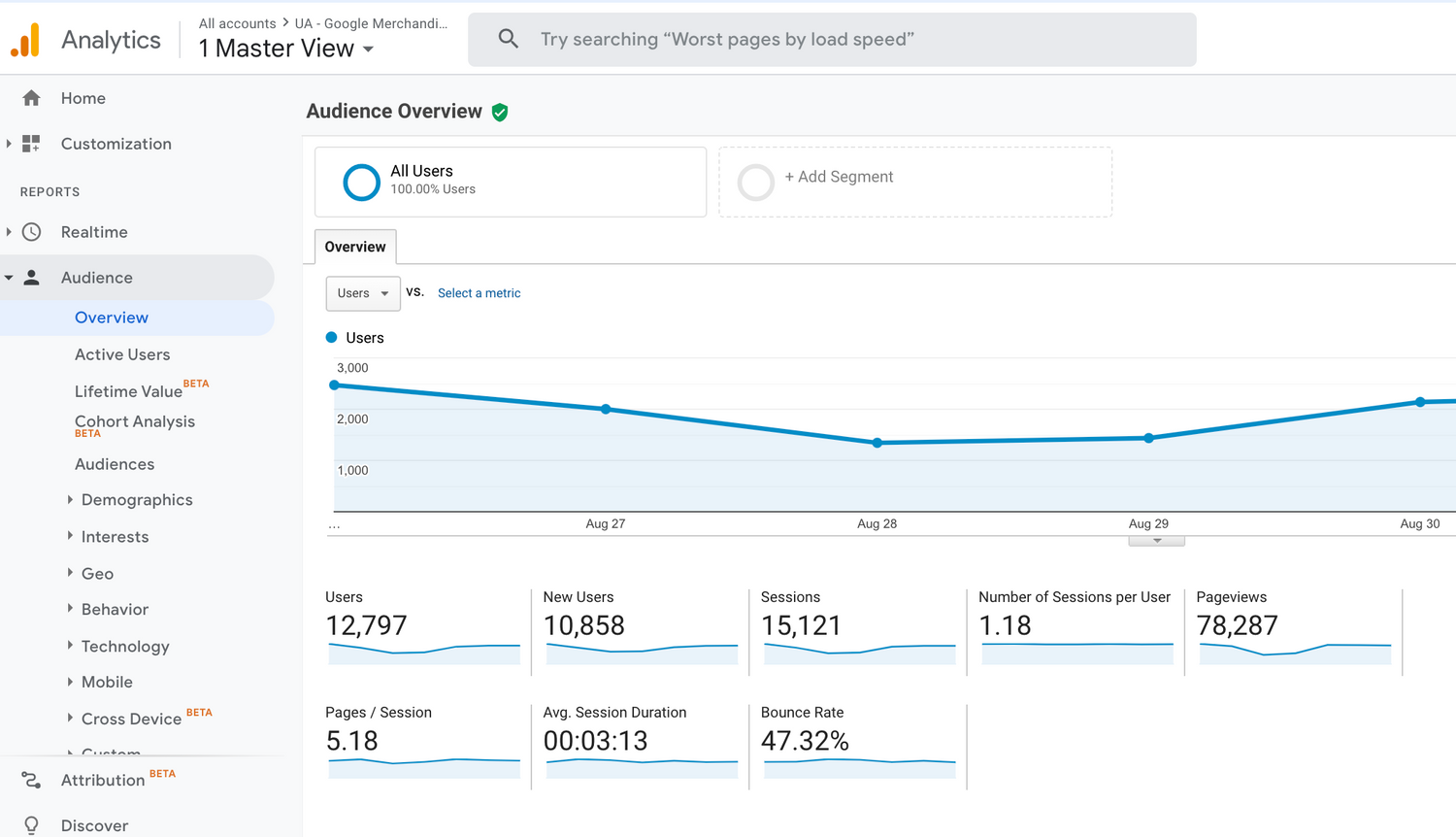
In the process of navigating how to prepare for Black Friday, remember to test your tracking system a few weeks before your sale dates. This ensures it’s functioning correctly and that you can access the data you need. This preparation will pay off in the long run!
5. Create product bundles
Now, one common mistake many stores make on Black Friday is offering a one-size-fits-all site-wide deal and calling it a day.
But, that’s a short-sighted approach that leaves a lot of potential revenue untapped.
To truly capitalize on Black Friday, I recommend taking a page from Amazon’s playbook, which employs bundling strategies every day of the year!
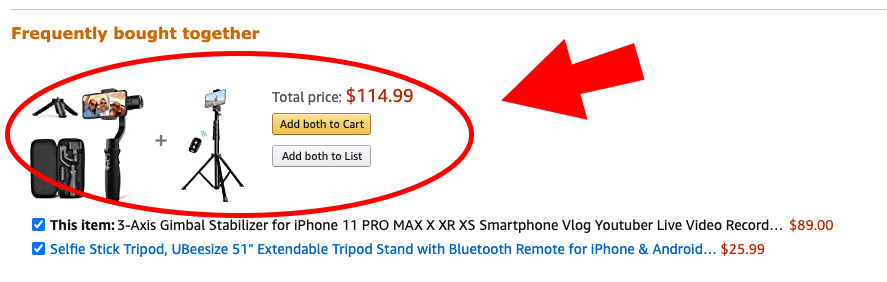
Bundling is an excellent strategy to boost your Average Order Value (AOV), a critical aspect of making Black Friday a success for your store.
Consider it as asking yourself, “What else can I offer this customer? What additional items might they need if they buy this?” Your most valuable source of insights will be your existing sales data. Look at what products people typically purchase together, and use that information to craft your sales bundles.
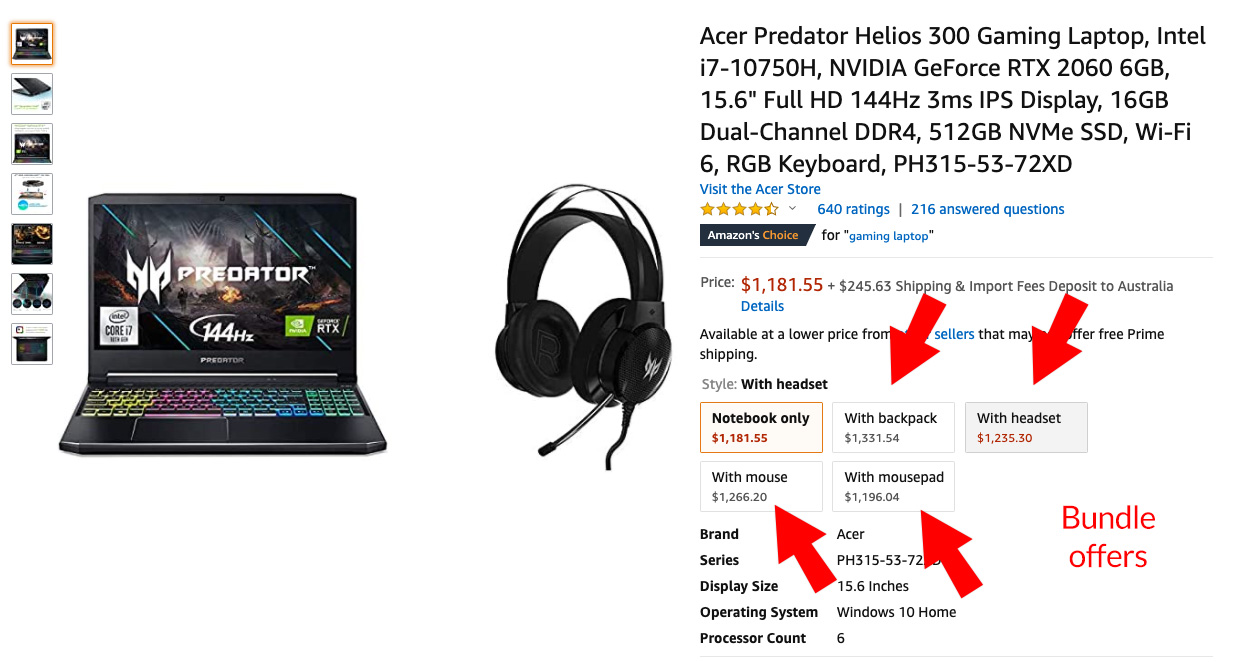
WooCommerce Product Bundles
I highly recommend using the WooCommerce Product Bundles plugin to craft your bundles. This tool allows you to group your products together in your product listings without the hassle of managing separate inventory.
Then, to add an extra touch, consider creating a dedicated landing page for your product bundle. This not only makes it feel more special but also provides greater flexibility.
Additionally, for fast and easy landing page creation, I suggest using a tool like Elementor Pro, which works with WooCommerce.
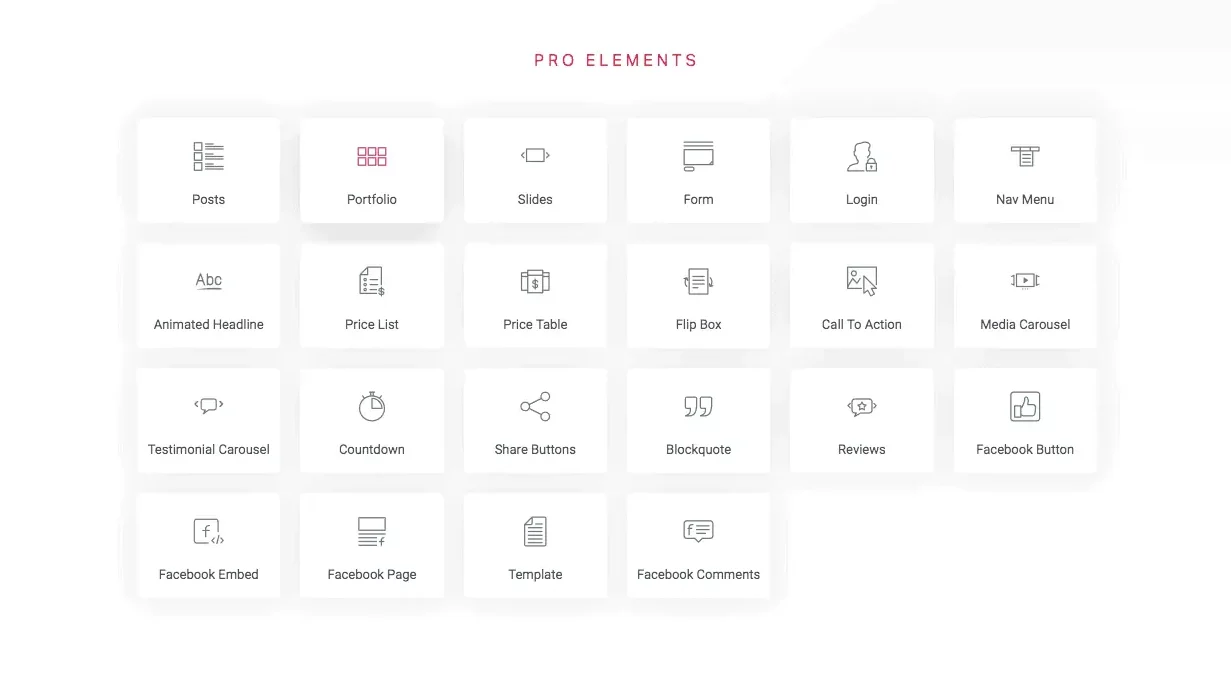
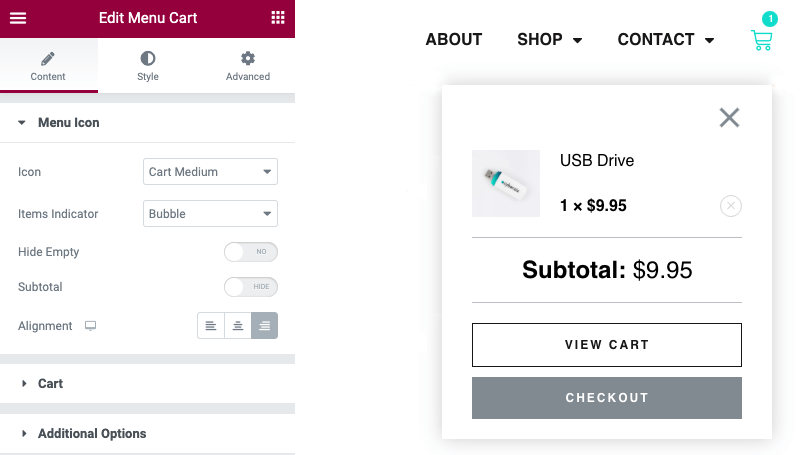
With Elementor Pro, you can drop in the product “add to cart” feature using a block and take advantage of hundreds of pre-designed landing page templates that you can customize.
Finally, to further entice customers, think about incorporating a floating header bar with a countdown timer. This adds a sense of urgency to your offer and can be achieved using a tool like OptinMonster, which also offers various other popup opt-ins.
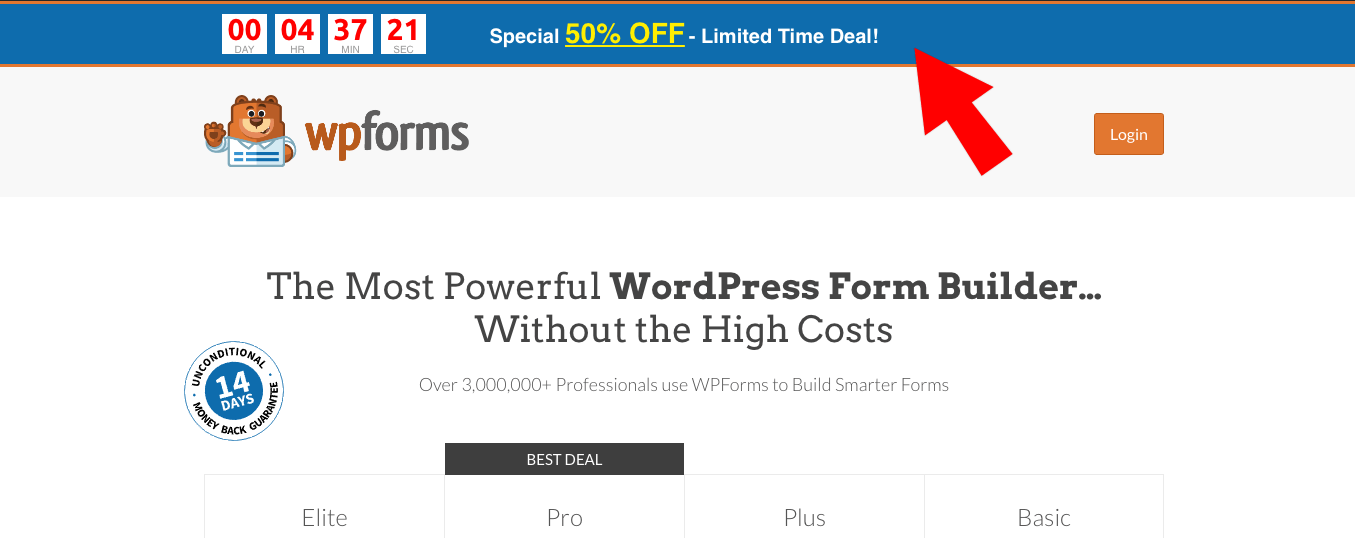
The benefit of using a tool like OptinMonster is that it can target just those specific pages you tell it to and you can also set a timer to increase the FOMO (Fear of Missing Out) factor.
Lastly, consider creating unique ads for your bundles. There’s nothing quite like a targeted ad featuring a specific offer to drive conversions!
6. Create compelling offers like BOGO (Buy One, Get One)
BOGO, short for “Buy One, Get One,” is a well-known style of offer.
These BOGO deals are hugely popular in the world of brick-and-mortar retail, which is why we can’t afford to miss mentioning it in our Black Friday checklist. You’ll encounter them as you stroll through your local shopping mall. Fashion stores, in particular, are big fans! The reason?
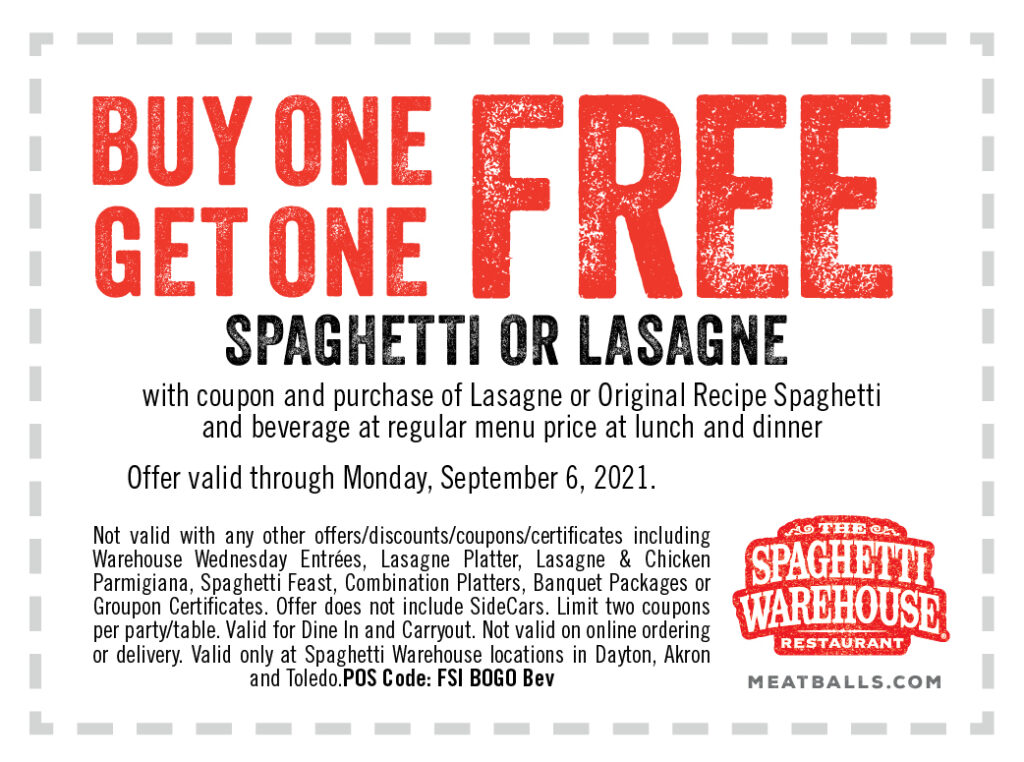
Well, not only do customers find them highly appealing, but they’re also exceptionally profitable for the store. Take a look at the examples provided below.
As a store owner, which option would you prefer?
Option 1: A standard 30% off coupon deal
- A single $100 pair of jeans (discounted to $70 after a 30% discount)
- Minus the $30 cost price
- Leaves you with a $40 profit margin
A standard coupon for a “30% off deal” would take 30% off the revenue meaning its $70 profit margin would get reduced to a $40 profit margin.
Option 2: BOGO (Buy 2 get 1 free) deal
- 3x pairs of Jeans are $300
- Minus $90 cost price ($30 cost price each)
- Minus $100 as 1x product is free for the deal
- $110 profit margin
With the BOGO deal, every time a customer takes advantage of it, you’re raking in a solid $110 profit. That’s an offer any store owner would gladly embrace, any day of the week.
How To Set Up BOGO Deals In WooCommerce
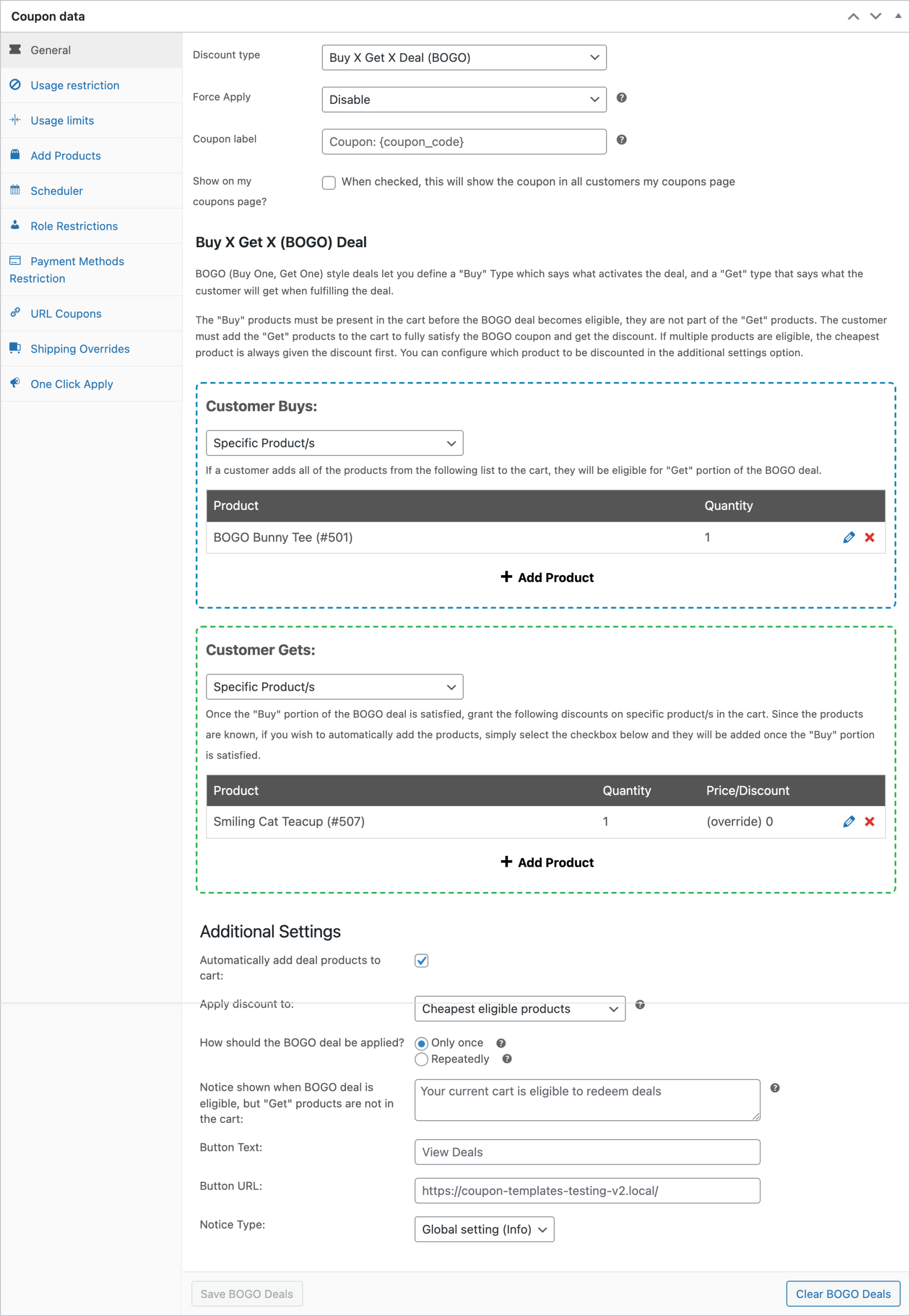
Advanced Coupons is the plugin you need to enable BOGO offers to work in WooCommerce. It lets you easily use coupons to give customers the option of a buy one, get one style deal. You can even do it on the free version!
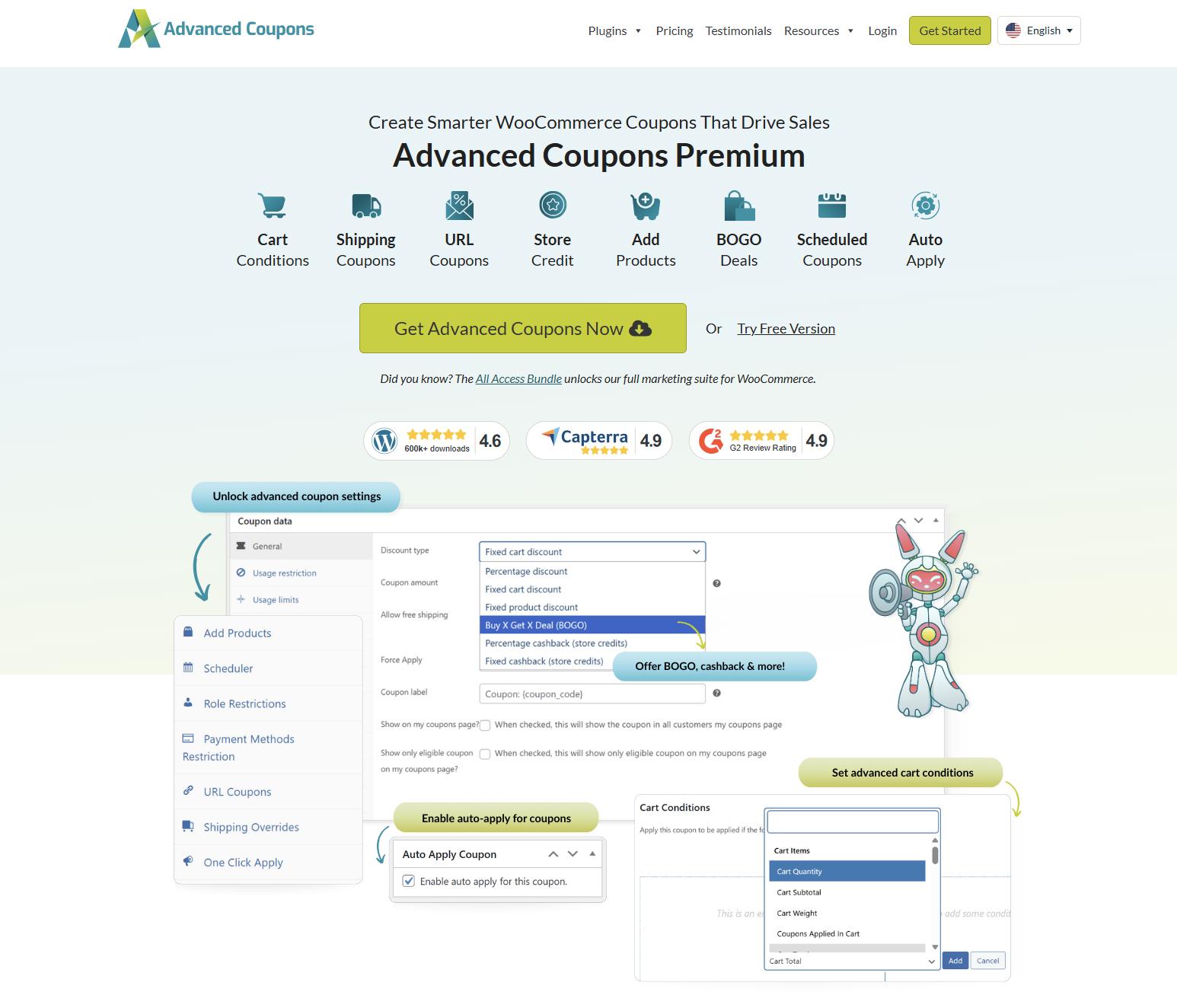
Follow the same steps as you do with Bundle offers and you’ll find that BOGO deals can be incredibly successful for you:
- Decide what BOGO deals you can run for your products
- Create OptinMonster opt-in boxes to feed traffic to product pages with BOGO deals
- Post your BOGO deals on your homepage (temporarily until the sale finishes)
- Post about your BOGO deals on social media
- Create unique ads for your BOGO deals
7. Excite people (and collect emails) with a viral giveaway
Viral giveaways can be an excellent strategy to capture attention, and if you haven’t tried one before, Black Friday is an ideal moment to give it a go.
For setting up a giveaway, I suggest using the RafflePress plugin. It offers the functionality to allow participants to enter and earn additional entry points by completing specific actions.
You can, of course, run your giveaway as a simple Instagram post, but doing it this way will:
- Bring them onto your site so you can capture their email; and
- Allow you to better control the viral spreading
Then, once you have your giveaway set up and ready to go on your website I suggest promoting it by:
- Sending an announcement email
- Scheduling a reminder email to your list
- Creating social posts and boosting them
- Using social media stories
- Allowing extra “daily” entries for a massive viral boost
8. Use your affiliate program
When navigating how to prepare for Black Friday, running an affiliate program can be worth its weight in gold.
No worries if you haven’t built your affiliate program yet, a tool like AffiliateWP is a nice quick way to get one up and running before Black Friday.
Affiliate programs work by giving your affiliates a percentage of each sale they refer. Make sure you set this level appropriately to ensure you cover your costs and still make a profit.
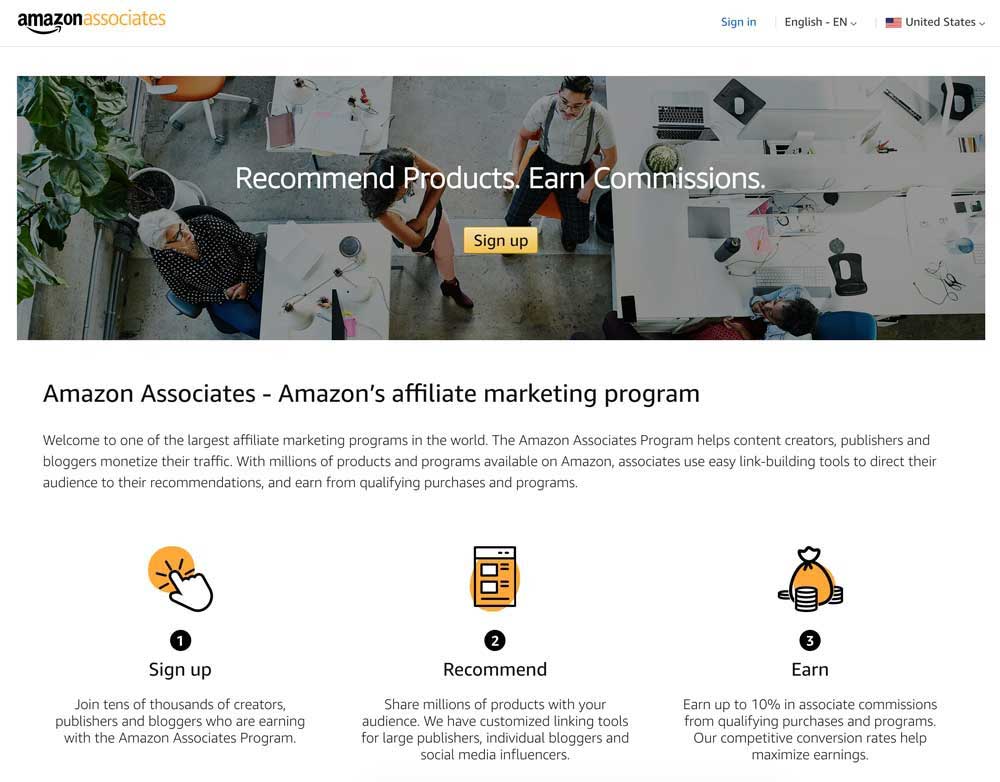
Your affiliates can come from various backgrounds, such as bloggers, other online stores, or even professional affiliate marketers.
To support your affiliates effectively, they’ll need access to some essential resources for promoting your products. At the very least, provide them with files like your logo and popular product images.
Additionally, for Black Friday, consider offering your affiliates more specialized resources like graphics, pre-written email templates, and holiday preparation checklists. These tools will streamline their efforts in promoting your brand to their audience.
Finally, to further motivate and engage your affiliates, you might consider hosting an affiliate competition. Offering a highly desirable prize can incentivize many affiliates to go the extra mile in driving sales for your Black Friday event.
9. Turn new buyers into loyal customers
Sure, it’s great that Black Friday can bring in a rush of new buyers. However, real growth happens when you turn those one-time shoppers into returning, loyal customers! One of the best ways to do this is by running a loyalty program in your WooCommerce store. It’s a great strategy year-round, but Black Friday is an opportune time to make joining more enticing.
For instance, you can make your loyalty program more appealing during Black Friday by offering bonus points for signing up, or limited-time extra points during specific dates of your sale. This gives customers more reasons to sign up, and they’ll likely return to take advantage of their accumulated rewards!
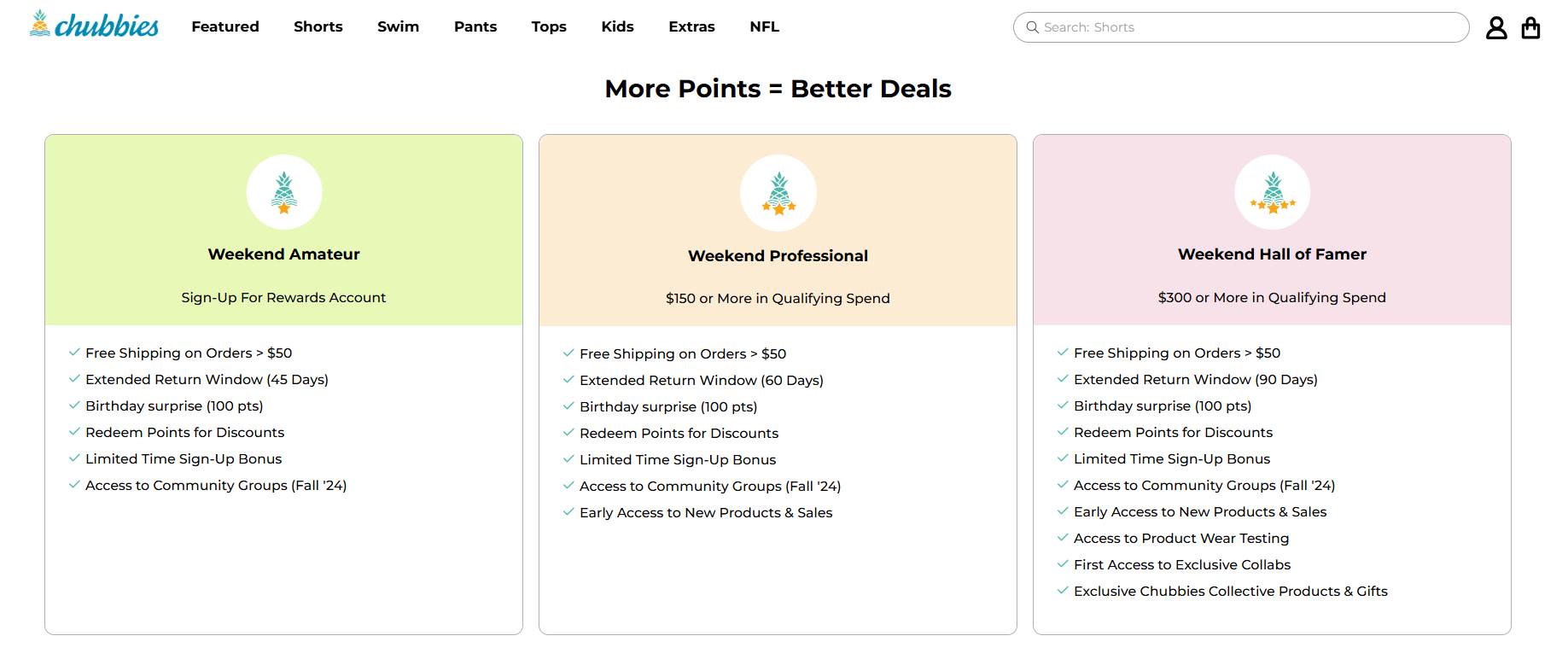
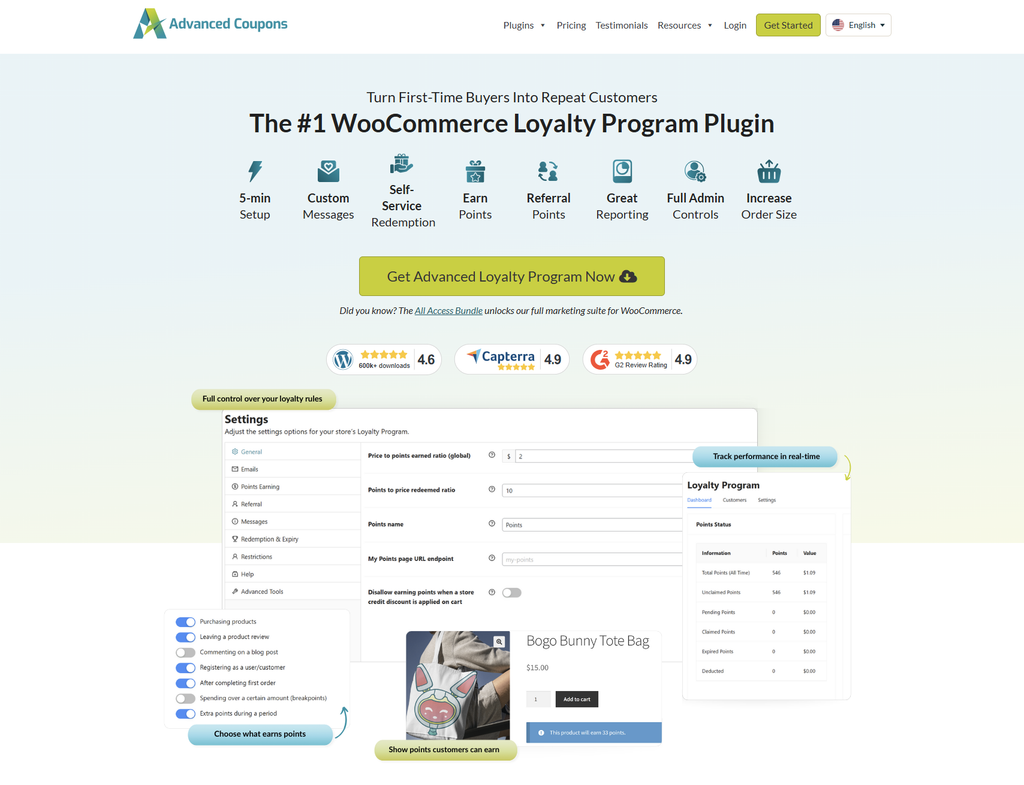
Plugins like Advanced Loyalty Program make setting up a rewards program a breeze for WooCommerce store owners. It lets you offer extra points for specific actions like signing up, leaving product reviews, spending over a certain amount, and more! Customers can also redeem their points for products and coupons, which gives Black Friday buyers a clear reason to come back.
10. Ensure prompt and personal customer support
Another key aspect of navigating how to prepare for Black Friday is ensuring reliable customer support. It’s the busiest shopping season of the year and customers expect quick and prompt responses to their inquiries and concerns. You wouldn’t want to miss out on giving them a smooth shopping experience, especially if you’re catering to new customers!
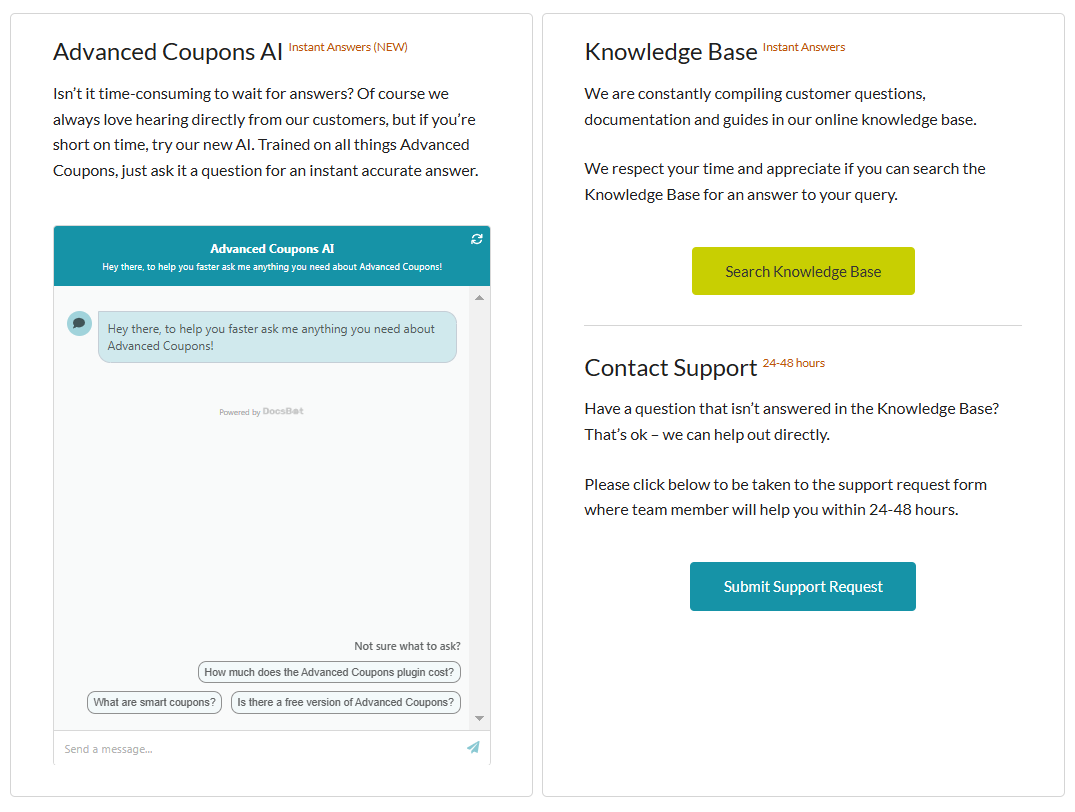
One way to automate the process and reduce the workload for your support team is by setting up automated responses. Consider adding a WooCommerce chatbot that can answer Black Friday FAQs, such as running promotions and return policies.
In Advanced Coupons, for example, we provide our customers with a comprehensive knowledge base and a chatbot that answers common queries in an instant:
Lastly, make sure that your support channels are readily available and accessible on your website. Prominently display support emails, live chat links, or phone numbers on your homepage, checkout, and promotion pages. This shows customers that help is just one click away, giving them more confidence in their purchase.
Must know: If you aren’t sure which solution fits your volume, check out this guide on the different types of chatbot to decide between a simple menu-based bot or a full AI assistant for the holiday rush.
11. BONUS: Try out these creative Black Friday sale ideas and trends
Preparing for a major sales event like Black Friday involves a multitude of tasks, and I hope this Black Friday checklist has helped you get a good handle on at least some of them.
But if you’re eager for additional creative ideas to maximize your Black Friday success, here are some suggestions that have crossed my mind for those who are keen to make the most out of it:
- “Going Live” on socials on the day of the sale
- Extended offers (offer extended for 24 hours!)
- Cross-promo with other stores
- Add urgency & scarcity to offers (limit time or quantity, use countdowns)
- Customize offers based on customer’s purchase history (especially people from the last 3 months)
Frequently Asked Questions
When is Black Friday 2026?
Black Friday 2026 is on Friday, November 27, the day after US Thanksgiving (Thursday, November 26). Cyber Monday follows on Monday, November 30. Looking further ahead, Black Friday 2027 falls on Friday, November 26, and Black Friday 2028 on Friday, November 24.
When should you start preparing for Black Friday?
Preparing early is key, as Black Friday is one of the biggest shopping days of the year. To increase your chances of success, start preparing in September, which is roughly three months out. This timeframe gives you ample time to review last year’s performance, set new goals, plan your promotions, and set them up in advance. Early preparation also gives you more time to test your website and adjust your strategy if necessary. For 2026, aim to have every offer built and tested by the end of October.
You can use plugins like Advanced Coupons to craft promotions in advance. This powerful plugin extends the default coupon functionality of WooCommerce, allowing you to set up and schedule BOGO deals, shipping discounts, and more, saving you time and automating the process.
How to create a deal for Black Friday?
First, you have to understand what types of promotions resonate with your customers. Look into past sales data and identify which types of deals drove the most conversions. This can reveal important insights about what can be effective for your store.
Some of the most popular options include percentage discounts, BOGO (Buy One Get One) deals, free shipping offers, and bundle discounts. You can also make these offers more effective by running them only for a limited time. Plugins like Advanced Coupons can make this easier for you. With this plugin, you can craft advanced coupon promotions like BOGO deals, schedule them, and ensure they trigger only when your set cart conditions are met.
What do I do for Black Friday?
Learning how to prepare for Black Friday matters for any store owner. For the best results, focus on removing friction from the shopping experience. Optimize your website to handle the surge in traffic, make customer support lines readily accessible, and most importantly: launch promotions that encourage customers to check out what you offer. Consider running exclusive Black Friday discounts or hosting a giveaway to entice customers to visit your store.
What is the best discount to offer on Black Friday?
There is no single best discount, but threshold offers (“spend $75, save $15”) protect margin better than sitewide percentages because they raise average order value instead of reducing it. You can also stack several thresholds into one tiered offer, so bigger carts unlock bigger savings. If you are clearing stock, BOGO moves volume without cutting your headline price.
Should I run different offers on Black Friday and Cyber Monday?
Yes. Anyone who saw your Black Friday offer and did not buy has already turned it down once. A different mechanic, or the same discount with a genuine deadline, gives them a new reason to decide.
How do I stop Black Friday discounts eroding my margin?
Use cart conditions and usage limits rather than a flat sitewide discount. Set a minimum spend, cap how many times a coupon can be used, and exclude categories where your margins are thinnest. Advanced Coupons Premium also lets you cap a percentage coupon at a maximum discount amount, so a 20% offer can’t turn into a huge discount on a very large order. Test a cart just below your threshold to confirm the offer behaves correctly.
Conclusion
If you’re focused on expanding your business, Black Friday is an opportunity you simply can’t afford to miss. As a store owner, it’s essential to ensure that your website is fully prepared to manage the surge in traffic and sales during the year’s biggest sale event.
So, to help you gear up, we’ve put together the ultimate Black Friday checklist for WooCommerce store owners in this article. To summarize, let’s review the key steps below:
- Assess past results and set goals
- Set your target dates
- Determine your advertising options
- Get your stats tracking in place
- Create bundles of products
- Use better offers like BOGO (Buy One, Get One)
- Excite people (and collect emails) with a viral giveaway
- Use your affiliate program
- Turn new buyers into loyal customers
- Ensure prompt and personal support
- BONUS: Try out these creative Black Friday sale ideas and trends
We hope this guide on how to prepare for Black Friday helped you out! Do you have any questions about this article? Let us know in the comments!