
Are you looking for a straightforward way to run better discounts on your WooCommerce store? There are plenty of WordPress coupon and discount plugins that can help, but with so many options available, it can be tricky to work out which one actually fits the way you want to sell.
To help out, we reviewed the best WordPress and WooCommerce coupon and discount plugins, looking at how they work, where they shine, and what kind of store they’re best suited for. Some focus on advanced WooCommerce coupon rules, others on automatic discount pricing, and a few are better suited to affiliate coupon displays or email popups. Short on time? Here’s a quick overview:
| 🛒 Plugin Name | 🎯 Best For | 💰 Price |
| Advanced Coupons | Running advanced WooCommerce promotions with BOGO, auto-apply, cart rules, store credit, and coupon scheduling | Free version available Premium starts at $99.50/year |
| WooCommerce Smart Coupons (StoreApps) | Managing gift cards, store credits, bulk coupons, BOGO deals, and URL coupons in one plugin | Starts at $129/year |
| Smart Coupons (WebToffee) | Creating flexible coupon campaigns with BOGO deals, gift cards, URL coupons, and targeting rules | Free version available Premium starts at $89/year |
| Discount Rules for WooCommerce by Flycart | Setting up automatic pricing rules, tiered discounts, role-based offers, and coupon-activated discounts | Free version available Pro starts at $85/year |
| Power Coupons | Running automatic, code-free discounts with BOGO, loyalty rewards and cart progress bars | Free version available Pro starts at $49/year |
| Disco (Discount Rules for WooCommerce) | Bulk, tiered and bundle pricing rules, with a generous free version | Free version available Pro starts at $69/year |
| Coupon Creator | Creating and displaying clean, affiliate-style coupon blocks | Free version available Pro version available |
| WP Coupons and Deals | Showcasing affiliate deals with voting and click-to-copy features | Free version available Pro version available |
| Coupon Box for WooCommerce | Growing your email list with pop-up-triggered coupon rewards | Free version available Pro version available |
| OptinMonster | Building high-converting popups with smart coupon triggers | Starts at $7/month (billed annually) |
Pricing can change over time, so it’s always worth checking each plugin’s current pricing page before purchasing.
One thing worth clearing up before you start comparing: people search for coupon plugins and discount plugins meaning much the same thing, but the tools themselves split into two camps. Coupon plugins work through a code the shopper enters or a link they follow. Discount plugins apply pricing rules automatically, with no code involved at all. Several tools on this list do both, so the real question is which of the two you’ll lean on most.
Why You Need a WordPress Coupon Plugin
If you run an online store, you likely know that setting your business apart can be challenging. That’s because as e-commerce sales grow, so does competition.
Therefore, in order to entice customers and keep them coming back, you’ll need to find creative ways to make your product appealing. Coupons are an excellent way to convince skeptical shoppers and boost customer loyalty:
In fact, research shows that coupons can influence undecided shoppers. Almost two-thirds of consumers admit that a promotion or coupon often “closes the deal” when they’re undecided.
Simply put, when customers know they’re getting a bargain, they’ll be more likely to buy, and they may be more satisfied with their purchase.
As a result, they might be more inclined to return to your store in the future.
So, it’s clear that a coupon strategy is essential for any online store. However, not all e-commerce platforms provide this feature out of the box.
In the case of WooCommerce, the tool offers a limited coupon feature. When you opt for a WordPress coupon plugin, you’ll be able to extend WooCommerce and set up sophisticated coupon deals.
The Benefits Of Using A WordPress Coupon Plugin
As we’ve discussed, using a WordPress coupon plugin is crucial if you want to make your e-commerce store stand out. Here are a few additional benefits you’ll gain when you use a coupon tool:
- Streamline your coupon strategy. Some coupon plugins offer features that can enhance the efficiency of your coupon management. For example, you may be able to schedule coupons for the future, set up automated coupon rewards, and more. You’ll save lots of time when you don’t have to manually configure every coupon.
- Access advanced coupon options. As we mentioned, WooCommerce’s out-of-the-box coupon choices are limited. When you use an extension, you’ll get a lot more. For instance, some plugins allow you to run Buy One Get One (BOGO) deals and set advanced cart conditions to restrict a coupon’s usage.
- Increase conversions and customer retention. Since coupons greatly impact consumer behavior, using a coupon plugin can make a huge impact. When you use a tool to maximize your efforts, you’ll be more likely to win sales and boost customer loyalty.
How We Evaluated These Plugins
Not all coupon plugins are built for the same job. Some are designed to extend WooCommerce’s native coupon system, while others focus on displaying affiliate coupons, growing an email list, running automatic pricing rules, or triggering popups with coupon offers. To make this comparison more useful, we looked at each plugin based on:
- Feature depth — Does the plugin support BOGO deals, cart conditions, scheduling, bulk codes, store credit, gift cards, or other advanced coupon options?
- Ease of setup — How straightforward is it to create a real promotion without needing custom code?
- WooCommerce fit — Is the plugin built for WooCommerce coupon management, or is it better suited for coupon displays, lead capture, affiliate offers, or automatic discount rules?
- Pricing and value — What do you get for the price, and does the free version offer enough for smaller stores?
- Best use case — Which type of store owner would benefit most from the plugin?
This way, you’re not just comparing feature lists. You’re choosing the plugin that best matches how you actually plan to run promotions in your store.
10 Best WordPress And WooCommerce Coupon Plugins: Complete Comparison Guide
Now that you’re aware of the benefits of using a WordPress coupon plugin, let’s compare the best options. We’ll start with WooCommerce-focused coupon tools, then move into coupon display and popup tools that can support your broader promotion strategy.
1. Advanced Coupons
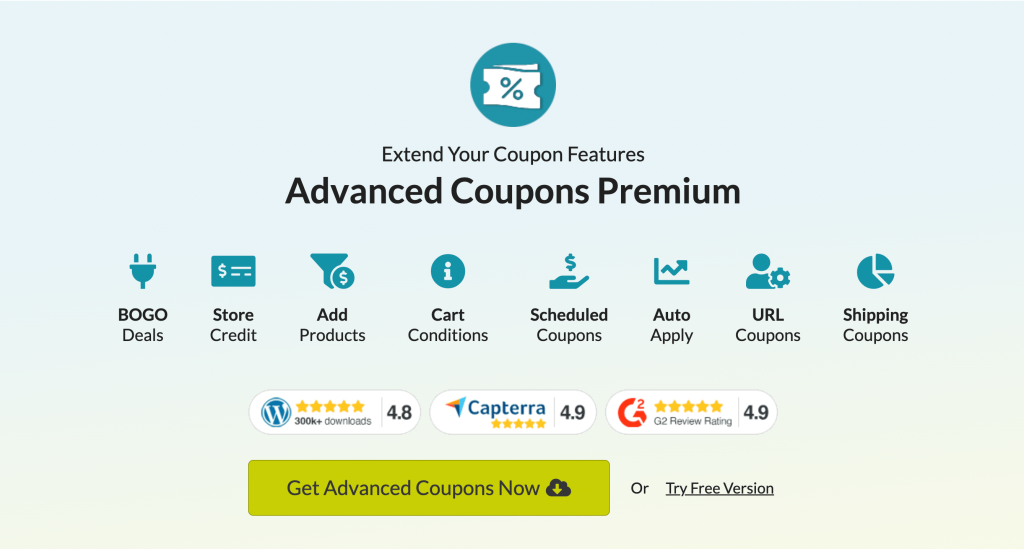
Advanced Coupons kicks off our list because it’s one of the strongest coupon plugins for WooCommerce stores that need more than basic discount codes. I’ve used Advanced Coupons on both demo and live WooCommerce stores, and what stands out most is how naturally it extends the default WooCommerce coupon workflow.
Instead of forcing you into a completely separate campaign builder, Advanced Coupons adds more powerful coupon options directly inside WooCommerce. That makes it easier to create practical promotions like BOGO deals, auto-apply coupons, URL coupons, scheduled offers, store credit, and targeted cart-condition-based discounts.
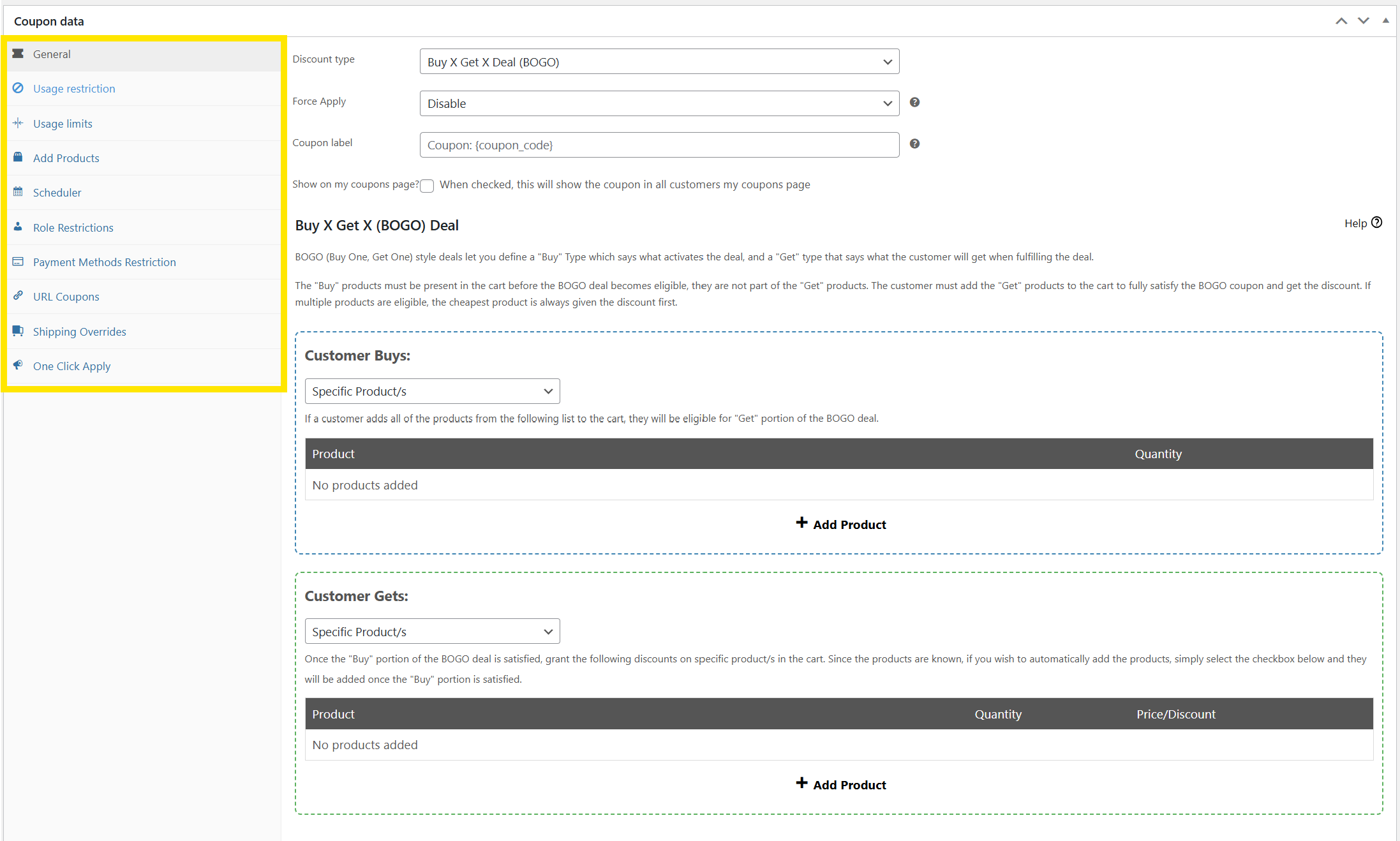
The plugin allows you to create BOGO deals, free shipping coupons, URL coupons, and more. It also gives you advanced cart condition rules, so you can control exactly when a coupon should apply. For example, you can restrict coupons based on cart subtotal, user role, product/category, shipping method, customer order history, and other eligibility rules.
Advanced Coupons Premium also integrates with Automator and Uncanny Automator Pro. This means you can reward automatic coupons with ease. For example, with both tools installed, you can automatically give a new user a coupon when they create an account on your site.
Overall, Advanced Coupons is a strong choice if you want a WooCommerce-native coupon tool that can grow with your store. It also works alongside Advanced Gift Cards, Loyalty Program, and Advanced Promo Kit through the All Access Bundle, giving stores a broader promotion toolkit when they’re ready to expand.
Key Features
- Buy-One-Get-One (BOGO) coupons for products, categories, or cart combinations
- Auto-apply coupons and one-click coupon apply notifications
- Advanced cart condition rules to restrict coupons based on user role, cart subtotal, shipping method, order count, product/category, and more
- Coupon scheduling with start and end date/time controls
- Add products to cart automatically when a coupon is applied
- Store credit system
- Virtual coupons for generating unique coupon codes in bulk
- Coupon organization tools, including categories, priority sorting, custom labels, and usage limits
- Integrations with Uncanny Automator, PushEngage, and other WooCommerce-friendly tools
- Upgrade path to Advanced Gift Cards, Loyalty Program, and Advanced Promo Kit through the All Access Bundle
Pricing: Advanced Coupons offers a free plugin. Advanced Coupons Premium starts at $99.50 per year for a single site. The All Access Bundle includes Advanced Coupons Premium, Loyalty Program, Advanced Gift Cards, and Advanced Promo Kit for $249 per year.
What I Liked:
- WooCommerce-native workflow: Advanced Coupons keeps its enhancements inside WooCommerce’s coupon screen, which makes coupon creation feel familiar and easier to manage.
- Impressive control and precision: I could define very specific coupon rules based on conditions like shipping method, cart total ranges, customer order history, payment gateways, and user roles without writing code.
- Campaign-friendly automation: Features like auto-apply coupons, URL coupons, virtual coupons, scheduling, and integrations with tools like PushEngage and Uncanny Automator make campaign management much easier.
- Useful free version: The free version gives stores a practical starting point with features like store credit, URL coupons, BOGO coupons, and basic cart rules.
If you’re still weighing your options, this comparison of Advanced Coupons against an enterprise coupon platform breaks down the pricing and setup differences.
💡 Who I’d Recommend This For: If you’re running a WooCommerce store and want advanced coupon logic such as BOGO deals, targeted auto-apply rules, cart conditions, store credit, and scheduled promotions, Advanced Coupons is the strongest overall pick. It’s especially useful if you want a WooCommerce-native workflow with room to grow into gift cards, loyalty rewards, and product labels later.
2. WooCommerce Smart Coupons (StoreApps)

Next up on our list is WooCommerce Smart Coupons by StoreApps. This premium plugin is a strong all-in-one option for WooCommerce stores that want to manage discount coupons, store credits, gift cards, bulk coupons, URL coupons, and BOGO deals from one tool.
Similar to Advanced Coupons Premium, it lets you create targeted discounts and run more advanced promotions than WooCommerce supports by default. It also includes polished store credit and gift card features, which makes it especially useful if credits, gift certificates, or prepaid balances are a central part of your customer experience.
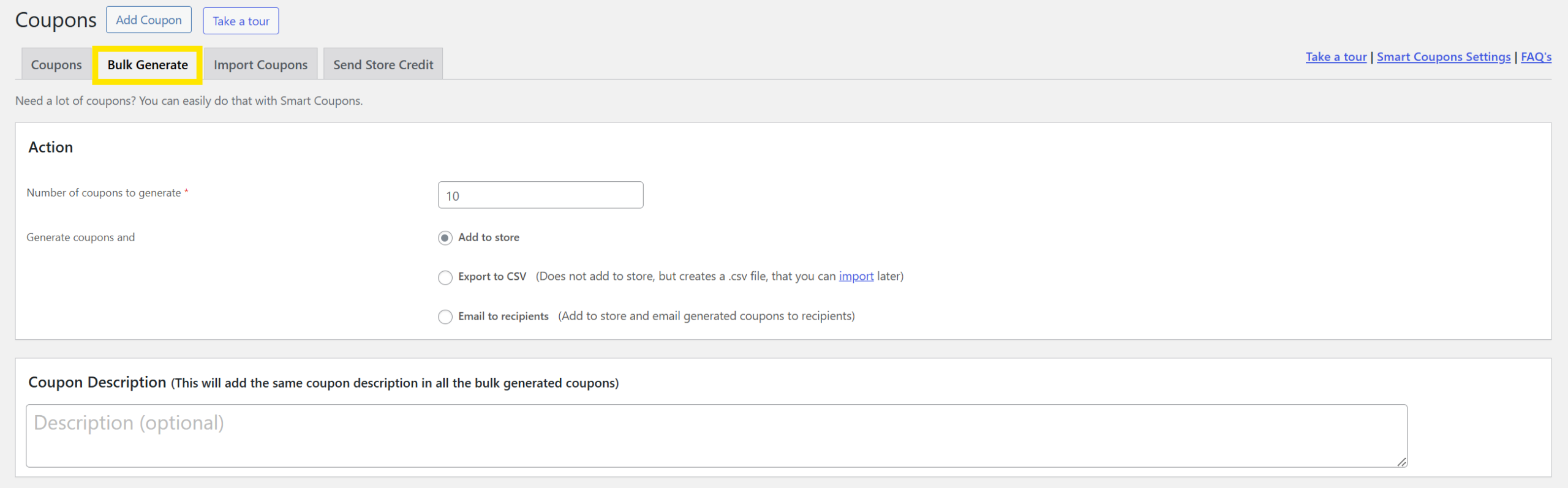
One thing that sets this plugin apart is that it allows you to run product giveaways. Additionally, it comes with a bulk coupon generator that lets you create thousands of unique coupon codes at a time.
Key Features:
- Gift card and store credit creation and management
- Flexible BOGO deals (Buy X Get Y free or discounted, including tiered quantities or multiple combinations)
- Dynamic coupon rules based on product, category, user role, payment/shipping method, quantity thresholds, purchase history, subtotal, location, and more
- Bulk coupon generator with CSV import/export and automated email distribution
- URL-based auto-apply coupons (can auto-add products to cart when the link is clicked)
- Embed coupon displays via shortcodes or blocks across cart, checkout, post-purchase, or blog pages
Pricing: WooCommerce Smart Coupons by StoreApps costs $129 per year.
What I Liked
- Everything in one: I loved how it combines gift cards, store credit, dynamic discount rules, BOGO deals, bulk codes, and auto-apply links all in one plugin.
- Highly customizable coupons: I could restrict discounts by cart total, shipping or payment method, email domain, or even previous purchase behavior without writing custom code.
- Reliable support and updates: Since it’s the official WooCommerce extension, the plugin includes regular updates, dedicated support, and compatibility assurances.
💡 Who I’d Recommend This For: WooCommerce Smart Coupons by StoreApps is a good fit for stores that want one premium plugin for coupons, gift cards, store credits, bulk coupon generation, and URL coupons. If store credit and gift certificates are especially important to your store, this plugin is worth considering.
3. Smart Coupons (WebToffee)
Another popular coupon plugin for WooCommerce I came across is Smart Coupons by WebToffee. This plugin has a free version on WordPress.org and a premium version with more advanced coupon options, including BOGO offers, auto-apply coupons, gift cards, store credits, bulk coupon generation, and more detailed usage restrictions.
Creating a coupon is pretty simple. Once installed, you’ll see a new “Smart Coupons” tab inside your WooCommerce settings. From there, you can choose your coupon type (standard, BOGO, store credit, etc.), set the conditions, and even configure automated behaviors like issuing coupons after sign-up or cart abandonment.
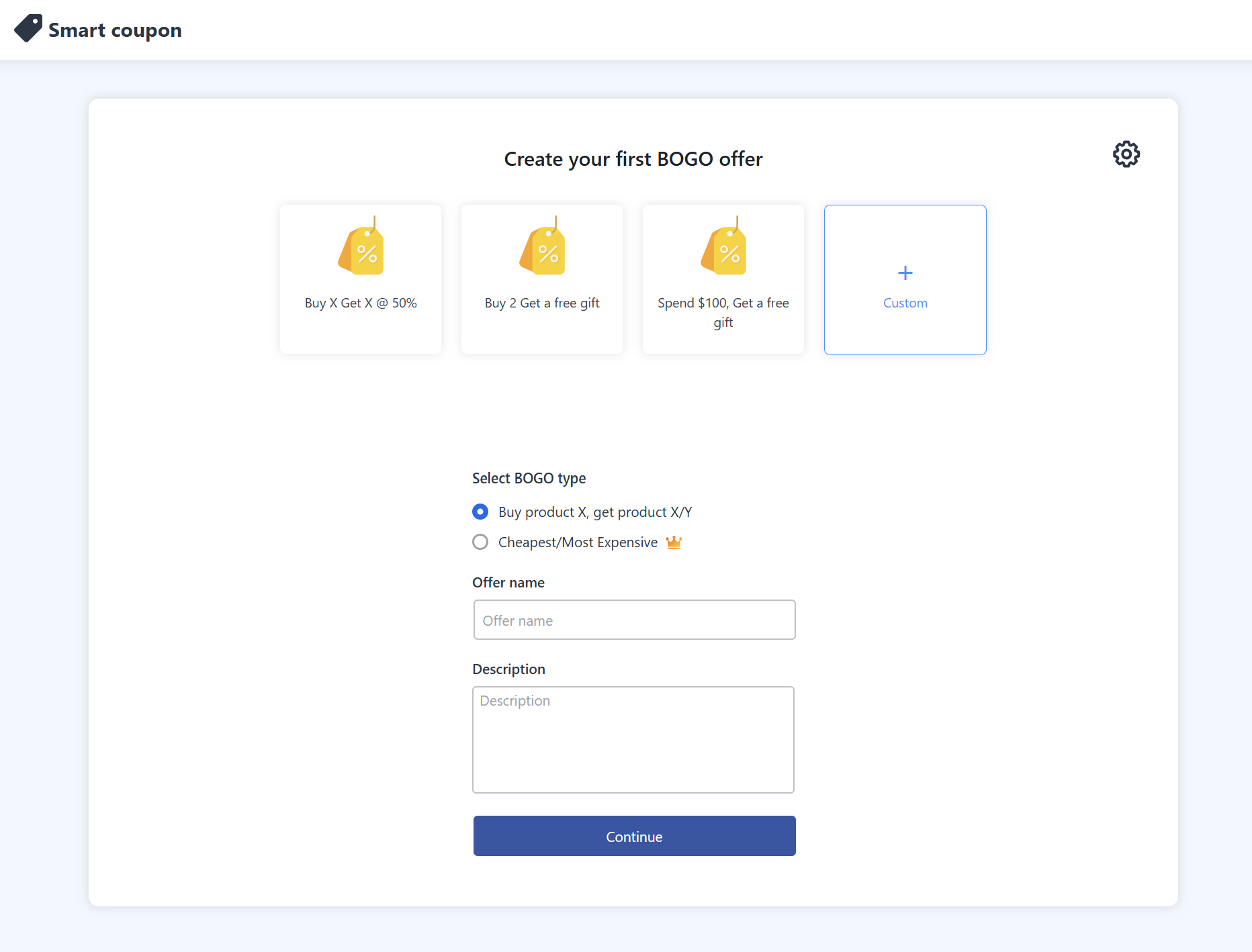
One thing I liked is that WebToffee covers a wide range of WooCommerce promotion needs, from basic smart coupons to more advanced campaign setups. Here are some of the features that caught my eye:
Key Features
- Advanced coupon rules based on user role, shipping/payment method, country, product/category, and cart total
- Flexible BOGO offers, including tiered, price-based discounts and optional giveaways
- Bulk coupon generation with CSV export or direct email distribution
- URL coupons for auto-apply links that add discounts and optionally add products
- Automated coupons triggered by signup, first-order, or cart abandonment workflows
- Store credits and gift card management
Pricing: WooCommerce Smart Coupons offers flexible licensing options starting at $89/year for a single site, $129/year for up to 5 sites, and $249/year for up to 25 sites.
What I Liked:
- Powerful targeting made simple: I liked how easy it was to launch campaigns using rules based on shipping method, payment gateway, or cart total.
- Bulk code generation saved hours: This plugin makes generating and exporting coupon codes very seamless and easy.
- Smart coupon visibility option: I loved how category-based coupon layouts and display widgets made promotions look polished without cluttering my dashboard.
💡 Who I’d Recommend This For: Smart Coupons by WebToffee is a good pick for WooCommerce store owners who want a flexible coupon plugin with a free starting point and a lower single-site premium price than some all-in-one alternatives. It’s especially useful if you want BOGO offers, store credits, gift cards, auto-apply coupons, and bulk coupon generation in one workflow.
4. Discount Rules for WooCommerce by Flycart
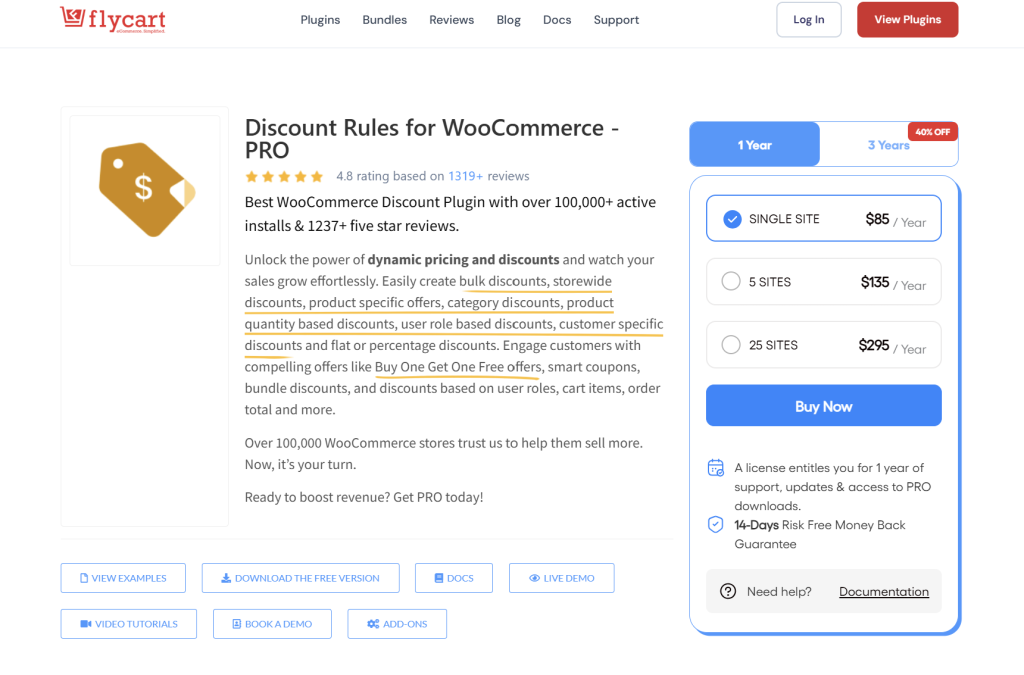
Discount Rules for WooCommerce by Flycart is slightly different from the other WooCommerce coupon plugins on this list. Instead of focusing mainly on coupon-code campaigns, it’s built around automatic discount rules and dynamic pricing.
That makes it a practical option if you want discounts to apply automatically based on cart value, product quantity, customer role, purchase history, category, or other rule-based conditions. For example, you can create offers like “buy 3 and get 10% off,” role-based discounts for wholesale customers, or BOGO-style deals that apply without requiring customers to manually enter a code.
Flycart also supports coupon-activated discounts, so it’s not completely separate from coupon-based campaigns. However, its biggest strength is still automatic pricing logic rather than advanced coupon-code management.
Key Features
- Bulk discounts and tiered quantity discounts
- Product-specific and category-wide discounts
- User role-based discounts
- BOGO offers and free product rules
- Cart subtotal and order total-based discounts
- Coupon-activated discount rules
- Discount tables and sale badge display options
Pricing: Discount Rules for WooCommerce has a free version. Pro plans start at $85 per year for a single site.
What I Liked:
- Great for automatic discounts: Flycart makes it easy to create rule-based offers that apply without requiring customers to enter a coupon code.
- Strong fit for tiered pricing: It’s especially useful for stores that want volume discounts, wholesale-style offers, or cart-total-based discounts.
- Clear discount logic: The plugin is built around rules and conditions, which makes it easier to manage automatic pricing campaigns.
💡 Who I’d Recommend This For: Discount Rules for WooCommerce by Flycart is best for stores that care more about automatic pricing rules than traditional coupon-code campaigns. If you want advanced coupon management, unique codes, URL coupons, store credit, or a broader coupon workflow, Advanced Coupons is the better fit. But if your main need is automatic bulk, tiered, role-based, or cart-based discounts, Flycart is worth considering.
5. Power Coupons
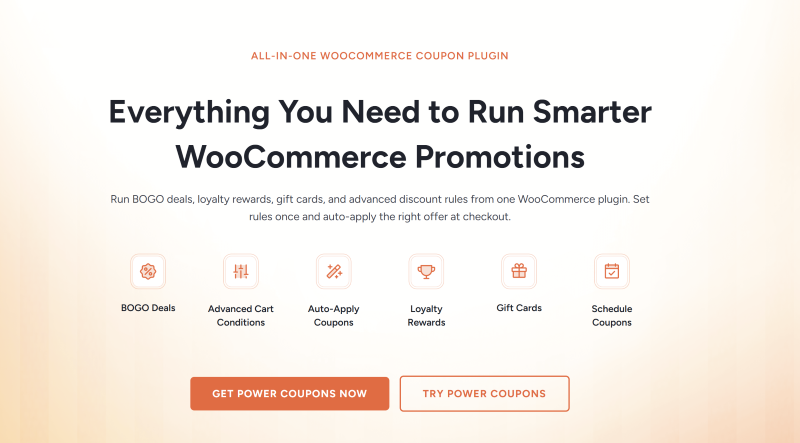
Power Coupons for WooCommerce is the newest plugin on this list, and the one that has grown fastest. It’s built by the team behind CartFlows and Brainstorm Force, the same people who make Astra, so you’ll find it sold through the CartFlows site. It passed 20,000 active installs within months of launching.
Its whole design leans on automatic discounts rather than coupon codes. You build rules around cart subtotal, products, categories and quantities, and the matching offer applies on its own as the shopper’s cart changes. The cart display only surfaces offers the shopper actually qualifies for, which keeps things tidy on busy stores.
The free plugin covers that rule-based engine. Pro adds BOGO campaigns, loyalty rewards and store credits, cart progress bars, scheduling, and ready-made offer templates. Their own feature list still marks the advanced coupon analytics dashboard as coming soon.
Key Features
- Auto-apply discounts with no coupon code required
- Rule-based conditions on cart subtotal, products, categories and quantities
- Discounts that recalculate in real time as the cart changes
- BOGO and Buy X Get Y offers, including variable products (Pro)
- Loyalty rewards and store credits (Pro)
- Cart progress bars for spend-more incentives (Pro)
- Offer scheduling and pre-built campaign templates (Pro)
Pricing: Power Coupons has a free version. Pro starts at $49 per year for a single site, with multi-site and one-time licences also available.
What I Liked:
- The free tier isn’t just a teaser: the rule-based auto-apply engine sits in the free plugin rather than behind the paywall, so you can build genuine conditional discounts before spending anything.
- Loyalty comes with the entry plan: store credits and loyalty rewards are part of the cheapest Pro licence rather than a separate add-on, which isn’t the norm in this category.
- The cart stays clean: only offers the shopper actually qualifies for are shown, which matters once you’re running several promotions at once.
💡 Who I’d Recommend This For: Power Coupons suits stores that want discounts to apply quietly in the background, especially if you already run Astra or CartFlows. It’s young, though, and it’s built around automatic rules rather than coupon-code management. If you need URL coupons, virtual coupon codes, gift cards, or a deeper coupon workflow, Advanced Coupons covers more ground today.
6. Disco (Discount Rules for WooCommerce)
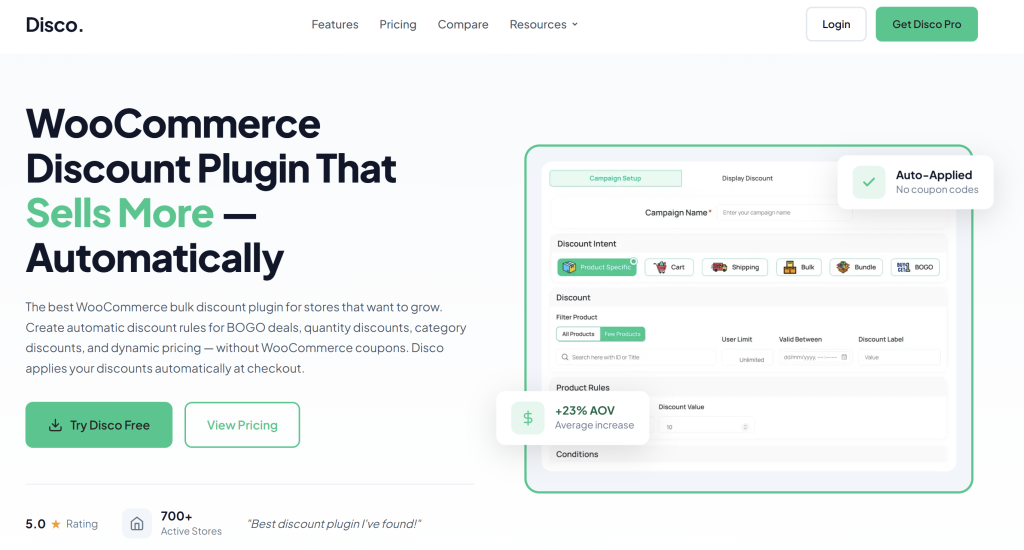
Disco by WebAppick is a dynamic pricing plugin built around automatic discount rules. Worth clearing up straight away: its full name is “Discount Rules for WooCommerce – Disco”, which looks almost identical to Flycart’s plugin at number four. They’re different products from different companies.
Disco’s strength is how much it gives away for free. Bulk and tiered quantity pricing, bundle discounts, conditional free shipping and scheduled campaigns are all in the free version, where several competitors hold at least some of those back. You also get strikethrough pricing on product and category pages, so shoppers see the discount before they reach the cart.
Pro is where customer-level targeting arrives: BOGO deals, segmentation by user role or order history, usage limits, countdown timers, product badges and an analytics dashboard.
Key Features
- Product and cart discounts, percentage or fixed
- Bulk and tiered quantity pricing
- Bundle discounts for product combinations
- Conditional free shipping rules
- Scheduling by date, time and day of the week
- Strikethrough pricing on product and category pages
- Multi-currency support via WPML, FOX, CURCY and Aelia
- BOGO deals, customer segmentation, usage limits and analytics (Pro)
Pricing: Disco has a free version. Pro starts at $69 per year for a single site, with multi-site and lifetime licences available.
What I Liked:
- An unusually generous free version: bulk, bundle, free shipping rules and scheduling without paying is more than most plugins in this space hand over.
- Multi-currency is properly handled: it works with WPML, FOX, CURCY and Aelia, so discount rules calculate correctly rather than breaking on a currency switch.
- It’s actively maintained: updates land regularly and the release history is long, which is reassuring for a plugin that sits directly on your pricing.
💡 Who I’d Recommend This For: Disco is a good fit if you want automatic pricing rules on a budget, particularly bulk or bundle pricing, and you’re happy to work without coupon codes. Bear in mind BOGO sits behind Pro here. If coupon codes, URL coupons, store credit or scheduled coupon campaigns are central to how you promote, a coupon-first plugin will serve you better.
7. Coupon Creator

When I first tried Coupon Creator, I liked how lightweight and intuitive it felt compared to multi-featured plugins. Unlike the other plugins on this list, this one focuses on the display side of coupon marketing. It lets you create stylish, click-reveal offers and organize them like a coupon directory.
It’s likely geared toward very specific purposes such as affiliate marketing, digital coupon listings, or printable coupon collections.
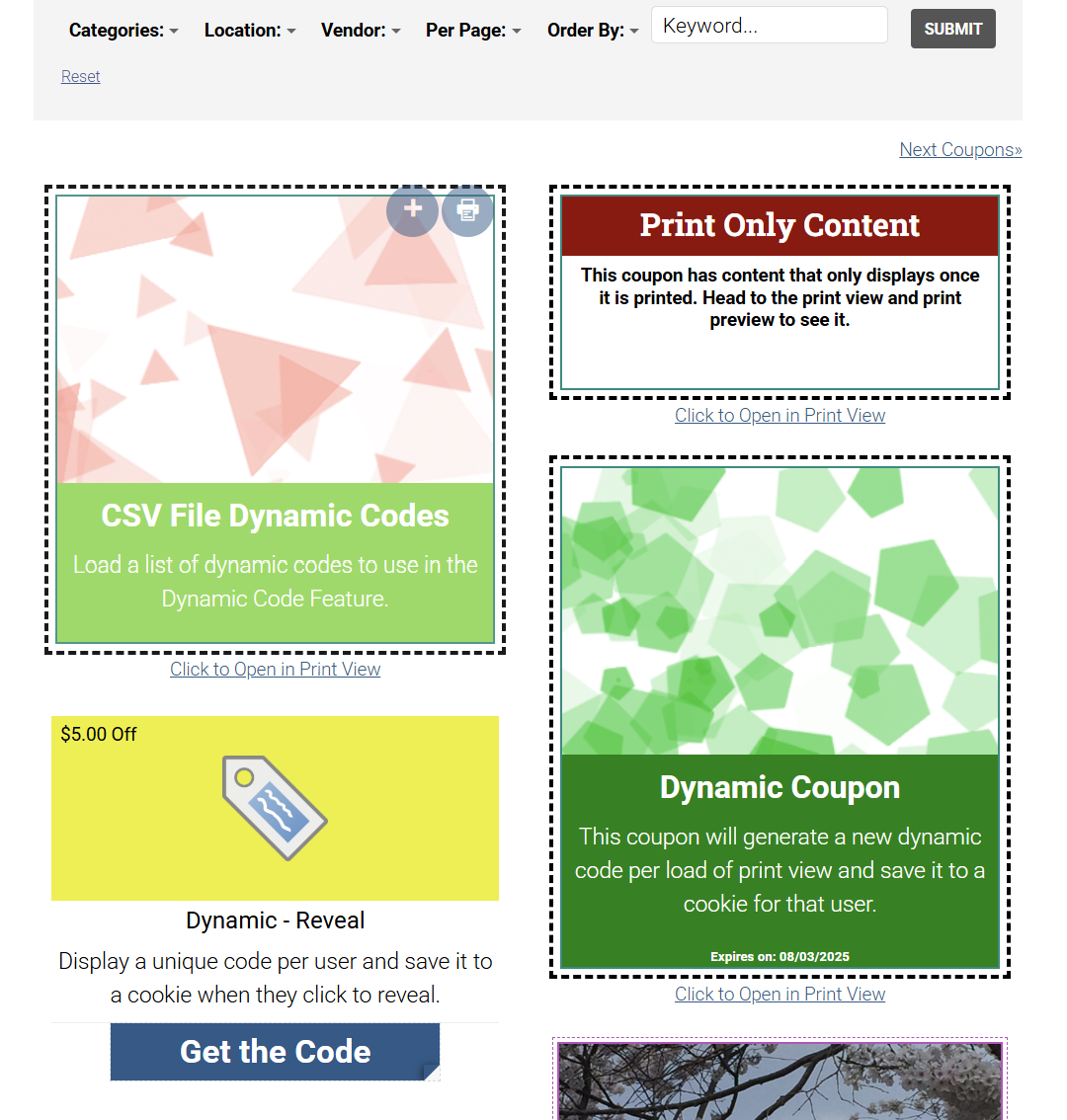
Using it felt lightweight and fast, and the visual editor made crafting display-ready coupons enjoyable. The plugin allows you to display various coupons in columns and rows. It also offers nifty features like ‘click reveal’, which enables users to show coupons in an intuitive fashion.
Furthermore, Coupon Creator gives you access to a variety of templates and border themes to help fast-track the design process. It even lets you link any coupon to an affiliate URL.
Key Features:
- Custom coupon creation with shortcode support
- Click-to-reveal coupon codes with optional expiration
- Display coupons in single view or in grid layout (columns/rows)
- 5 coupon expiry types, including relative and specific date-based options
- Filter bar and category system for organizing coupons (Pro)
- Affiliate links and call-to-action buttons per coupon
- Pre-built templates and border styles for visual customization
Pricing: Coupon Creator is free. However, if you want all the advanced features we discussed, you’ll need to upgrade to Coupon Creator Pro. Premium plans start at $59 per year per site.
What I Liked:
- Great for affiliate marketers: This tool helped me easily create clean-looking coupon blocks that link to external deals, complete with tracking-friendly links and CTAs.
- Flexible display options: I also liked how this tool gave me more control over how coupons appeared. You can choose to display it in a single format, columns, or category-based grids. This made it ideal for building a mini coupon directory.
- Reveal codes: The “click-to-reveal” feature creates engaging interactions with shoppers and keeps coupon codes hidden until users click.
💡 Who I’d Recommend This For: This tool is a great choice for bloggers, affiliates, or deal sites who want to display coupon offers. However, if you’re running a WooCommerce store and need cart rules, BOGO logic, auto-apply, or store credit, you’ll likely need a more advanced coupon plugin that will help you set up these deals.
8. WP Coupons and Deals

WP Coupons and Deals lets you create affiliate coupons directly from your WordPress dashboard. Furthermore, this WordPress coupon plugin provides you with a variety of customizable templates. Once you’ve created your coupon, you’re able to easily embed it on your site using a shortcode.
In addition to regular coupons and deals, the plugin also lets you create image coupons. If you opt for the WP Coupons and Deals Pro, you’ll get lots of advanced features.
For example, you’ll be able to import coupons, hide expired coupons, set an expiration countdown, and more. One premium feature that distinguishes this tool from most others is that it allows you to add voting buttons to your coupons. This way, users can tell you if they found the coupon useful.
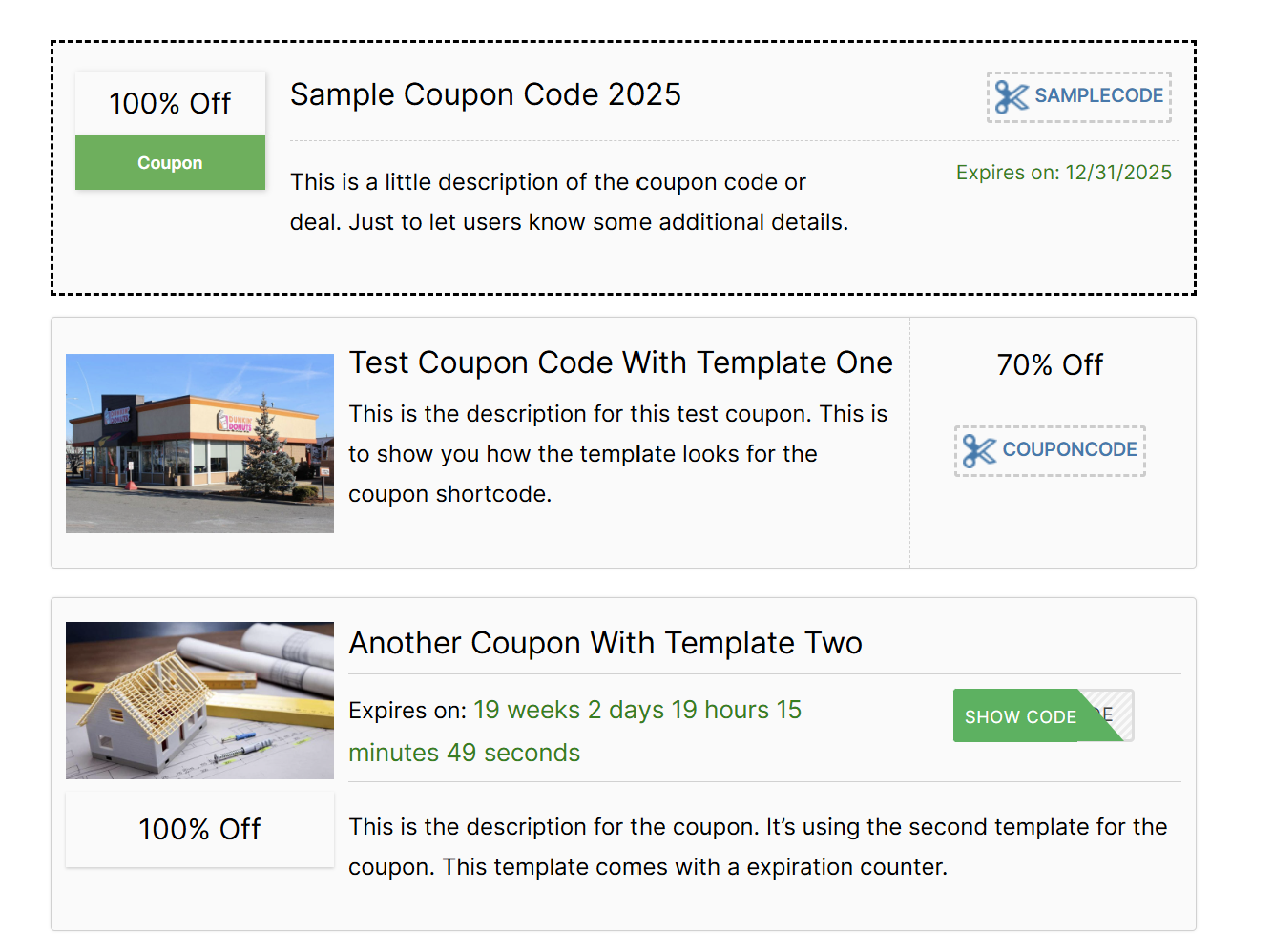
This plugin may not be the best choice for online store owners because it relies mostly on coupons you can access from a directory. Still, it might be a good option for affiliate bloggers.
Key Features:
- Customizable and responsive coupon templates
- Image coupons and expiration countdown
- Voting and social share buttons
- ‘Click to copy’ feature
Pricing: WP Coupons and Deals has a free version with limited functionality. Paid plans are available through the plugin’s pricing page.
What I Liked
- Great choice for affiliate promotions: I could easily create clean coupon cards that users click-to-copy or reveal, which is perfect for blog posts or coupon directories linking out to deals.
- Interactive features can help boost trust: Features like voting, social share buttons, and click-to-reveal interactions encourage real audience engagement.
- Flexible display options for coupons: I loved having category-based archives, column layouts, and sidebar widgets.
💡 Who I’d Recommend This For: This tool is a solid, lightweight choice for affiliate bloggers, deal sites, or content creators who want to showcase their offers. While it doesn’t offer built-in cart-based discount logic or automation, it’s a great fit if your priority is coupon presentation and affiliate promotion.
9. Coupon Box For WooCommerce
If you want to build your email list using discounts, Coupon Box for WooCommerce is an excellent WordPress coupon plugin for the job. This tool allows you to create pop-ups inviting users to subscribe to your email list. Then, it automatically generates a coupon and sends it to their email as a reward.
In my experience, this tool made it simple and easy to customize my coupon pop-up’s appearance and behavior, as well as the accompanying thank-you email.
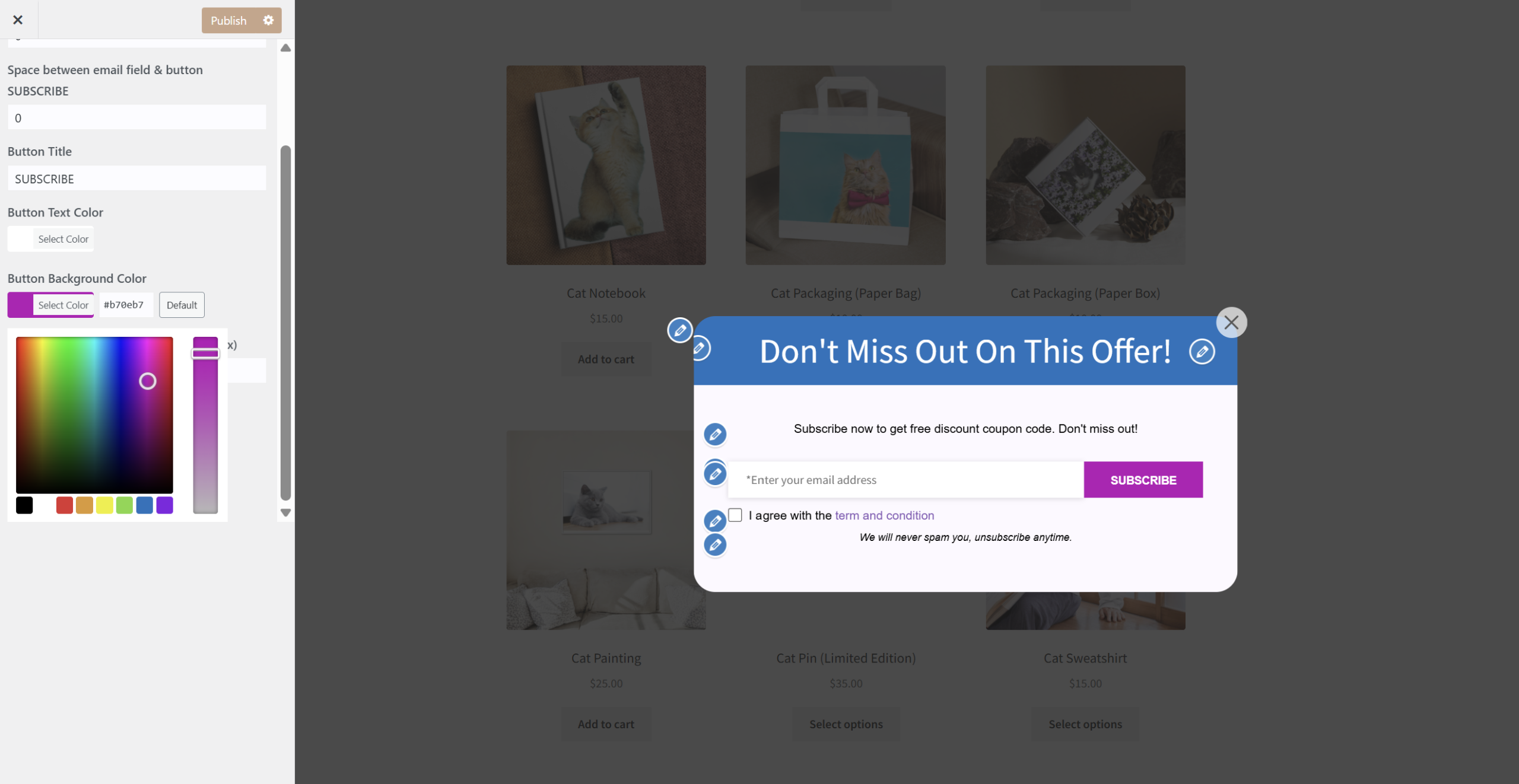
Furthermore, you can create unique coupon settings for each email campaign. Plus, Coupon Box for WooCommerce integrates with some of the most popular email marketing tools like MailChimp.
Key Features:
- Design custom pop-up forms
- Configure an automatic coupon reward for new email subscribers
- Integrations with email marketing software like MailChimp and ActiveCampaign
- Built-in Google reCAPTCHA support (v2/v3) to prevent bot submissions and spam
Pricing: Coupon Box for WooCommerce offers a free version with limited features. You can get a premium license for $26.
What I Liked:
- Effortless funnel starter: I loved how easily I could build an email-to-coupon flow using this plugin. Visitors subscribe and instantly get a coupon.
- Design flexibility: Templates, style customization, and options to minimize the pop-up to a sticky bar made it easy to create branded designs.
- Automatic coupon creation: It automatically generates a unique coupon or reuses an existing code and emails it to subscribers instantly, which can save store owners a lot of time.
💡 Who I’d Recommend This For: If you’re looking to grow your email list using WooCommerce coupons, this plugin is a great fit. Its customizable pop-up functionality, paired with email capture and automatic coupon delivery, makes launching subscriber-driven promotions simple and effective.
10. OptinMonster
Last but not least, we’re going to discuss another form-focused tool. Although OptinMonster isn’t the most obvious WordPress coupon plugin, it still can provide you with a lot of the coupon features you’re looking for.
This plugin is mainly a pop-up form builder designed to help gain leads and boost conversions. It gives you tons of advanced customization options for your pop-up forms. These include a lightbox, floating bar, slide-in, and sidebar forms (to name a few). I loved that the campaign builder was completely code-free, yet offered customizable targeting and display control.
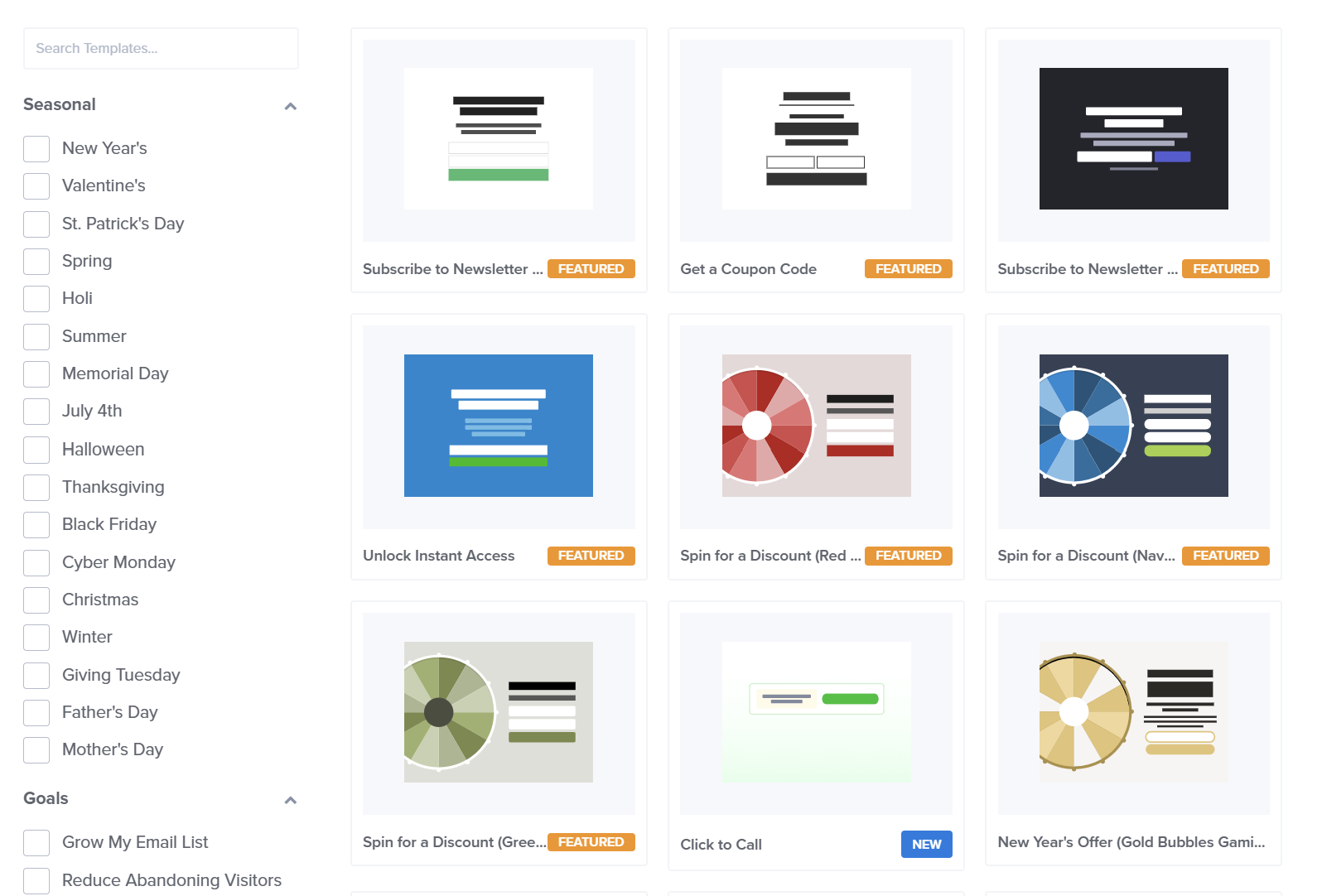
Many of these form options let you incorporate coupon codes to tempt users. You’ll even be able to create exit intent pop-ups to help reduce cart abandonment. Additionally, the plugin comes with plenty of customizable templates and allows you to use an intuitive drag-and-drop builder.
One feature we love that makes this tool stand out is its automated ‘spin to win’ coupon pop-up option. Furthermore, all of OptinMonster’s plugins are mobile-friendly, and the tool gives you access to lots of useful analytics about your conversion funnel.
If you’re looking for an overall marketing tool to help you build your email list, OptinMonster may be a good choice. However, if you’re looking for something that is more narrowly focused on coupons, this plugin may be excessive.
Key Features:
- Extensive form building options including lightbox, fullscreen welcome mats, etc.
- Sophisticated campaign triggers based on user behavior
- Integrations with other popular tools including MailChimp and Salesforce
- Coupons incorporated into forms
- Spin-to-win campaigns with customizable prizes, win probability, and branded templates
Pricing: OptinMonster does not offer a free version. However, it offers four different plans, starting at $7 per month.
What I Liked:
- Drag-and-drop design flexibility: Templates for lightboxes, slide-ins, and forms made building custom campaigns quick and visually appealing.
- Built-in analytics and testing: I could test different designs or messages and quickly find what converted best without leaving the tool.
- Precision targeting for smart triggers: With OptinMonster, we could control exactly when and where coupon campaigns appear on our website, be it on exit intent, cart abandonment, or specific pages.
💡 Who I’d Recommend This For: OptinMonster is a great fit for marketers who want to build high-converting opt-in campaigns (like coupon exit-intent pop-ups) without custom coding. If your focus is on lead generation and visually engaging email or coupon capture, this tool is worth considering.
Which WooCommerce Coupon Or Discount Plugin Should You Choose?
The right plugin depends on whether you want to run coupon-code campaigns, automatic discounts, or a mix of both. Here’s the simplest way to decide:
Choose Advanced Coupons if you want the strongest overall WooCommerce coupon workflow. It’s the best fit if you need advanced cart conditions, BOGO deals, URL coupons, scheduling, virtual coupon codes, store credit, and a clear upgrade path into gift cards, loyalty rewards, and product labels.
Choose WooCommerce Smart Coupons by StoreApps if store credit and gift certificates are your main priority. It’s a polished premium option for stores that want coupons, gift cards, store credits, bulk coupon generation, and URL coupons in one plugin.
Choose Smart Coupons by WebToffee if you want a flexible coupon plugin with a free starting point. It’s useful for stores that want BOGO deals, auto-apply coupons, store credits, gift cards, and bulk coupon generation at a competitive single-site premium price.
Choose Discount Rules for WooCommerce by Flycart if you care more about automatic pricing rules than coupon-code campaigns. It’s best for tiered discounts, role-based discounts, quantity discounts, and automatic cart-based promotions.
Choose Power Coupons if you want discounts to apply automatically and you’re already in the Astra or CartFlows ecosystem. Its free tier covers rule-based auto-apply, and Pro adds BOGO, loyalty rewards and cart progress bars from a low entry price. Gift cards and analytics aren’t there yet.
Choose Disco if you want bulk, tiered or bundle pricing without paying up front. Its free version is one of the most generous here, though BOGO and customer segmentation need Pro.
Choose Coupon Creator or WP Coupons and Deals if you mainly need to display affiliate-style coupon blocks. These tools are better for coupon directories and deal roundups than advanced WooCommerce coupon management.
Choose OptinMonster if your main goal is lead generation. It’s not a dedicated WooCommerce coupon management plugin, but it’s useful for showing coupon popups, exit-intent campaigns, and email capture offers.
Frequently Asked Questions
Which is the best WooCommerce coupon plugin?
For most WooCommerce stores that need advanced coupon rules, Advanced Coupons is the best overall choice. It extends WooCommerce’s native coupon system with BOGO deals, cart conditions, auto-apply coupons, URL coupons, coupon scheduling, store credit, and virtual coupon codes. It also gives stores a clear upgrade path into gift cards, loyalty rewards, and product labels through the wider Advanced Coupons suite.
How do I auto-apply a coupon in WooCommerce?
WooCommerce does not include advanced auto-apply coupon rules by default. To auto-apply coupons more flexibly, you can use a plugin like Advanced Coupons. This allows you to create coupons that apply automatically when the shopper meets the right conditions, such as cart subtotal, products in cart, user role, or other eligibility rules.
How do I create bulk coupons in WooCommerce?
You can use Advanced Coupons to bulk generate unique coupon codes using virtual coupons. Once installed, head to WooCommerce > Coupons > Add New, enable virtual coupons in the coupon editor, enter how many coupon codes you want to generate, and create the codes from there.
Is there a free WooCommerce coupon plugin worth using?
Yes. Advanced Coupons has a free version that gives WooCommerce stores a useful upgrade from the default coupon system. It includes features like BOGO coupons, URL coupons, store credit, and basic cart conditions, making it a strong starting point for stores that are not ready for premium features yet.
Can I use more than one WooCommerce coupon plugin?
You can, but it’s usually better to avoid stacking multiple coupon plugins unless you’ve tested them carefully. Coupon plugins often interact with the same WooCommerce discount and cart logic, so using several at once can create conflicts or unexpected discount behavior. In most cases, it’s better to choose one primary coupon plugin that covers your core promotional needs.
Conclusion: Our Top Pick
A quality WordPress coupon plugin can help you create better promotions, increase conversions, and bring more customers back to your store. However, the best option depends on whether you need advanced WooCommerce coupon management, automatic pricing rules, affiliate-style coupon displays, or coupon-based lead generation.
For WooCommerce stores that want the strongest overall coupon workflow, Advanced Coupons is our top pick. It gives you the flexibility to run BOGO deals, auto-apply coupons, URL coupons, scheduled campaigns, store credit, virtual coupons, and advanced cart-condition-based promotions from a WooCommerce-native interface.
If your store only needs affiliate-style coupon displays, a tool like Coupon Creator or WP Coupons and Deals may be enough. If you want automatic pricing rules, Flycart is worth considering. But if your goal is to build a more powerful and flexible coupon strategy inside WooCommerce, Advanced Coupons is the best place to start.
Explore Advanced Coupons plans or start with the free version to see how it can improve your WooCommerce promotions.