
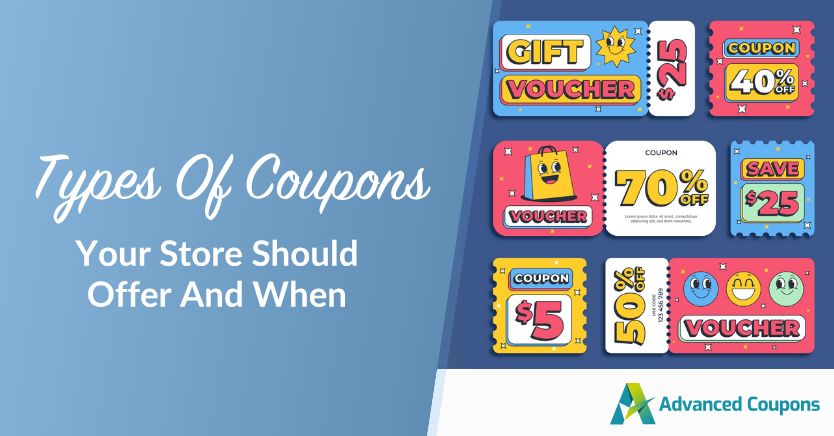
There are dozens of coupon types available to ecommerce stores, including percentage discounts, dollar-off coupons, BOGO deals, free shipping offers, loyalty rewards, and store credits. Each one supports a different marketing goal.
You’ve probably already used a few basic coupon campaigns in your WooCommerce store. But the real challenge is choosing the right coupon type for the right moment, instead of relying on the same discount over and over.
In this guide, we’ll walk through 39 types of coupons you can use in WooCommerce, grouped by category to make them easier to understand and apply. Along the way, we’ll also highlight practical setup ideas using Advanced Coupons.
The Benefits Of Offering Different Types Of Coupons For Your Store
There are many reasons why you should consider offering coupons to your shoppers. Here are just some of the biggest benefits they can offer to your store:
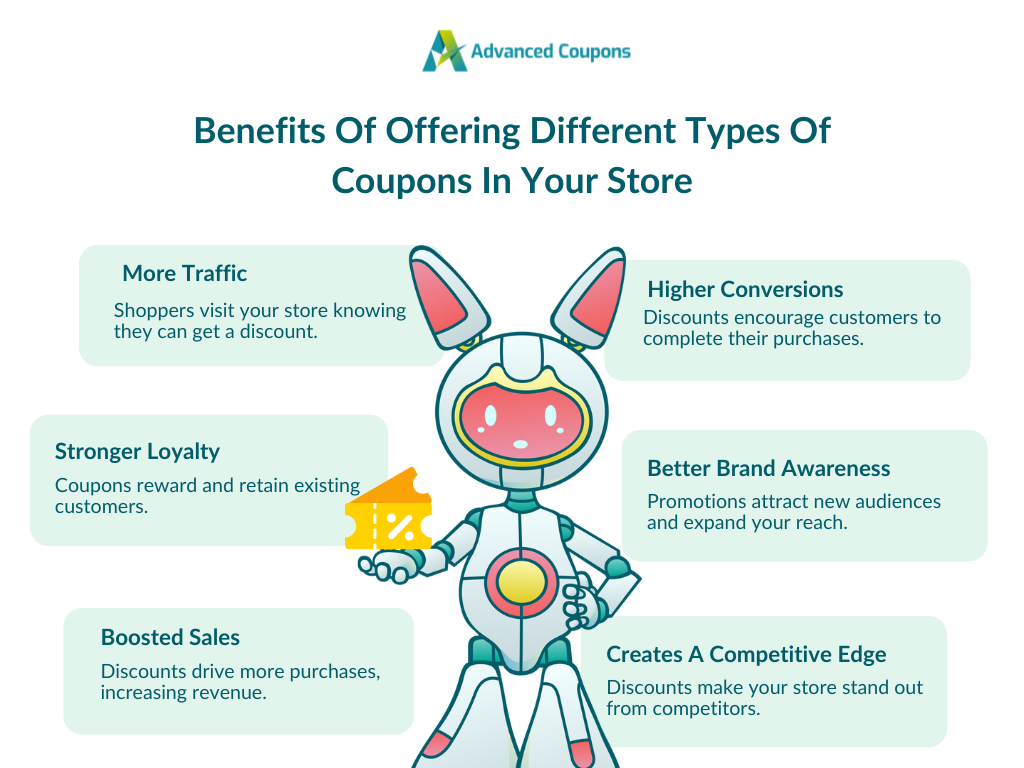
- Increased traffic: Offering coupons can help increase traffic to your store as people are more likely to visit your site if they know they can get a discount.
- Higher conversion rates: Coupons can also lead to higher conversion rates as they provide an incentive for people to buy from your store.
- Improved customer loyalty: By offering coupons, you can improve customer loyalty. They can be an effective way to show your appreciation to your existing customers.
- Greater brand awareness: Offering coupons can also help boost brand awareness. It can help you reach new markets and generate new leads.
- Creates a competitive edge: Discounts make your store more attractive than competitors.
- Increased sales: Ultimately, offering coupons can lead to increased sales as people are more likely to buy from your store if they have a coupon.
These are just a few of the advantages. Some of the more specific benefits will vary depending on the types of coupons you decide to offer.
Percentage-Based Coupons
Percentage discounts are the most recognized coupon type in ecommerce. They’re easy for customers to understand and flexible enough for nearly any promotion.
1. Sitewide percentage discount
A flat percentage off everything in your store. This is the go-to for major sales events like Black Friday or store anniversaries. It’s simple and drives urgency when paired with a deadline.
Set this up: In WooCommerce, create a new coupon and select “Percentage Discount” as the type. With Advanced Coupons, you can add cart conditions and scheduling to control exactly when the coupon activates.
2. Category-specific percentage discount
Applies a percentage off to products within a specific category only. This works well when you want to move inventory in one area of your store without discounting everything.
Set this up: Create a percentage discount coupon, then go to the “Usage Restriction” tab and specify allowed product categories. Advanced Coupons lets you combine this with cart conditions for more precise targeting.
3. Product-specific percentage discount
A percentage off a single product or a curated set of products. This is ideal for promoting new arrivals or spotlighting underperforming items.
Set this up: Under “Usage Restriction,” add specific products to the allowed list. You can also exclude sale items to prevent stacking.
4. Tiered percentage discount
The discount percentage increases as the customer spends more. For example, 10% off orders over $50, 15% off over $100, and 20% off over $150. This is one of the most effective types of discount coupons for increasing average order value.
Set this up: Advanced Coupons lets you create multiple coupons with different cart conditions based on subtotal thresholds. Pair this with the auto-apply feature so customers automatically get the best tier.
5. First-order percentage discount
A percentage off exclusively for new customers placing their first order. This is a proven acquisition tool, especially when promoted through email popups or landing pages.
Set this up: Create a percentage coupon and set the usage limit to one per user. With Advanced Coupons, add a cart condition that checks if the customer has zero previous orders.
Dollar-Off Coupons
Dollar-off (fixed amount) discounts can feel more tangible to shoppers, especially on higher-priced items. In many cases, they make the savings easier to understand at a glance than a percentage discount.
6. Fixed cart discount
A flat dollar amount off the entire cart. This is straightforward and works well for general promotions where you want to keep the math simple for shoppers.
Set this up: Create a coupon and select “Fixed Cart Discount” as the type. Set the dollar amount. With Advanced Coupons, you can add a minimum spend condition to protect your margins.
7. Fixed product discount
A set dollar amount off a specific product. This is useful for promoting a single item in your catalog without affecting prices across your store.
Set this up: Select “Fixed Product Discount” as the coupon type, then specify the target product under “Usage Restriction.”
8. Minimum spend dollar-off discount
Customers must spend a minimum amount to unlock the discount. “$15 off orders over $75” is the classic format. This pushes customers to add more to their cart.
Set this up: Create a fixed cart discount and set the minimum spend under “Usage Restriction.” Advanced Coupons also lets you display a notice to customers showing how close they are to qualifying.
9. Maximum spend cap discount
The opposite of minimum spend: the coupon only works on orders below a certain total. This is useful for targeting budget-conscious shoppers or encouraging frequent small purchases.
Set this up: Set a maximum spend value in the “Usage Restriction” tab alongside your fixed discount.
BOGO And Multi-Buy Deals
Buy-one-get-one deals are among the most powerful types of coupons for moving inventory. They increase average order value and make customers feel like they’re getting exceptional value.
10. Buy one, get one free (BOGO)
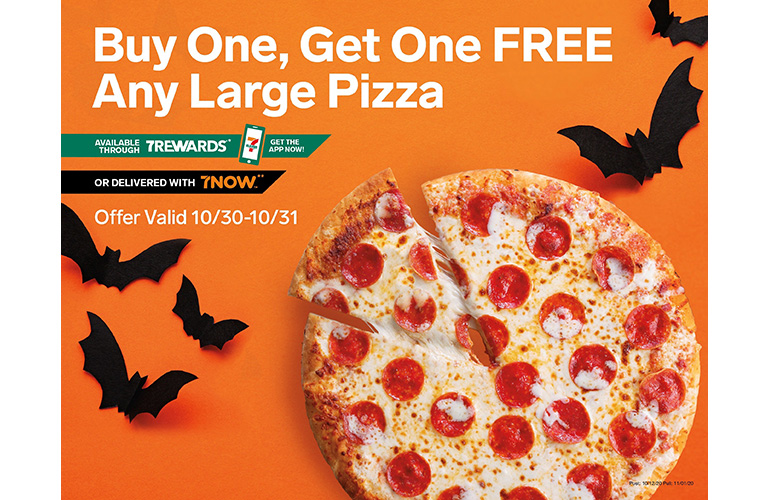
The classic: buy one item, get a second one free. This is ideal for products with healthy margins where you want to increase units sold.
Set this up: Advanced Coupons has a dedicated BOGO interface where you specify the trigger product and the free product. You can set it to the same product or a different one.
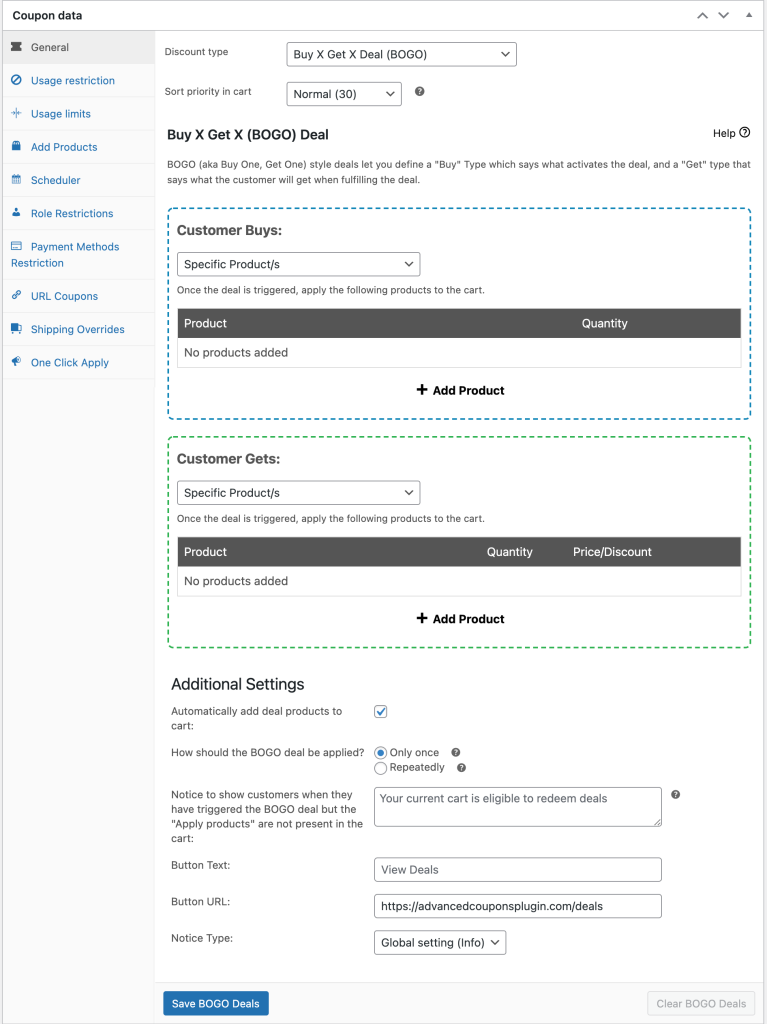
11. Buy one, get one at a percentage off
Instead of free, the second item comes at a discount (e.g., buy one, get one 50% off). This protects margins better than full BOGO while still feeling like a strong deal.
Set this up: In the Advanced Coupons BOGO section, set the “get” product discount type to a percentage and specify the amount.
12. Buy X, get Y free
A variation where the customer buys a specific quantity to unlock a free item. For example, buy 2, get 1 free. This drives higher unit volumes per transaction.
Set this up: Advanced Coupons lets you configure the trigger quantity and the reward product separately. Set the trigger to the required quantity and the reward to 100% off.
13. Buy X from category, get Y from different category
Customers buy from one category and receive a discount on an item from another. This is great for cross-selling. A clothing store might offer “Buy any jacket, get 50% off a scarf.”
Set this up: In the BOGO configuration, set the trigger to a product category and the reward to a different category. Advanced Coupons handles category-level BOGO natively.
14. Multi-buy quantity discount
Price breaks based on quantity purchased. Buy 3 for 10% off, buy 5 for 20% off. This encourages bulk buying and works well for consumable or commodity products.
Set this up: Create multiple coupons with cart conditions based on product quantity. Advanced Coupons’ cart conditions let you check the quantity of specific products or categories in the cart.
Shipping Coupons
Shipping costs are a common source of checkout friction. These coupon types help reduce that friction and can make it easier for shoppers to complete their purchases.
15. Free shipping coupon
Removes all shipping charges from the order. This is consistently one of the most popular types of coupons among online shoppers and often converts better than an equivalent dollar-off discount.
Set this up: Create a coupon and check the “Allow free shipping” box. Make sure you have a “Free Shipping” shipping zone configured in WooCommerce that requires a valid coupon.
16. Free shipping above a threshold
Shipping becomes free once the cart reaches a certain value. This is one of the most effective coupon strategies because it simultaneously removes a purchase barrier and increases average order value.
Set this up: Enable free shipping on the coupon and use Advanced Coupons’ cart conditions to require a minimum subtotal before the coupon activates.
17. Flat-rate shipping override
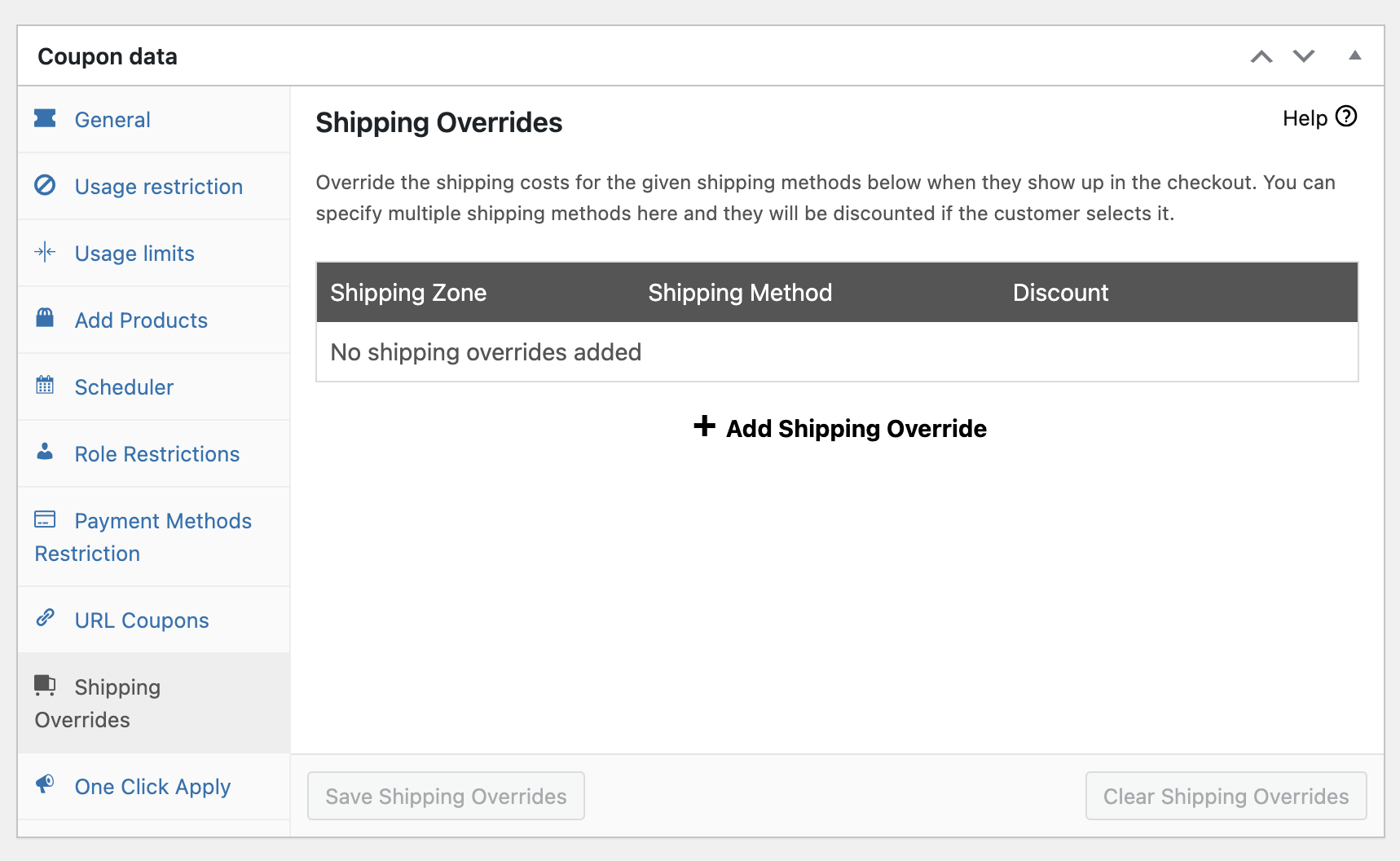
Replaces the standard shipping cost with a flat rate (e.g., “$5 flat shipping”). This works when free shipping isn’t sustainable but you still want to reduce the friction of variable shipping costs.
Set this up: Create a coupon that offers a fixed cart discount equal to the difference between your average shipping cost and the target flat rate. Advanced Coupons’ cart conditions can control when this triggers.
18. Shipping discount for specific regions
Offers reduced or free shipping to customers in certain zones. This is useful for promoting sales in regions where you have warehouse proximity or favorable carrier rates.
Set this up: Use Advanced Coupons’ shipping zone cart conditions to restrict the coupon to specific shipping regions.
Loyalty And Rewards Coupons
Rewarding repeat customers costs less than acquiring new ones. These different types of coupons for ecommerce help you retain your best buyers.
19. Loyalty points redemption coupon
Customers earn points on purchases and redeem them for discounts. This creates an ongoing engagement loop that keeps buyers coming back.
Set this up: Advanced Coupons includes a loyalty program feature where you define how many points customers earn per dollar spent and how many points translate to a discount. Points are automatically tracked and redeemable at checkout.
20. VIP/membership discount
Exclusive discounts for members of a loyalty tier or paid membership. This makes membership feel valuable and encourages customers to maintain their status.
Set this up: Use Advanced Coupons’ cart conditions to restrict the coupon to users with a specific WordPress role (e.g., “VIP Member” or “Gold Tier”). This integrates with membership plugins that assign roles.
21. Birthday/anniversary coupon
A personalized discount sent to customers on their birthday or account anniversary. These have high open rates and strong conversion because they feel personal.
Set this up: Create a unique coupon and set it to one-time use per customer. Send it via your email marketing tool triggered by the customer’s birthday or signup anniversary date.
22. Re-engagement coupon
A discount targeting customers who haven’t purchased in a set period (30, 60, or 90 days). This is your win-back tool for lapsed buyers.
Set this up: Create a coupon with a usage limit of one per customer. Use your email platform to identify inactive customers and send them the code. Advanced Coupons’ scheduling feature lets you set an expiration date to create urgency.
23. Referral coupon
Gives a discount to both the referrer and the new customer they bring in. Referral coupons turn your existing customers into an acquisition channel.
Set this up: Create two coupons: one for the referrer (applied to their next order) and one for the referred customer (applied to their first order). Use Advanced Coupons’ one-time usage limits and new-customer cart conditions to prevent abuse.
Store Credit And Gift Card Coupons
Store credits and gift cards keep money in your ecosystem. Every dollar issued as credit is a dollar that comes back to your store.
24. Store credit coupon
A fixed credit balance added to a customer’s account. Unlike a traditional coupon, store credits sit in the customer’s account and can be used across multiple purchases.
Set this up: Advanced Coupons includes a built-in store credit system. You can issue credits manually, via admin, or as automatic refund alternatives. Customers see their balance at checkout.
25. Gift card
A purchasable product that gives the recipient a store credit balance. Gift cards are both a revenue driver and a customer acquisition tool since the recipient may be a new customer.
Set this up: The Advanced Gift Cards for WooCommerce add-on lets you create gift card products with fixed or custom amounts, scheduled delivery, and personalized messages.
26. Cashback coupon
After purchase, the customer receives store credit worth a percentage of their order. This incentivizes a return visit and a second purchase.
Set this up: With Advanced Coupons’ store credit feature, you can manually issue credits after order completion. For automation, pair it with an email workflow that notifies customers when their cashback credit is available.
27. Refund-to-store-credit coupon
Instead of a cash refund, the customer receives store credit. This retains the revenue within your store. Many customers accept this willingly when the credit amount is slightly higher than the refund would be.
Set this up: Advanced Coupons lets you issue store credits directly from the order admin page as an alternative to a traditional refund.
Conditional And Cart-Based Coupons
These coupon types activate only when specific conditions are met. They’re the backbone of a smart coupon strategy because they let you control exactly who gets the discount and when.
28. Cart subtotal condition coupon
The coupon only applies when the cart subtotal meets a threshold. This is the most common condition and the foundation for “spend more, save more” campaigns.
Set this up: Use Advanced Coupons’ cart conditions to set a minimum or maximum cart subtotal. You can combine this with any discount type.
29. Product quantity condition coupon
The discount triggers based on how many items are in the cart. “Add 3 or more items, get 10% off” encourages larger baskets without requiring high spend.
Set this up: Add a cart condition in Advanced Coupons that checks total cart quantity or quantity of a specific product.
30. Customer role condition coupon
Restricts the coupon to users with a specific WordPress role. This is how you run wholesale-only deals, VIP-exclusive sales, or staff discounts without exposing them publicly.
Set this up: Advanced Coupons’ cart conditions include a “Customer Logged-In Status” and “User Role” check. Select the roles that should qualify.
31. Customer order history condition coupon
The coupon activates based on the customer’s past purchase behavior. “Customers who’ve spent over $500 lifetime get 15% off” rewards your best buyers automatically.
Set this up: Use Advanced Coupons’ cart conditions to check a customer’s total order count or total spend amount. Combine this with auto-apply for a hands-off loyalty experience.
32. Time-based/scheduled coupon
The coupon is only valid during a specific date range or time window. Flash sales, holiday promotions, and happy hour deals all use time-based restrictions.
Set this up: Advanced Coupons includes a scheduler where you set the start date, end date, and even specific days of the week or times of day when the coupon is active.
33. Payment method condition coupon
Offers a discount when the customer pays with a preferred payment method. This is useful for encouraging bank transfers (lower fees) or promoting a new payment option.
Set this up: Advanced Coupons’ cart conditions can check the selected payment method and only activate the coupon when it matches.
URL And Auto-Apply Coupons
These coupon types remove friction by applying discounts automatically. The customer never needs to remember or type a code.
34. URL coupon (one-click apply)
The coupon code is embedded in a URL. When a customer clicks the link, the coupon is automatically applied to their cart. This is perfect for email campaigns, social media promotions, and ad landing pages.
Set this up: Advanced Coupons generates a unique URL for every coupon you create. Copy the URL from the coupon edit screen and use it in your marketing campaigns.
35. Auto-apply coupon
The coupon applies automatically when cart conditions are met, without any customer action. “Your 10% off just kicked in!” feels like a pleasant surprise and converts better than asking customers to hunt for codes.
Set this up: In the Advanced Coupons coupon editor, enable the “Auto Apply” toggle. Set your cart conditions, and the coupon will apply itself whenever a cart qualifies.
36. One-click apply notification coupon
Similar to auto-apply, but instead of applying silently, it shows a notification asking the customer if they’d like to apply the available coupon. This gives the customer a sense of choice while still removing the friction of code entry.
Set this up: Advanced Coupons supports one-click apply notifications that appear when cart conditions are met. Enable this in the coupon’s settings to show a clickable notice at checkout or cart.
Seasonal And Event-Based Coupons
Tying coupons to specific events or seasons creates natural urgency and gives customers a reason to buy now.
37. Holiday/seasonal coupon
Discounts tied to holidays (Black Friday, Valentine’s Day, Back to School). These are the bread and butter of ecommerce promotions because the calendar creates built-in urgency.
Set this up: Create your coupon with the appropriate discount type and use Advanced Coupons’ scheduler to restrict it to the holiday window. Combine with auto-apply so returning visitors automatically see the deal.
38. Flash sale coupon
A steep discount available for a very short window (2-24 hours). Flash sales create intense urgency and work best when promoted through push notifications or email blasts.
Set this up: Use Advanced Coupons’ scheduler to set a tight start and end time. Pair with cart conditions and auto-apply to remove all friction during the limited window.
39. Abandoned cart recovery coupon
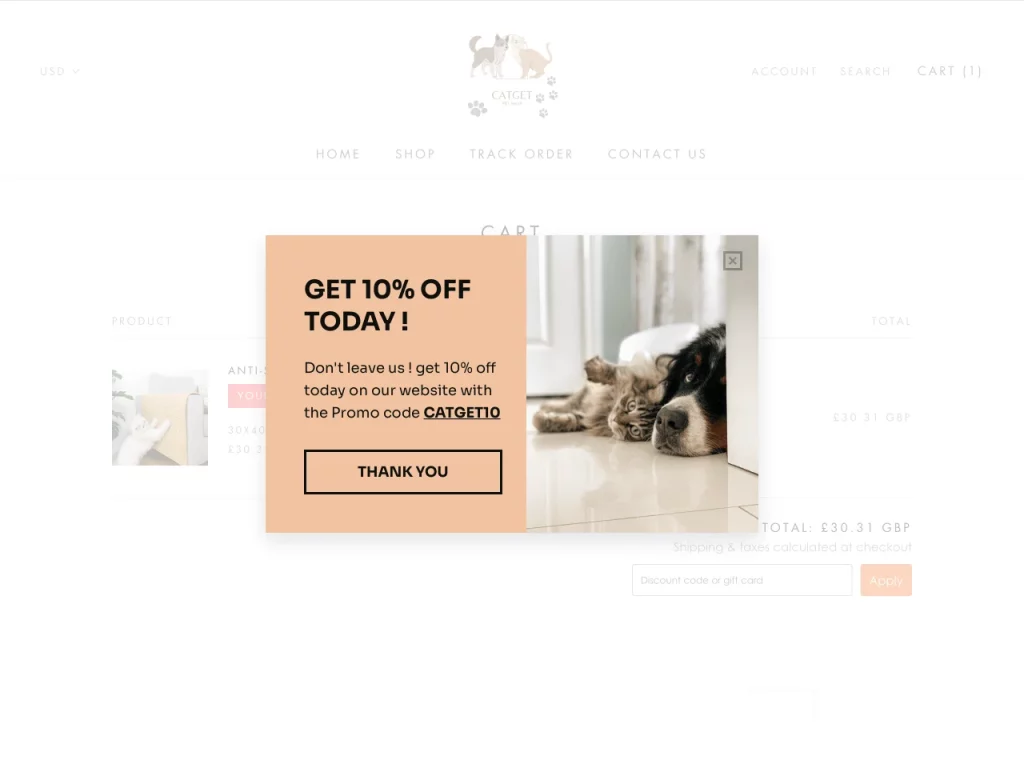
Sent to customers who added items to their cart but left without purchasing. This can be an effective coupon type because it targets shoppers who already showed buying intent.
Set this up: Create a coupon with a one-time usage limit and short expiration (24-72 hours). Connect it to your email automation platform to trigger when a cart is abandoned. Start with a small discount (5-10%) and only increase it if the customer doesn’t respond to the first email.
How To Choose The Right Coupon Type
With 39 different types of coupons available, choosing the right one often matters more than the discount itself. A better strategy is to match the coupon type to the goal of the campaign.
If your goal is to acquire new customers, start with first-order discounts, referral coupons, or URL coupons linked from ads and promotions.
If your goal is to increase average order value, use tiered discounts, minimum-spend offers, or free shipping thresholds that encourage shoppers to add more to their carts.
If your goal is to retain existing customers, loyalty rewards, birthday coupons, and re-engagement offers can help keep your store top of mind.
If your goal is to clear inventory, BOGO deals, flash sales, and other urgency-based offers can help move products faster.
In many cases, the strongest coupon strategy combines several of these approaches across the customer lifecycle. You can use acquisition-focused coupons to bring shoppers in, cart-based conditions to increase order size, and loyalty-style rewards to keep them coming back.
Frequently Asked Questions
What are the most popular types of coupons?
Some of the most commonly used coupon types include percentage discounts, dollar-off offers, free shipping coupons, and BOGO deals. The best option depends on the goal of the campaign and the kind of shoppers you want to reach.
How many coupon types does WooCommerce support?
WooCommerce includes three basic coupon types by default: percentage discounts, fixed cart discounts, and fixed product discounts. If you want to create more advanced coupon campaigns, tools like Advanced Coupons expand what you can do with conditions, scheduling, BOGO deals, loyalty features, and more.
What is a good starting coupon strategy for a new WooCommerce store?
A practical starting point is to combine a first-order discount, a free shipping threshold, and an abandoned cart recovery offer. Together, these can help with acquisition, order value growth, and recovery without overcomplicating your setup.
Should I use auto-apply coupons or require a code?
That depends on the campaign. Auto-apply coupons can reduce friction and work well for cart-based promotions. Manual codes are more useful when you want exclusivity, campaign tracking, or audience-specific offers such as influencer or partner discounts.
Build Your Coupon Strategy In WooCommerce
Every WooCommerce store can benefit from more than one type of coupon. The key is not using every coupon at once, but choosing the ones that match your goals, your audience, and the stage of the customer journey you want to influence.
Here’s a practical place to start:
- Set up percentage and dollar-off discounts as your baseline promotions
- Use BOGO deals and flash sales when you want to move inventory quickly
- Configure free shipping thresholds to encourage higher order values
- Add loyalty rewards or re-engagement coupons to bring customers back
- Use auto-apply, referral, and URL coupons to reduce friction in key campaigns
If you’re ready to go beyond basic WooCommerce coupon settings and build more flexible campaigns, explore Advanced Coupons’ full feature set and pricing to get started.


