
Black Friday offers a prime opportunity to boost traffic, attract customers, and increase profits. Yet, with intense competition in the market around this season, it’s important to come up with some creative Black Friday coupon code ideas that will truly help your business shine.
If you’re a store owner preparing for Black Friday, you should consider brainstorming some unique coupon code concepts that not only capture your customers’ attention but also make it easier to turn them into buyers. Lucky for you, we’ve got you covered!
In this article, we’ll share some of our top coupon code suggestions and guide you on how to set them up so this Black Friday is one to remember. Let’s get started!
What And When Is Black Friday?
In the world of e-commerce, Black Friday stands out as one of the most hectic and exciting days of the year. This is when stores go all out with discounts, sales, and promotions.
Recently, Black Friday has witnessed a surge in online shopping popularity. Many e-commerce websites kick off their deals and discounts right at midnight, if not earlier. It’s a significant day for both retailers and shoppers, offering a prime opportunity to snag great deals on a wide array of products, whether you prefer to shop online or in physical stores.
The exact date of Black Friday varies each year since it’s closely tied to Thanksgiving, which falls on the fourth Thursday of November in the United States. Black Friday always follows Thanksgiving, which means it can fall on any date between November 23 and November 29, depending on the year.
This year, Black Friday 2026 is on Friday, November 27, right after Thanksgiving on Thursday, November 26. Cyber Monday follows on Monday, November 30.
Why Should You Run A Black Friday Offer?
If you’re a business owner eager to give your business a boost before the year ends, Black Friday sales and promotions are your golden ticket.
Not only is Black Friday one of the most bustling shopping days of the year, making it easier to draw in more customers and see a substantial uptick in sales, but it also lets you show your appreciation to your loyal customers and keep them coming back for more.

Here are more reasons why you might consider running a Black Friday Sale:
- Got some excess or slow-moving inventory? Black Friday is the perfect time to move it out the door.
- Black Friday deals generate excitement and talk about your brand and products.
- Hosting a Black Friday sale can boost your brand’s visibility and make your mark in the market.
- Black Friday promotions open the door for meaningful interactions with your valued customers.
More importantly, Black Friday serves as the kickoff for the holiday shopping season. When you get in on the action during this season, you can generate momentum that extends to other big shopping days, such as Cyber Monday and the entire holiday frenzy.

5 Black Friday Coupon Code Ideas For WooCommerce
Then again, Black Friday is a bustling period for numerous retail store owners. Since it’s a time when shoppers are actively seeking fantastic deals, standing out without some creative coupons or discounts can be quite a challenge.
Before we get into the nitty-gritty of setting up and choosing names, here are 4 key factors to consider when naming your coupon codes:
- Keep it simple. Try to keep the coupon code short and easy to understand.
- Make sure it’s relevant. The code should relate to your brand and the promotion you’re offering.
- Add some creativity: Attract more customers by injecting a bit of humor and wit into your code.
- Create a sense of exclusivity: Make customers feel like they need to act quickly by giving your code a sense of urgency or playing on the fear of missing out.
Now that we’ve got all that checked out, let’s look at the various types of coupons you can use and explore some ideas for coupon code names.
💡 PRO TIP: Give related codes a shared prefix, like “BF26-“. It keeps your codes easy to read, and in Advanced Coupons Premium, the Coupons Applied In Cart condition can match coupon codes by pattern (STARTS WITH, ENDS WITH, or CONTAINS). One rule can then recognize your whole Black Friday code family, including codes you add later.
1. Buy One, Get One (BOGO) deals
BOGO discounts are incredibly effective for motivating customers to make more purchases, clearing out inventory, and delivering added value to customers.
However, there are various types of BOGO offers beyond the traditional Buy One, Get One deal. For example, you can offer a 50% BOGO, which means customers can Buy One item and get the second one at 50% off.
Because of this, it’s essential to keep your BOGO coupon code name crystal clear. When brainstorming a name for your coupon code, I recommend opting for the most straightforward and easy-to-understand format. Here are some examples of BOGO coupon codes following this approach:
- BOGOBF
- BFBOGO50
- BOGOBF2026
- B2G1HALF
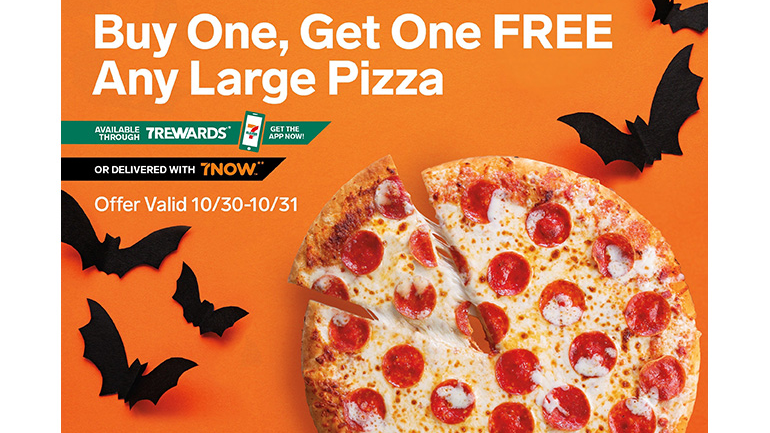
On another note, you’ve probably noticed that BOGO promotions can be a bit more intricate compared to your typical “50% Off” discounts. Because of this, setting up BOGO coupons on your e-commerce store can become quite a challenge without the right tools.
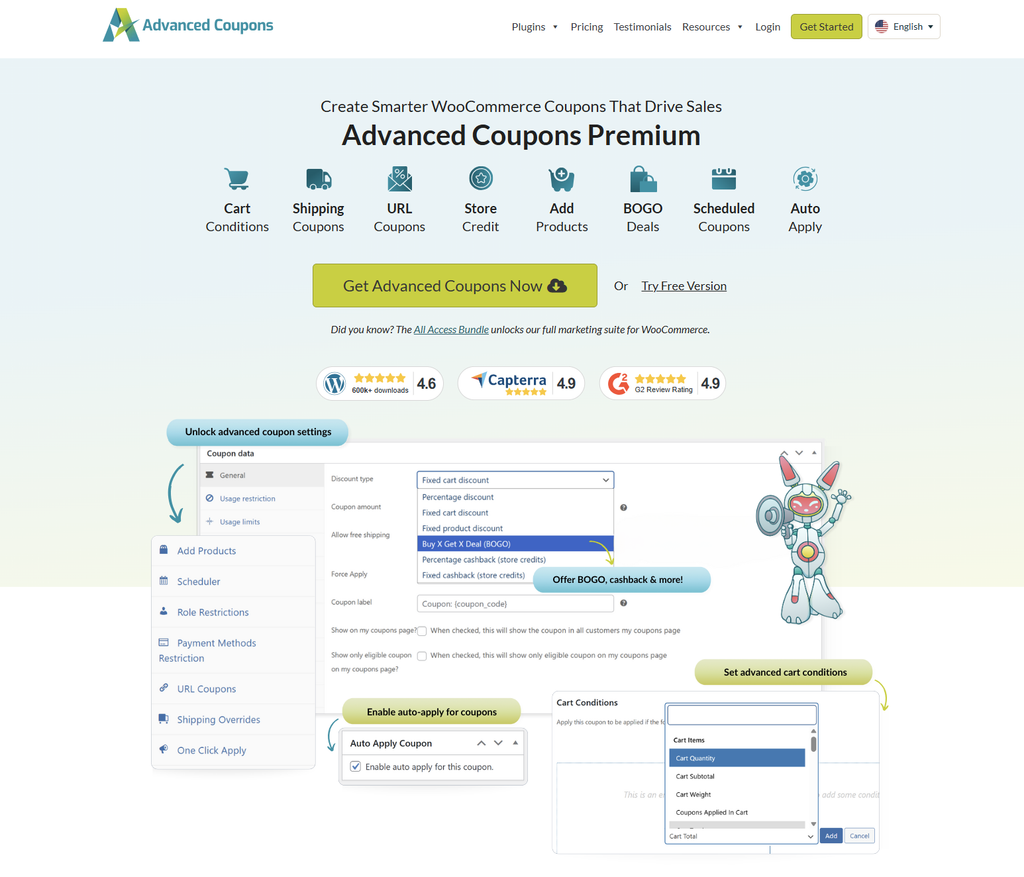
In this case, I recommend using Advanced Coupons. This plugin takes your standard WooCommerce features to the next level, enabling you to create advanced discount offers like BOGO and more.
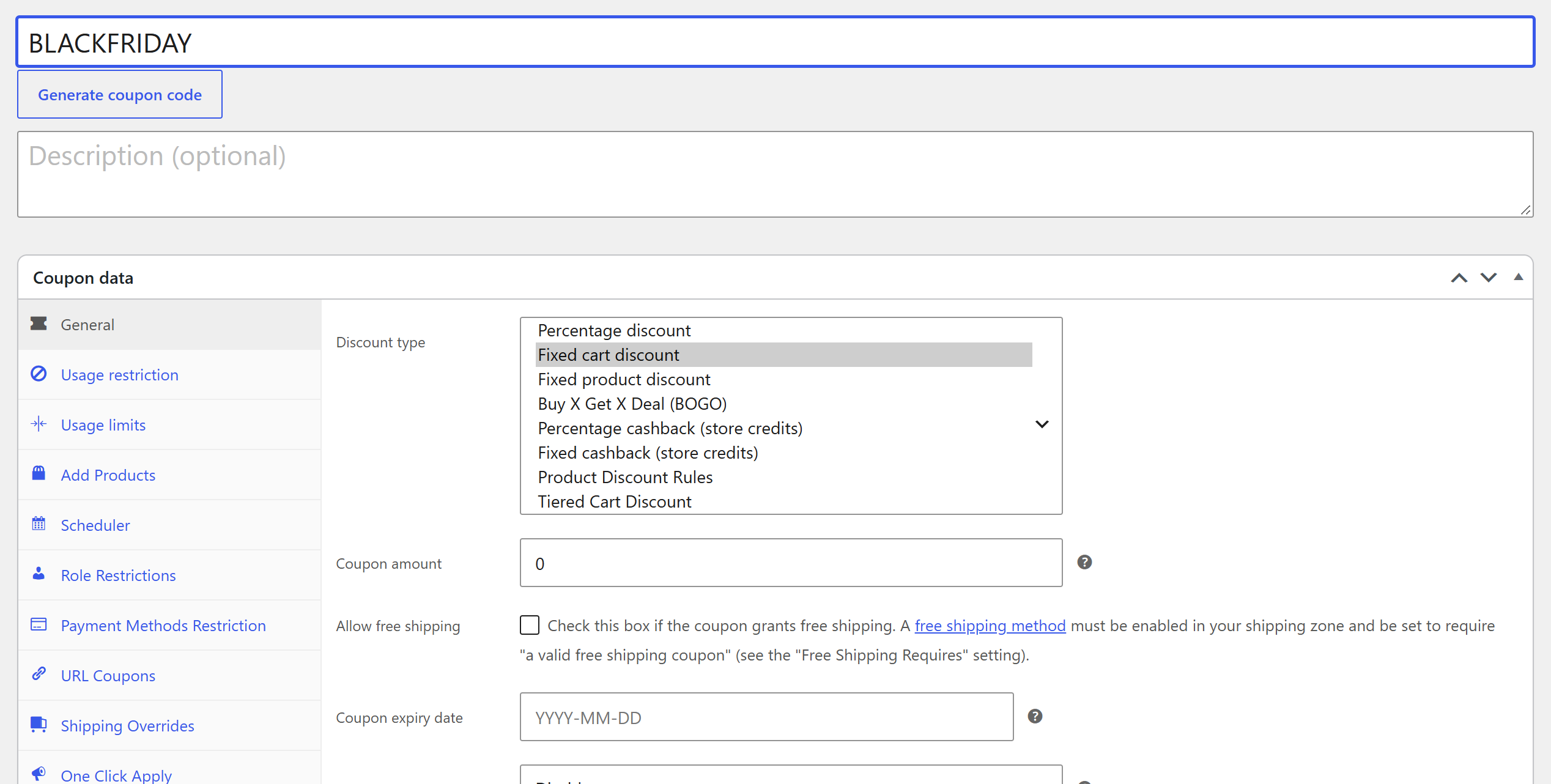
All you need to do is install the plugin and access your WordPress dashboard. Then, navigate to Marketing > Coupons > Add coupon, choose Create Coupon Manually, and select “Buy X Get X Deal (BOGO)” as the discount type:
Here, you will see 2 main sections:
- “Customer Buys” – In this section, you define which products a customer needs to add to their cart to qualify for the “Get” portion of the BOGO deal.
- “Customer Gets” – After the customer has met the requirements in the “Buy” section, this is where you specify the discounts or deals they’ll receive on particular products in their cart.
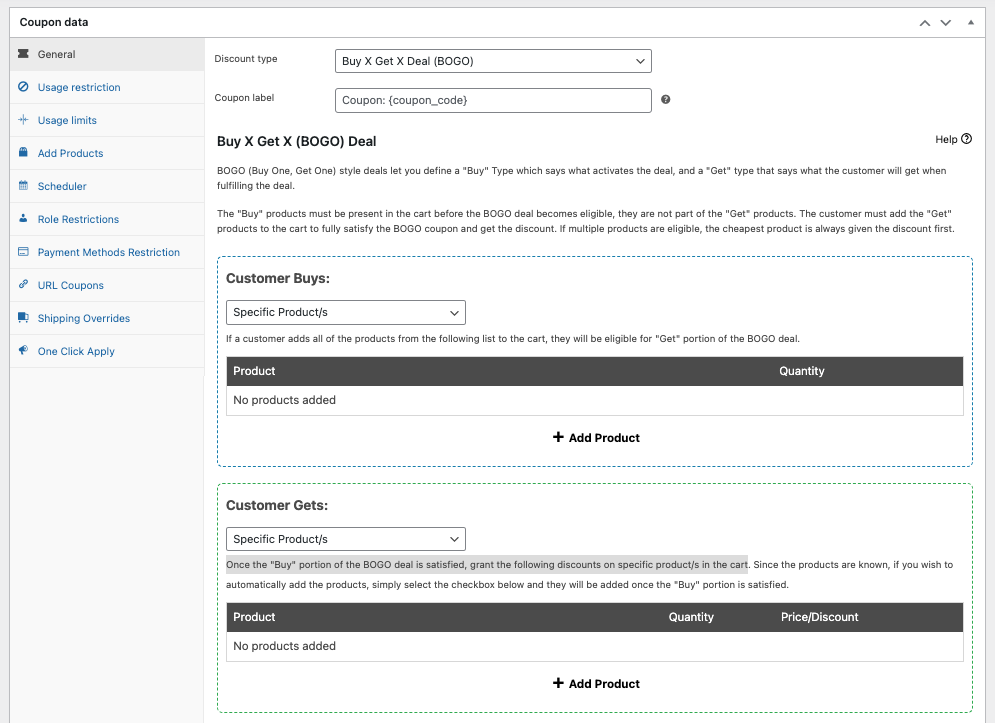
Once you’ve configured these settings to your liking, simply click the “Publish” button.
💡 PRO TIP: For a classic “buy one, get one free,” pick Same Products in the Customer Gets dropdown, so the free item is the one the shopper already chose. Running a brand-wide deal? Advanced Coupons Premium also supports BOGO deals by brand. Code idea: BFBRANDBOGO.
2. Early bird offers
It’s not surprising that Early Bird Offers can be highly effective in generating early sales profits.
They not only expand your exposure and reach, thanks to the longer sale duration but also make customers feel like they’re receiving an exclusive deal.
If you’re considering creating your own pre-sale promotion, here are some catchy early bird coupon code name ideas to get your creativity flowing:
- SNEAKPEEKBF
- EARLYBF50
- BEATTHECROWD
- BFEARLYACCESS
- EARLYBF2026
- FIRSTDIBS50OFF
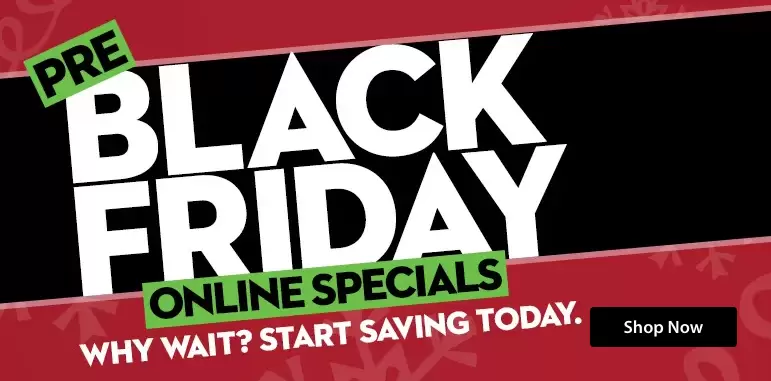
So, how can you set this up? This year, Black Friday is on Friday, November 27. You can consider launching an Early Bird offer around the second week of November. Or you can even start as early as November 1 if you’re feeling ambitious!
Say you’re planning a 60% Black Friday Sale on November 27: you can add some excitement and urgency by offering a 50% Pre-Sale or Early Bird Discount from Friday, November 20 to Thursday, November 26. This approach not only motivates customers but also boosts sales in the lead-up to Black Friday.
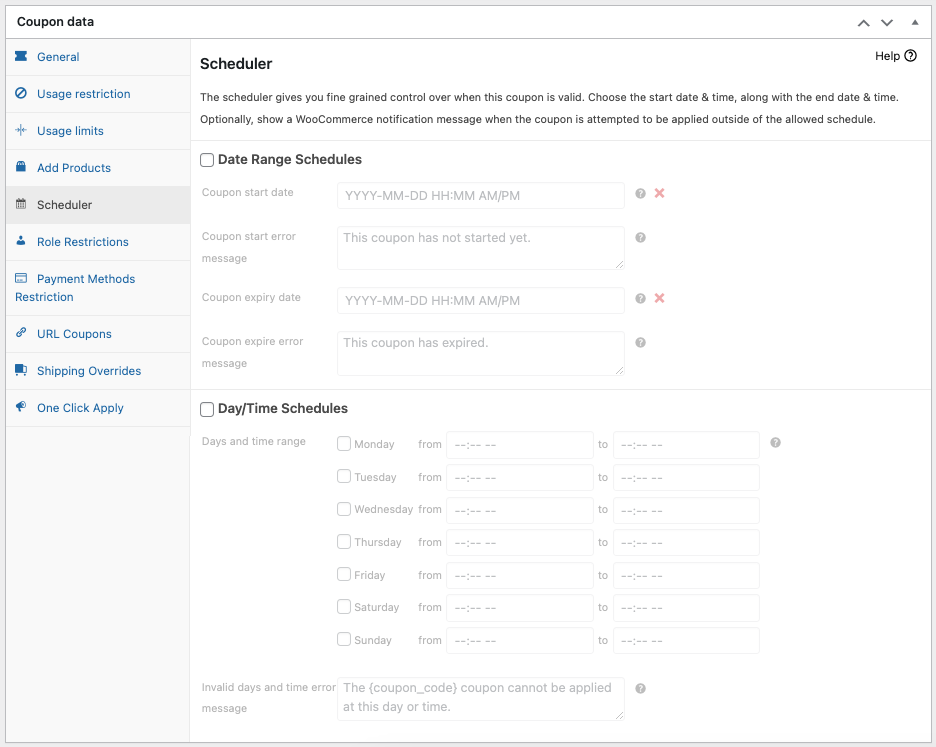
💡 PRO TIP: To streamline your sales and skip the manual monitoring, use a sale scheduler tool. It lets you set your sale coupon schedules in advance, so your early bird and main sale codes start and stop on time. You can also start from the ready-made Black Friday coupon templates, including first-hour deals, and adjust them to fit your store.
3. Shipping deals
Nothing beats classic, right?
When creating sales offers, it’s important to strike a balance between making them engaging and easy for your customers to understand. Simplicity can be incredibly effective. So, one excellent way to do this is by offering free shipping to your customers.
Some free shipping coupon code ideas to consider:
- BFSHIP4FREE
- SHIP2MEBF
- BFFREIGHTFREE
- SHIPPINGJOYBF
- BLACKFRISHIP
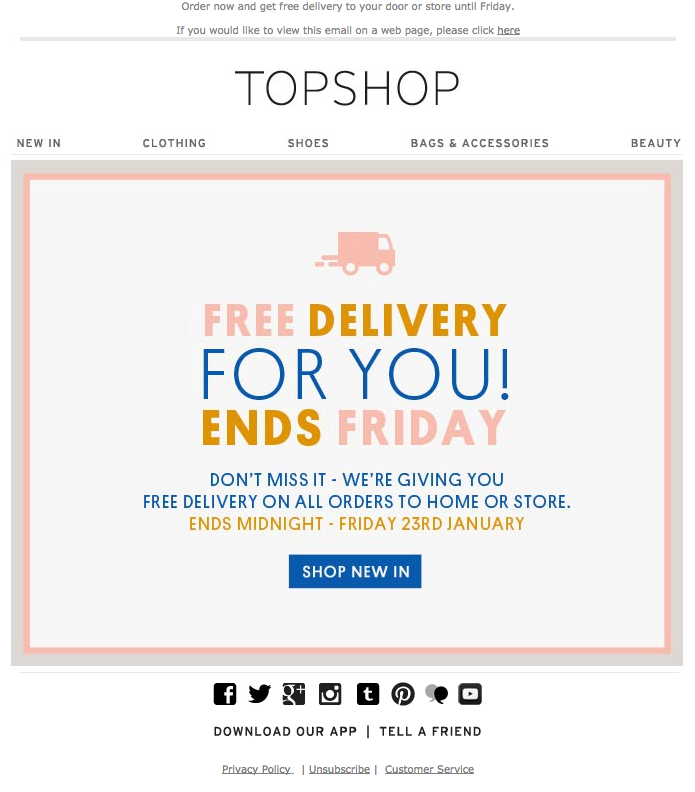
Then, again, a plain free shipping offer may not cut it. In this case, you can explore different criteria for applying free shipping to the cart. This adds a new layer of appeal to a classic tactic. Here are some examples:
- FREESHIPPING50KG – cart weight condition
- BFTECHFREESHIP – for specific categories
- WELCOME2SHIP – for new customers
If this sounds interesting, Advanced Coupons provides a wide range of cart condition options you can set to make your discount more interesting:
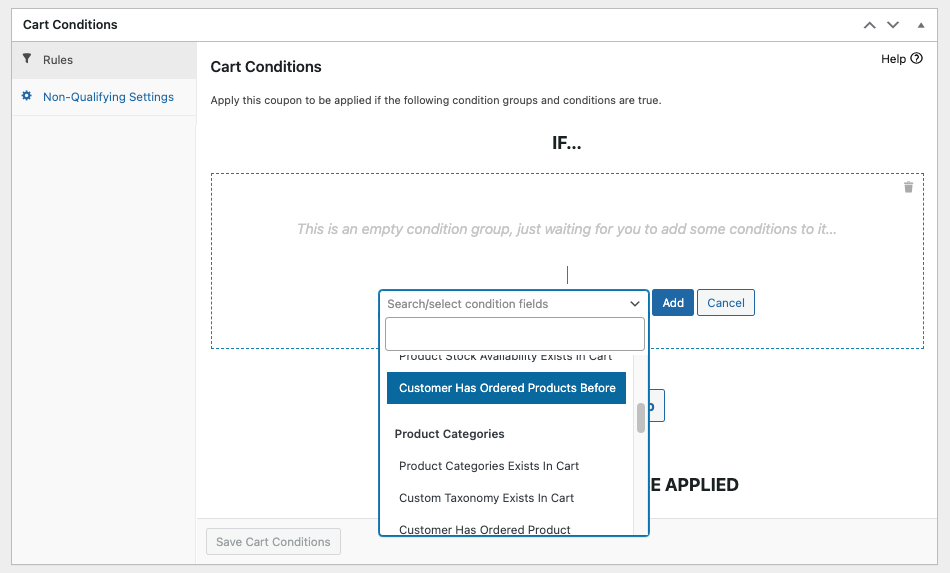
Note that you can also layer these conditions on top of each other to create a more dynamic coupon rule. This makes your discount redemption process more interesting and tailored to specific customer needs.
4. Bundle discounts
First things first: bundle discounts ARE NOT BOGO offers. While it may seem like it, they vary in terms of how they set up discounts and the criteria customers must meet to qualify.
To illustrate, take a look at this example:
Bundle Discounts:
- Involve buying a particular combination of items or a set of products together as a package.
- The pricing is fixed, and customers pay a set price for the entire bundle. This is usually lower than the total cost of the individual products combined.
- For example, you might see an offer like “purchase a phone and a case together for $650.”

BOGO (Buy One, Get One) Deals:
- BOGO deals offer a free or discounted item when the customer buys a specific item at its full price.
- These deals require the purchase of one item to qualify. This is for getting another item for free or at a reduced price.
- An example of this would be “buy one cologne and receive the second one for free.”
In simpler terms, bundle discounts mean selling multiple items together at a lower, fixed price.
If you’re thinking about running a Black Friday promotion, here are some imaginative coupon code suggestions for you to consider:
- [PRODUCT]+BLACKFRIFUN
- FRIDAY[PRODUCT]BUNDLE
- FRIDAYFEREVER+[PRODUCT]
- BFSAVE+[PRODUCT]
5. Cashback rewards
Have you ever come across the idea of shopping and actually getting cash in return? That’s precisely how cashback works.
Cashback rewards are a kind of incentive where customers receive a portion of the money they spend on their purchases as a reward. If this is something you’re considering offering, here are some catchy coupon name ideas to make your deals stand out:
- FRIDAYFLAREBACK
- SAVEBIGBF50
- BACK2U100
- BFGIFT100
- REWARDMEBF15
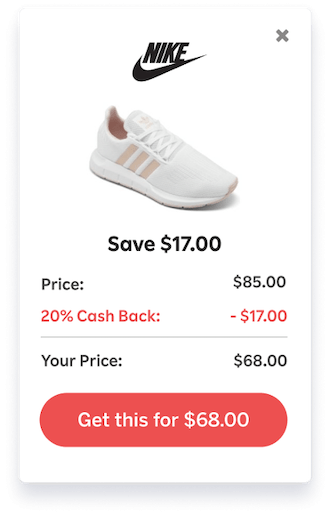
Cashback rewards can be highly effective for Black Friday, and here’s why:
- They motivate customers to shop more in order to earn greater rewards.
- Cashback rewards add extra value to the overall savings, making the shopping more appealing.
- They provide a competitive edge, giving customers a reason to choose your store this Black Friday.
- Some cashbacks may not be instantly redeemable. This extends the shopping period and encourages return visits, boosting sales even after Black Friday itself.
Keep in mind, however, that when it comes to setting up this type of reward system, the default WooCommerce settings may fall short.
Thankfully, Advanced Coupons can handle it easily. All you have to do is go to Marketing > Coupons and click “Add coupon.” Then, select “Percentage cashback (store credits)” or “Fixed cashback (store credits)” as the discount type:
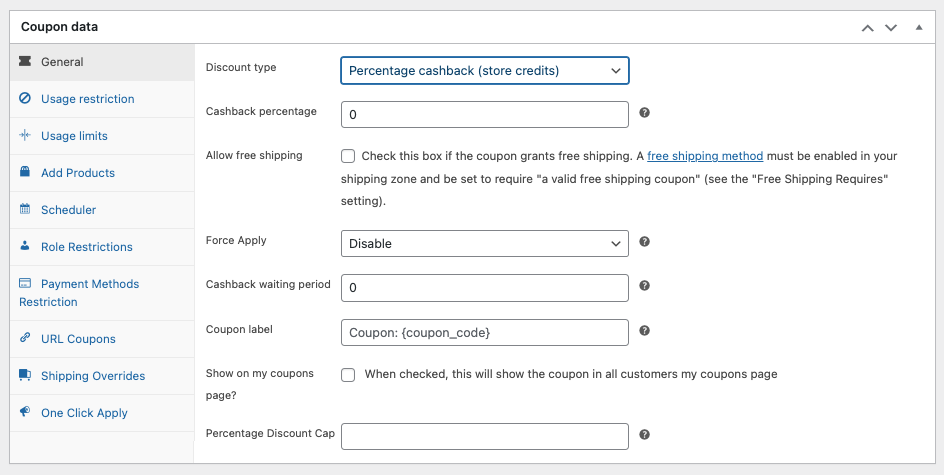
From there, you can configure the system to align with your desired cashback setup.
Then, finally, hit the “Publish” button.
BONUS: Tiered “spend more, save more” codes
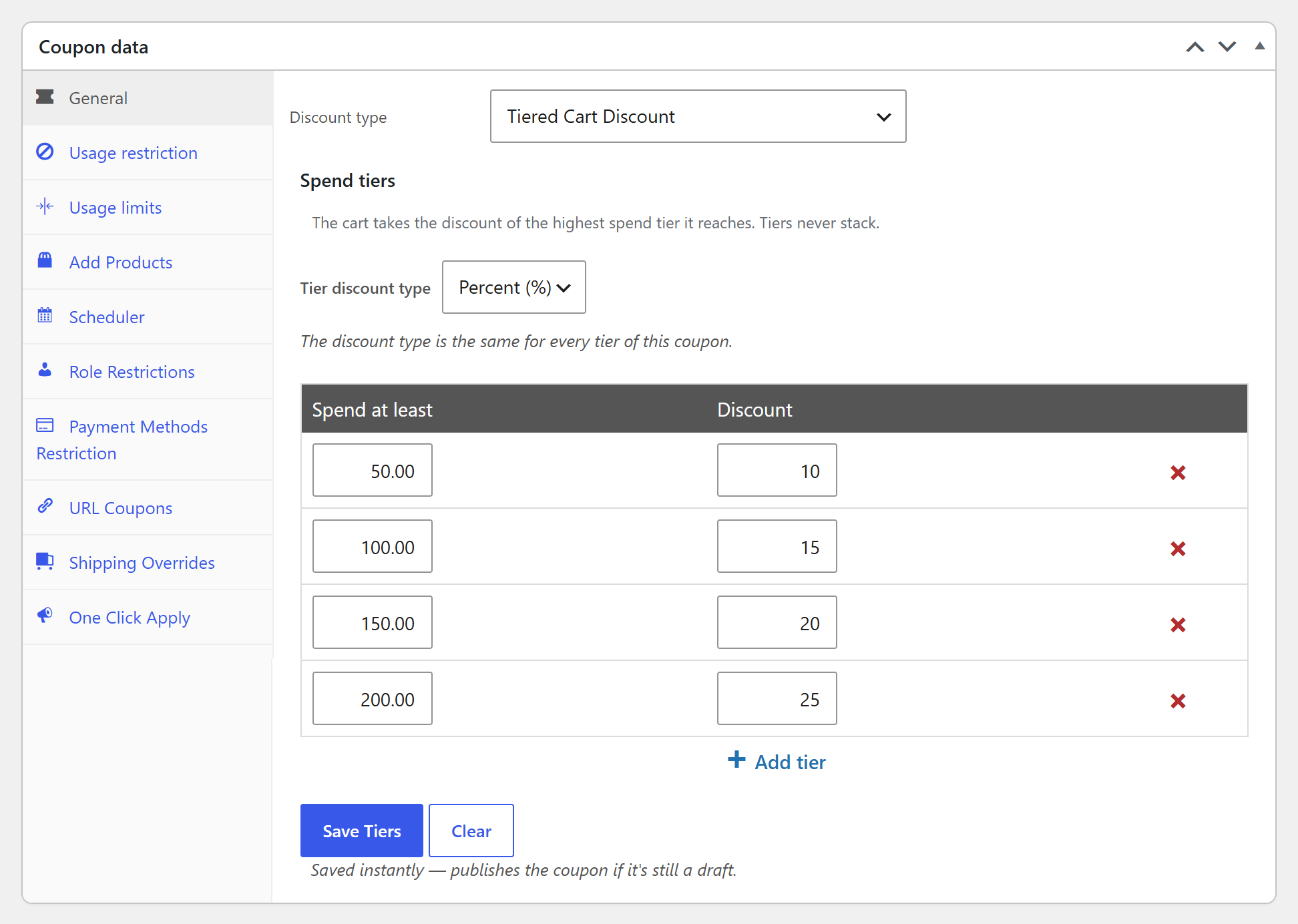
Want one code that rewards bigger carts? A tiered code gives shoppers a bigger discount the more they spend, like 10% off at $50 and 15% off at $100. Some code name ideas:
- SPENDMORESAVEMORE
- BFTIERS26
- SAVEUPTO25
- BIGCARTBF
With Advanced Coupons Premium, you can set every level inside a single Tiered Cart Discount code. The shopper gets the highest tier their cart reaches, and anyone below the first tier sees a “Spend $X more” message that nudges them to add a little more.
Frequently Asked Questions
When is Black Friday 2026?
Black Friday 2026 is on Friday, November 27, the day after US Thanksgiving (Thursday, November 26). Cyber Monday follows on Monday, November 30. Looking ahead, Black Friday 2027 falls on Friday, November 26.
What is a good Black Friday coupon code?
A good Black Friday coupon code is short, easy to type, and tells shoppers what they get, like BOGOBF2026 or BFSHIP4FREE. Keep it relevant to the offer, add a little personality, and pair it with a clear deadline so shoppers feel a reason to act.
How do I create a Black Friday coupon code in WooCommerce?
Go to Marketing > Coupons and click Add coupon. Enter your code as the coupon name, pick a discount type, set the amount, and add an expiry date or schedule. With Advanced Coupons, you can also create BOGO deals, cashback, tiered discounts, and cart conditions, or start from a ready-made Black Friday coupon template.
Conclusion
Black Friday is drawing near, and what better way to make your store stand out than to give customers unique coupon offers? This will not only attract more customers but also help you drive your sales. It will also help you retain more existing customers and nurture loyalty.
To help you plan out your Black Friday offer this year, we listed 5 creative Black Friday coupon code + name ideas you can use to max out your marketing game:
- Buy One, Get One (BOGO) Deals
- Early Bird Offers
- Shipping Deals
- Bundle Discounts
- Cashback Rewards
- Bonus: Tiered “spend more, save more” codes
It’s worth mentioning that while these unique discounts might not be supported by WooCommerce’s standard coupon settings, you can easily configure them using Advanced Coupons.
This plugin offers a user-friendly way to set up these special offers. Moreover, you can explore additional features like URL coupons, loyalty programs, gift cards, and more to add extra excitement to your Black Friday sales event! Check it out now.